You’re mid-email, elbows on the desk, and the whole thing lurches sideways like a pub table on a Saturday night. Your coffee slides. Your monitor wobbles. You jam a folded bit of cardboard under one leg — again — and promise yourself you’ll sort it properly this weekend. Sound familiar? A wobbly desk isn’t just annoying; it’s genuinely distracting and, over months, can wreck your posture as you unconsciously lean to compensate.
The good news: most wobbly desks can be fixed in under 30 minutes with tools you probably already own. You don’t need to bin a perfectly good desk and spend £300 on a replacement. Whether it’s a cheap flat-pack number from IKEA, a solid wood vintage find, or a standing desk that’s developed a wobble over time, the fix is usually simpler than you’d think.
This guide walks you through how to fix a wobbly desk — from diagnosing what’s actually causing the problem to the specific fixes that work for each type of wobble.
First, Work Out Why Your Desk Is Wobbly
Before you start tightening things at random (we’ve all done it), take 30 seconds to figure out what kind of wobble you’re dealing with. The fix depends entirely on the cause.
Rock it gently side to side and front to back. Pay attention to what moves:
- One leg shorter than the others — the desk rocks like a seesaw, lifting one corner when you press another. This is the most common problem and the easiest fix.
- Loose joints or hardware — the desk frame itself feels sloppy. Push the top sideways and the whole structure shifts. Legs stay on the floor, but the frame racks.
- Uneven floor — the desk is actually fine, but your floor isn’t. Common in older UK houses with wooden floorboards that have warped over the years.
- Worn or missing feet — the plastic glides on the bottom of the legs have cracked, gone missing, or worn down unevenly.
- Structural damage — a cracked leg, split joint, or warped top. Less common but worth ruling out.
Get down on the floor and look at the legs. Seriously. Most people skip this and go straight to shimming, when the actual problem is a bolt that’s worked itself loose over six months of micro-vibrations from typing.
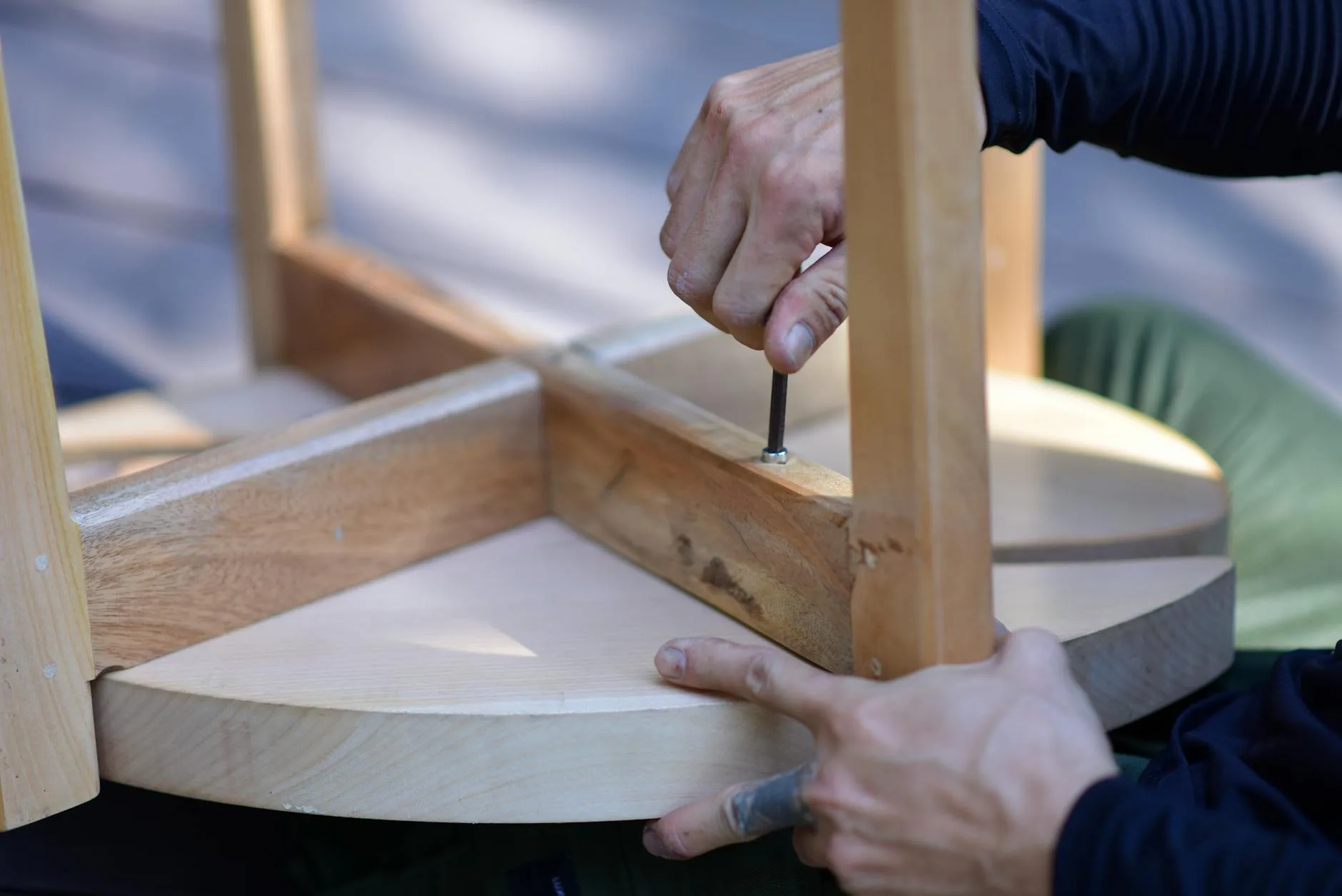
How to Fix Wobbly Desk Legs (The Quick Wins)
These are the fixes that solve about 80% of wobbly desk problems. Start here.
Tighten Every Bolt, Screw, and Connector
Grab an Allen key set and a Phillips screwdriver — if you assembled the desk from flat-pack, dig out the original Allen key that came in the hardware bag. Flip the desk over (or crawl underneath) and tighten every single bolt and screw you can find.
Pay special attention to:
- Leg-to-frame bolts — these take the most stress and loosen first
- Cross-brace screws — the diagonal or horizontal bars that connect the legs
- Cam locks — those round disc fittings common in IKEA furniture. Give each one a quarter-turn clockwise
- Corner brackets — L-shaped metal plates screwed into the underside
Don’t just tighten the ones that feel loose. Tighten all of them. A fitting can be one-eighth of a turn from tight and still allow enough play to cause a wobble. If you’ve got a flat-pack desk and you’re not sure you assembled it correctly in the first place, have a look at our guide on how to assemble a flat-pack desk without losing your mind — it might save you a second round of troubleshooting.
Fit Adjustable Levelling Feet
If tightening everything didn’t fix it, the problem is likely uneven legs or an uneven floor. Adjustable levelling feet are cheap (about £5-8 for a pack of four from Amazon UK or Screwfix) and they solve both problems at once. If you are exploring this area, our guide on How to Set Up an Ergonomic Home Office on a Budget covers the essentials.
Most come in two types:
- Screw-in feet — threaded metal posts with a rubber or felt pad on the bottom. These screw directly into the existing hole in the desk leg. M8 and M6 threads are the most common sizes for furniture.
- Stick-on pads with wedge adjustment — less elegant, but work if your desk legs don’t have threaded inserts.
To fit screw-in feet: remove the existing plastic glides, check the thread size (take one to Screwfix if you’re not sure), and screw in the new levelling feet. Then use a spirit level across the desktop and adjust each foot up or down until the bubble sits dead centre. This takes about five minutes and the difference is remarkable.
The Cardboard Shim (Done Properly)
Look, sometimes a folded bit of cardboard under one leg is the right answer. The trick is doing it so it doesn’t slide out or look terrible.
Cut a piece of thin plywood, cork, or even a stack of beer mats to the exact size of the leg’s footprint. Stick it in place with a dab of strong double-sided tape. It won’t win any design awards, but it works and it’s free. Furniture felt pads stacked two or three thick also work and look neater — you can get packs from B&Q for under £3.
Fixing Structural Wobble (When the Frame Racks)
If the desktop shifts sideways when you push it — even though all four legs stay on the floor — you’ve got a racking problem. This means the frame lacks diagonal rigidity. It’s common in desks with thin metal legs and no cross-bracing, and in older wooden desks where joints have dried out and loosened.
Add a Cross-Brace or L-Brackets
The simplest structural fix is adding diagonal bracing or corner brackets:
- Steel L-brackets (about £1-2 each from Screwfix or B&Q) screwed into the inside corners where legs meet the desktop frame. Use two screws per side, into solid wood — not into particleboard, which won’t hold.
- A diagonal wire brace — a steel cable tensioned between diagonally opposite legs. Some standing desk brands sell retrofit kits for this.
- A flat steel brace screwed across the back of the desk, connecting the two rear legs. This is the single most effective anti-rack fix and is invisible if mounted low on the back.
If you’ve got a standing desk that’s wobbling at standing height, that’s an extremely common issue. The taller the desk, the more leverage works against the frame. Our article on standing desk mistakes everyone makes and how to fix them covers this in detail — including why some frames wobble more than others.
Re-Glue Loose Wooden Joints
For traditional wooden desks with mortise-and-tenon or dowel joints, wobble usually means the glue has dried out and cracked. This is a proper fix but it’s not difficult:
- Pull the joint apart — tap it gently with a rubber mallet. If it won’t budge, leave it and add brackets instead.
- Scrape out the old glue — use a chisel or stiff brush. Old PVA goes chalky and flakes off.
- Apply fresh wood glue — Gorilla Wood Glue or EverBuild 502 are both excellent. About £6 from any DIY shop.
- Reassemble and clamp — use sash clamps or ratchet straps pulled tight around the frame. Leave for 24 hours.
- Drill a small hole through the joint and tap in a hardwood dowel for extra strength. This is belt-and-braces but it means the joint will never loosen again.
One tip: do all four legs at once, even if only one feels loose. If one joint has failed, the others are probably close behind.
Dealing With Uneven Floors
Here’s something people overlook: the desk might be perfectly square and solid, but your floor is the problem. Victorian and Edwardian houses — which is half of UK housing stock — often have floors that slope, dip, or undulate. Even modern builds can have screed floors that aren’t perfectly level.
Check With a Spirit Level
Put a spirit level on the desktop, then on the floor next to each leg. If the desktop reads level but the desk still rocks, one leg isn’t reaching the floor. If the floor reads out of level, you know exactly where the problem is.
Self-Adhesive Furniture Pads
For minor unevenness (a few millimetres), stick-on felt or rubber pads in varying thicknesses can level things out. Stack them as needed. These also protect wooden and laminate floors from scratches — your landlord will thank you.
Anti-Vibration Pads
If your desk wobbles because the floor itself is slightly bouncy (common with suspended timber floors in older terraced houses), anti-vibration pads under each leg can help. They’re about £8-12 for a set from Amazon UK and they absorb the micro-movements that make your monitor shake when someone walks across the room.

When Your Standing Desk Wobbles
Standing desks are wobble magnets. It’s physics: a desk at 110-120 cm height has far more leverage acting on the joints than one at standard 73 cm sitting height. Even expensive models can develop a wobble over time.
Specific fixes for standing desks:
- Tighten the leg column bolts — electric standing desks have bolts where the lifting columns meet the frame. These loosen faster than you’d expect.
- Check the feet are properly adjusted — most standing desks come with levelling feet, but people often don’t adjust them during setup.
- Add a cross-bar between the legs — many standing desk frames have bolt holes for an optional cross-brace that wasn’t included in the box. Check the manufacturer’s website.
- Ensure the desktop is properly secured to the frame — if the top slides even slightly on the frame, it amplifies any wobble. The desktop should be bolted through the frame’s mounting holes, not just resting on it.
- Reduce the height if possible — even dropping 5 cm can noticeably reduce wobble. Use a monitor arm to regain the screen height instead.
If you’re shopping for a standing desk that won’t wobble, the frame design matters more than the price tag. A C-frame (two legs at the back only) will always wobble more than an H-frame (legs at both front and back). Our roundup of the best standing desks tested for UK home offices specifically tests for stability.
When It’s Time to Replace Rather Than Repair
Sometimes a wobble is telling you the desk has had its day. Here’s when to call it:
- The legs are bent or cracked — metal legs that have bent won’t straighten properly, and cracked wooden legs are a safety risk.
- The desktop itself is warped — MDF and particleboard can swell and warp with moisture exposure. Once it’s warped, it’s done. If you’re curious about how different materials hold up, our desk materials guide covering MDF vs solid wood vs bamboo explains what to expect from each.
- The joints have failed multiple times — if you’ve re-glued the same joint twice and it keeps failing, the wood is probably too degraded to hold glue.
- It costs more to fix than replace — if you’re looking at buying brackets, braces, new feet, and spending a Saturday afternoon on it, a new desk from IKEA or Argos starts at about £50 for something basic but solid.
According to the Health and Safety Executive’s guidance on display screen equipment, your workstation should be stable and allow you to maintain a comfortable posture. A desk that wobbles enough to affect your typing or mouse use isn’t just annoying — it’s a genuine ergonomic issue that can contribute to wrist and shoulder strain over time.
Preventing Future Wobble
Once you’ve fixed the wobble, keep it fixed:
- Retighten all hardware every 6 months — put a reminder in your phone. It takes 5 minutes and prevents problems building up.
- Use proper levelling feet from day one — don’t rely on the cheap plastic nubs that come with most flat-pack furniture.
- Place your desk on a hard surface where possible — carpet allows legs to sink unevenly. A desk mat or piece of thin plywood under the legs helps on thick carpet.
- Don’t lean heavily on one side — easier said than done, but habitually leaning on one corner of a desk stresses those joints disproportionately.
- Keep an eye on humidity — wooden desks in rooms that swing between very dry (winter heating) and humid (summer) will expand and contract, loosening joints. A study by the Building Research Establishment found that UK indoor humidity can swing by 30-40% seasonally, which is enough to affect furniture joints.
Once the desk is stable, comfort becomes the next problem in warm spare rooms. Our guide to the best desk fans for hot summer days covers quiet cooling that will not shake the setup you have just fixed.
Frequently Asked Questions
Can I fix a wobbly desk without tools? For a quick fix, yes — stick-on furniture pads, cork wedges, or even folded cardboard can stop a rock. But for a lasting fix, you’ll need at least an Allen key or screwdriver to tighten the joints. Most hardware that comes loose only needs a quarter-turn.
Why does my standing desk wobble more at standing height? Physics. A desk at 120 cm has roughly 60% more leverage on its joints than at 73 cm sitting height. The taller the desk, the more any looseness in the frame gets amplified. Adding a cross-brace and tightening column bolts usually fixes it.
What are the best levelling feet for a desk? Screw-in metal levelling feet with a rubber pad are the most effective. Look for M8 thread size, which fits most furniture. Expect to pay about £5-8 for a pack of four from Screwfix or Amazon UK. They give you 10-15mm of adjustment range.
Should I use wood glue or screws to fix a wobbly desk joint? Both, ideally. Re-glue the joint with proper wood glue (not superglue), clamp it for 24 hours, then reinforce with a dowel or screw through the joint. For quick fixes on flat-pack furniture, steel L-brackets screwed into the inside corners work well.
How much does it cost to fix a wobbly desk? Most fixes cost under £10. Levelling feet are about £5-8, L-brackets are £1-2 each, and wood glue is about £6. Even if you need all three, you’re looking at under £20 — far cheaper than replacing the desk.