The best standing desk for a home office is the one that fits both your room and your seated working height. A larger top helps with multiple screens; a smaller one may be easier to place but can leave the monitor too close. The four complete electric desks here cover distinct footprints, from 120 × 60 cm to 160 × 80 cm. The right choice depends on your equipment, available space and how the desk adjusts to you.
A sit-stand desk lets you change position; it is not a treatment for back pain or a reason to stand all day. Start by checking your chair, screen and keyboard positions against the HSE workstation guidance. If your current setup is uncomfortable, the home-office setup guide covers the surrounding changes.
Our top picks
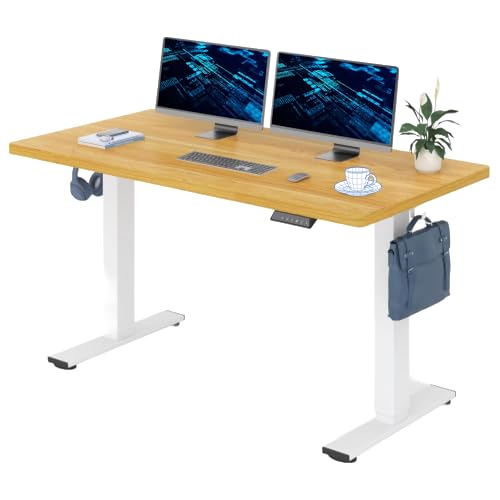
Balanced home-office footprint — FlexiSpot 140 × 80 cm one-piece desk
A monitor, laptop and working space without a very wide desk.

Compact room — FEZIBO 120 × 60 cm electric desk
A smaller room and a modest monitor setup.
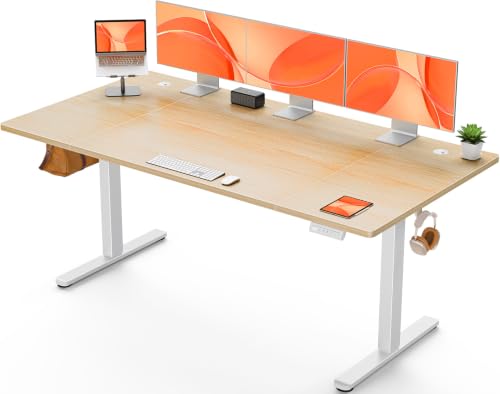
Roomy work surface — ErGear 160 × 80 cm electric desk
Two screens or paperwork alongside a computer.
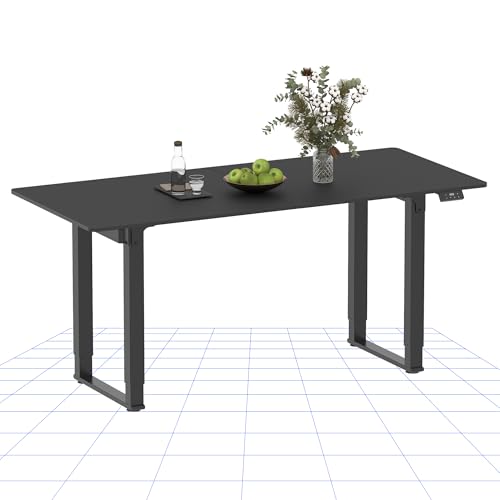
Four-leg alternative — FlexiSpot QS2 four-leg desk
A buyer who prefers a four-leg frame and a 70 cm-deep surface.
On this page
- Standing desk comparison
- Four standing desks in detail
- How to choose a desk that fits
- Set up sitting and standing heights
- Before you buy: delivery and returns
- The bottom line
- Frequently Asked Questions
Standing desk comparison
| Desk | Desktop | Top design | Best for | Main compromise |
|---|---|---|---|---|
| FlexiSpot 140 × 80 cm one-piece desk | 140 × 80 cm | One-piece | A monitor, laptop and working space without a very wide desk | Measure the 80 cm depth and your seated elbow height before ordering. |
| FEZIBO 120 × 60 cm electric desk | 120 × 60 cm | Compact desktop | A smaller room and a modest monitor setup | A 60 cm depth leaves less space for a large screen and accessories. |
| ErGear 160 × 80 cm electric desk | 160 × 80 cm | Spliced desktop | Two screens or paperwork alongside a computer | The larger footprint needs clear floor and wall space; the top is jointed. |
| FlexiSpot QS2 four-leg desk | 140 × 70 cm | Spliced desktop | A buyer who prefers a four-leg frame and a 70 cm-deep surface | Four legs do not guarantee steadier performance; check the frame footprint and assembled return terms. |
Treat dimensions as a starting point, not a quality score. The one-piece and spliced tops differ in assembly and surface feel; neither label tells you how a desk will behave at your height with your own equipment. Check the minimum height, frame load and included parts for the configuration you choose.
Four standing desks in detail
FlexiSpot 140 × 80 cm one-piece desk — A balanced work surface
The 140 × 80 cm FlexiSpot gives a useful depth for a monitor, keyboard and notes without stretching to a 160 cm width. Its one-piece maple-coloured top avoids a centre join. Among these four, it balances useful depth with a width that still fits many dedicated home offices.
Best for: A monitor, laptop and working space without a very wide desk.
Watch out for: The 80 cm depth is useful only if you have room behind the chair and around the desk. Check the full assembled dimensions, the lowest height and whether its control arrangement suits you. Stability and noise may differ with your equipment and floor; check how the desk performs at your working height.
FEZIBO 120 × 60 cm electric desk — Smaller room, simpler equipment
The FEZIBO 120 × 60 cm is the compact complete-desk choice. It has three height-memory presets for saving preferred positions. The white frame and oak-coloured top are a different look from the darker desks.
Best for: A smaller room and a modest monitor setup.
Watch out for: A 60 cm-deep top can feel cramped with a large monitor stand, laptop and paperwork. Measure your screen-to-eye distance and cable clearance, and check the seated height against your chair before buying.
ErGear 160 × 80 cm electric desk — Space for screens and papers
ErGear’s 160 × 80 cm top provides the most surface area of these four. The control offers four memory positions. It suits a dedicated office where two screens, documents or drawing space matter more than a compact footprint.
Best for: Two screens or paperwork alongside a computer.
Watch out for: The top is assembled from sections, so expect a joint rather than a seamless surface. Check doorways, wall space and the size of the delivered packages. A large top is not a substitute for a suitable minimum desk height.
FlexiSpot QS2 four-leg desk — A different frame layout
The FlexiSpot QS2 pairs a 140 × 70 cm spliced top with a four-leg, dual-motor frame and memory control. It may suit you if you prefer a four-leg frame and a 70 cm-deep top to a conventional two-leg design.
Best for: A buyer who prefers a four-leg frame and a 70 cm-deep surface.
Watch out for: Four legs do not guarantee steadier performance than a two-leg design. The frame takes more floor space, and the split surface is visible. Measure the leg footprint as well as the desktop.
How to choose a desk that fits
Start with your seated height
An electric desk must lower far enough for you to type with relaxed shoulders and forearms near level while your feet are supported. Measure this at your current workstation before comparing models. A tall desk at its minimum setting can be awkward even if its maximum standing height is generous. Our chair-adjustment guide helps with the seated half of that check.
Measure the whole footprint
Leave space for the chair to move back and for the desk to rise without meeting shelves or a windowsill. A 120 × 60 cm top is easier to place; 140 × 80 cm gives more depth; 160 × 80 cm needs a dedicated room. Check monitor-arm clamp clearance, cable slack and skirting boards. Our standing-desk stability guide explains why the equipment load and height matter.
Choose the surface and controls you will use
A one-piece top avoids a seam; a spliced top may be easier to package and carry. Memory buttons are helpful when two people share a desk or you switch positions often. The number of presets does not indicate motor noise, speed or long-term durability. Compare the maker’s stated load and height range for the exact configuration you buy.
Set up sitting and standing heights
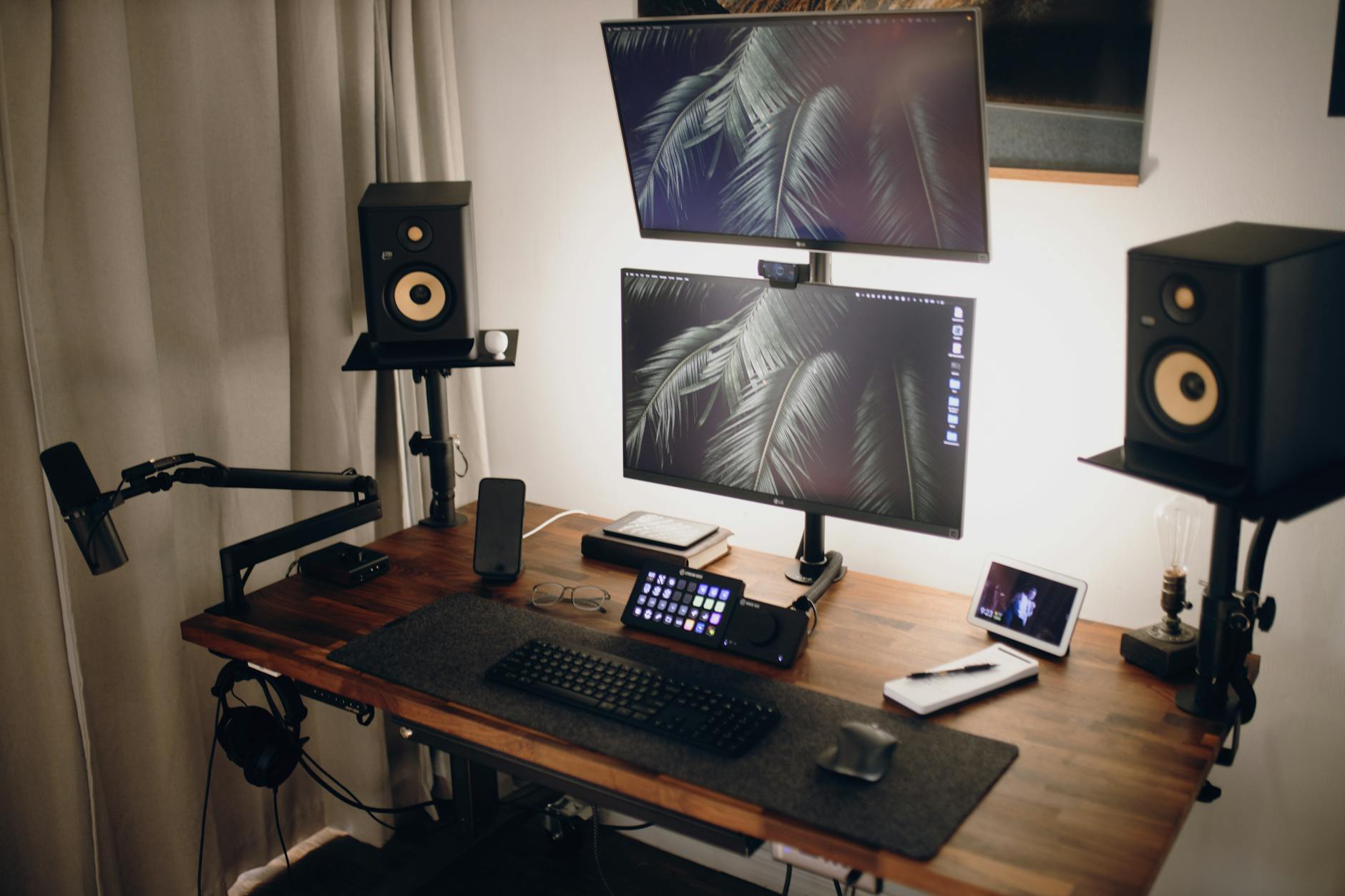
Set the chair and keyboard position first, then save a sitting height if the desk has memory controls. For standing, raise the desktop until your shoulders can stay relaxed and your keyboard sits just below elbow height. Keep the screen roughly an arm’s length away and near eye level, as the HSE recommends. A monitor arm can help when screen height needs to change independently of the desk.
- Check clearance: move the desk through its full range before finalising cables or putting furniture beneath it.
- Change position regularly: standing all day can be uncomfortable too; vary posture and take breaks.
- Keep cables slack: allow enough movement for screens, power and network leads at the top height.
- Revisit the room: a mat, footrest or monitor stand may help, but buy accessories for a specific fit problem rather than by default.
For common setup errors, see our standing-desk mistakes guide. If you are deciding whether height adjustment is worthwhile at all, our sit-stand versus fixed-desk comparison weighs the practical trade-offs.
Before you buy: delivery and returns
A standing desk can arrive in several heavy boxes and may need to be dismantled for a return. Before ordering, check who sells and dispatches the exact configuration, the current return window, whether assembly changes the return conditions, and who pays for collection if you simply change your mind. Do not assume a brand’s own trial terms apply to a marketplace purchase. Marketplace return terms and collection costs can differ by seller.
Check that the chosen package includes both frame and desktop, plus the control you expect. Frame-only products can look similar in photos. Keep the packaging until you have assembled and raised the desk successfully; inspect the surface and parts before building. If a model’s minimum height, dimensions or return arrangement is unclear, ask the seller before buying.
The bottom line
For a typical dedicated home-office space, the FlexiSpot 140 × 80 cm one-piece desk offers a balanced footprint among these four. Choose the FEZIBO 120 × 60 cm when the room is tight, or the ErGear 160 × 80 cm when surface area matters more than floor space. The FlexiSpot QS2 is the four-leg alternative, but its extra legs are not proof of superior stability. Whatever you choose, make the minimum seated height and the return arrangement pass your own checks first.
Frequently Asked Questions
What is the best standing desk for a UK home office? It depends on your seated height, room and equipment. A 140 × 80 cm desk is a balanced starting point for many dedicated home offices; a 120 × 60 cm top suits tighter spaces, while a 160 × 80 cm top gives more working area. Measure before ordering.
Will a standing desk fix back pain? No. It gives you another working position, but it does not treat back pain. Set up the whole workstation, vary your posture and seek medical advice if pain persists.
Is a one-piece desktop better than a spliced top? A one-piece top has no assembly seam. A spliced top may be easier to carry, but the joint remains visible or tactile. Neither construction proves better motor performance or stability.
What should I measure before buying an electric desk? Measure the available floor area, chair clearance, monitor depth and your comfortable seated keyboard height. Check the exact desk’s minimum height, full frame footprint and package dimensions.
Are memory presets worth having? They can make switching between sitting and standing easier, especially if two people share the desk. The positions still need to be set for each person, and presets do not substitute for a suitable height range.
What should I check about delivery and returns? Check the seller of the exact configuration, delivery access, whether the desktop and frame are both included, and the terms for an assembled or unwanted return. Large-item collection may have conditions or charges.