You’ve just moved into a new home office setup — maybe a spare bedroom, maybe a corner of the dining table — and you’re staring at a bare desk wondering why you can’t focus for more than twenty minutes. The desk itself is fine. The chair is decent. But something’s off, and you can’t quite put your finger on it. Nine times out of ten, it’s the accessories (or lack of them) that make the difference between a workspace that drains you and one that actually helps you get things done.
After spending the better part of two years testing desk accessories across dozens of home offices — including my own cramped setup in a converted loft — I’ve learned that the right accessories aren’t about making your desk look like a Pinterest board. They’re about removing friction. The monitor arm that stops your neck aching by 3pm. The cable tidy that means you stop knocking your coffee over reaching for a charger. The desk mat that makes your mouse actually track properly. Small things, big difference.
This guide covers the best desk accessories for productivity in the UK right now, with real prices, specific products, and honest opinions on what’s worth your money and what’s a waste of it.
In This Article
- Why Your Desk Setup Matters More Than You Think
- The Best Overall Desk Accessory for Productivity
- Monitor Arms and Laptop Stands
- Desk Mats and Mouse Pads
- Cable Management Solutions
- Desk Lighting That Actually Helps
- Keyboard and Mouse Upgrades
- Desk Organisers and Storage
- Standing Desk Converters and Risers
- How to Choose the Right Desk Accessories
- What to Avoid When Buying Desk Accessories
- Frequently Asked Questions
Why Your Desk Setup Matters More Than You Think
There’s a reason the HSE has specific guidance on display screen equipment — poor workstation setup is one of the leading causes of musculoskeletal problems among UK office workers. And if you’re working from home, nobody’s doing a DSE assessment for you. You’re on your own.
The NHS recommends breaking up long sitting periods and setting up your workspace properly, but “properly” doesn’t mean spending thousands. It means being intentional about what sits on your desk and what doesn’t.
The Productivity Connection
A cluttered, badly lit desk with cables everywhere isn’t just ugly — it’s actively working against you. Every time you hunt for a pen, untangle a cable, or squint at a screen because the angle’s wrong, you’re burning mental energy on nonsense. Multiply that by eight hours and you’ve lost a meaningful chunk of your day to friction that a £15 cable tidy could have solved.
The Ergonomic Reality
If your monitor’s too low, you’ll hunch. If your keyboard’s too high, your wrists will ache. If your desk lamp creates glare on your screen, you’ll get eye strain and headaches. These aren’t minor complaints — they compound over weeks and months into real problems. The right accessories fix these issues before they start.
The Best Overall Desk Accessory for Productivity
If I could only recommend one thing, it would be a decent monitor arm. Specifically, the Ergotron LX (about £130 from Amazon UK). It’s the one I keep coming back to after testing cheaper alternatives that wobble, sag, or just don’t hold position properly.
Why a Monitor Arm Wins
A monitor arm does three things at once: it puts your screen at the right height (top of the screen at eye level), it frees up desk space underneath, and it lets you push the monitor back or pull it closer depending on what you’re doing. That flexibility sounds minor until you’ve lived with it for a month and realise you’ve stopped getting afternoon headaches.
Budget Alternative
The Amazon Basics Monitor Arm (about £30) is a perfectly serviceable option if £130 feels steep. It’s not as smooth to adjust as the Ergotron, and it struggles a bit with heavier monitors over 8kg, but for a standard 24-27 inch screen it does the job. I used one for six months before upgrading and it was fine — just not as refined.
Monitor Arms and Laptop Stands
Beyond the Ergotron LX, there are situations where you need something different.
Dual Monitor Arms
If you run two screens, the Duronic DM352 (about £45 from Amazon UK) handles two monitors up to 27 inches. The build quality is decent for the price, though you’ll want to tighten all the joints properly during setup or the screens will slowly drift downward. I learned that one the hard way — came back from lunch to find both monitors pointing at the floor.
Laptop Stands
For laptop users, the Rain Design mStand (about £45 from John Lewis) is the classic recommendation for good reason. Solid aluminium, raises the screen to a comfortable height, and looks smart on any desk. The only catch is you’ll need an external keyboard and mouse, which brings us to those sections later. If you are exploring this area, our guide on 4K vs 1440p vs 1080p: Which Resolution for Productivity? covers the essentials.
If you want something adjustable, the Leitz Ergo Cosy Adjustable Laptop Stand (about £35 from Currys) lets you change the angle and height, which is handy if you switch between sitting and standing.
What to Look For
- Weight capacity — check your monitor’s weight against the arm’s rating. Going over it means slow droop over time
- Desk clamp vs grommet — clamp is easier to install but needs a desk edge thick enough (usually 10-60mm)
- VESA compatibility — most monitors use 75x75mm or 100x100mm VESA mounts. Check before buying
- Cable routing — better arms have channels to hide cables. It’s a small thing but it keeps everything tidy
Desk Mats and Mouse Pads
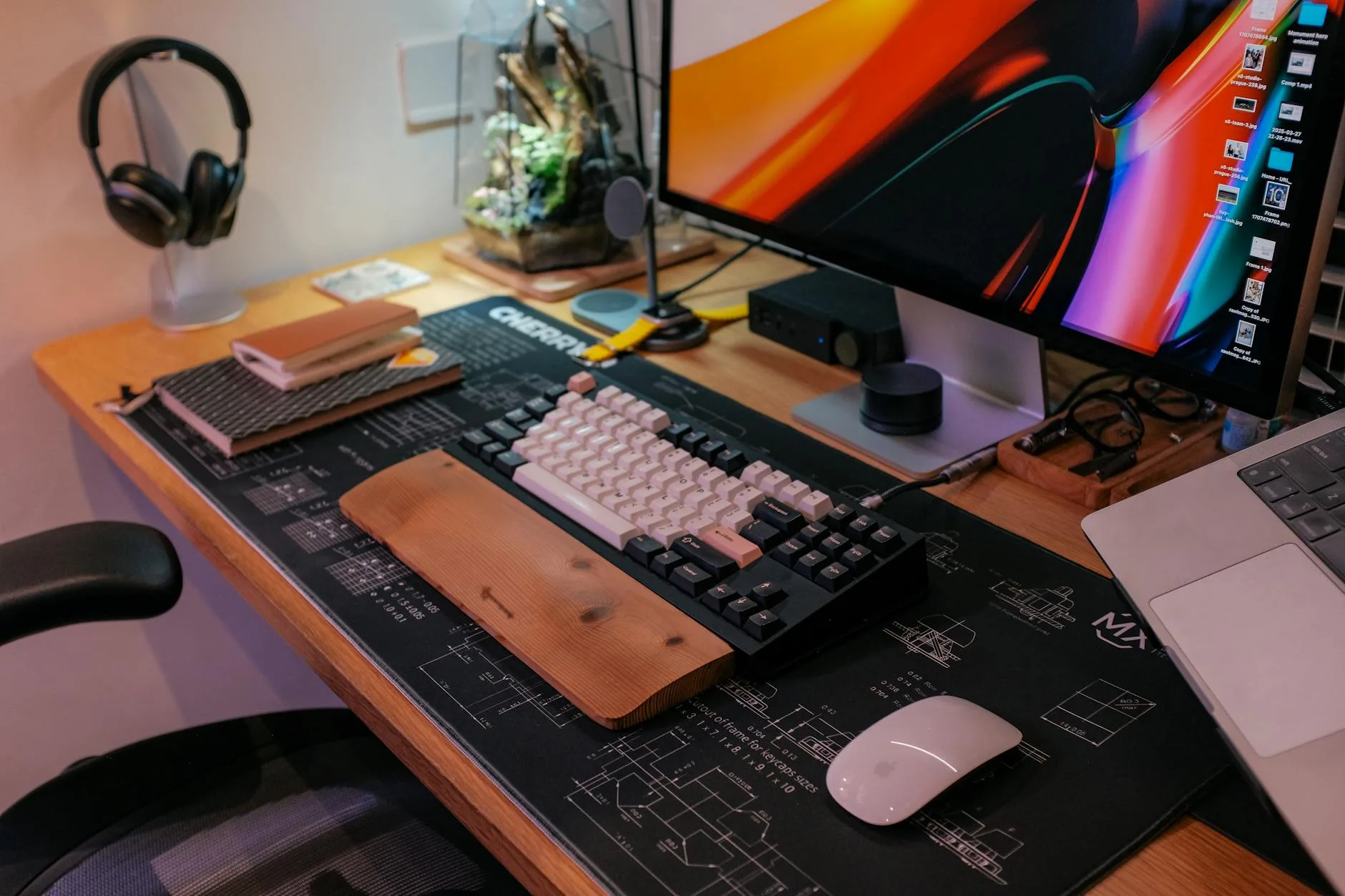
I used to think desk mats were purely decorative. Then I started working on a glass desk where my mouse skated around like it was on ice, and my wrists stuck to the surface in summer. A decent desk mat changed both problems overnight.
Best Desk Mat Overall
The Oakywood Felt and Cork Desk Mat (about £60) is the one on my desk right now. Cork bottom grips the desk, felt top is comfortable under your wrists, and it looks genuinely nice. It’s at the premium end, but it’s lasted over a year with no signs of wear.
Best Budget Desk Mat
The AUKEY Large Mouse Pad (about £12 from Amazon UK) is a massive extended mousepad that covers most of a standard desk. It’s not as pretty as the Oakywood, but it’s soft, doesn’t slip, and your mouse tracks perfectly on it. At twelve quid, it’s hard to argue against.
Specialist Options
- Leather desk mats (£30-80 from Amazon UK) — age beautifully, easy to clean, feel premium. The Harber London ones are gorgeous but pricey at around £80
- Cork desk mats (£20-40) — naturally antimicrobial, eco-friendly, warm to the touch
- Microfibre mats (£10-25) — best for mouse accuracy, great for gaming, but they stain easily
Cable Management Solutions
This is where most people’s desks fall apart. You’ve got a monitor cable, two chargers, a desk lamp cable, maybe headphone and speaker cables. Before you know it, there’s a rat’s nest behind your desk that collects dust and drives you mad every time something needs unplugging.
The Easy Win
The D-Line Cable Tidy Floor Kit (about £12 from Screwfix) contains cable covers and clips that turn chaos into neatly routed lines. It takes about twenty minutes to install and the difference is remarkable. I did my partner’s desk with one of these kits and she said it was the single best improvement I’d made to her workspace.
Under-Desk Cable Trays
The IKEA SIGNUM Cable Management Tray (about £12 from IKEA) mounts underneath your desk and holds all your cables and power strips off the floor. It’s been an IKEA staple for years because it works brilliantly. Dead simple to install — four screws and you’re done.
Wireless Where Possible
The best cable management is fewer cables. A wireless keyboard and mouse eliminates two cables immediately. Wireless charging pads remove another one. I’ve gone from seven visible cables to three by switching to wireless peripherals, and my desk looks completely different for it.
Cable Management Checklist
- Count your cables and power adaptors
- Group cables that run to the same area
- Install an under-desk tray for power strips and excess cable length
- Use velcro ties (not zip ties — you’ll need to adjust things later) to bundle groups
- Route cables through desk grommets if your desk has them
- Label each cable near the plug end — sounds excessive but saves time when troubleshooting
Desk Lighting That Actually Helps
Bad lighting is the most underrated productivity killer. If your only light source is the overhead ceiling light, you’re probably dealing with screen glare, uneven illumination, and eye strain by mid-afternoon.
The Screen Light Bar
The BenQ ScreenBar (about £99 from Amazon UK) sits on top of your monitor and lights your desk without creating any screen glare. It sounds like a gimmick until you try it. I was sceptical, bought one, and within a week couldn’t imagine working without it. The auto-brightness sensor adjusts based on ambient light, and the colour temperature control lets you shift from warm in the evening to cool during the day.
Budget Desk Lamp
If £99 is too much for a light, the IKEA TERTIAL (about £9) is a classic adjustable desk lamp that’s been around forever. Pair it with a daylight LED bulb (5000K-6000K) and position it on the opposite side from your dominant hand to minimise shadows. Not glamorous, but it works.
Lighting Principles
- Position light opposite your dominant hand to avoid writing shadows
- Use daylight colour temperature (5000K-6500K) for focus and alertness
- Warmer light (2700K-3000K) in the evening to support your body’s natural wind-down — a smart bulb that shifts automatically is ideal
- Avoid overhead-only lighting — it creates harsh shadows and screen glare
- Layer your light — ambient room light plus task-specific desk light is the sweet spot
Keyboard and Mouse Upgrades
Most people use whatever keyboard came with their computer or whatever was cheapest on Amazon. Upgrading here makes a bigger difference than you’d expect, especially if you type for several hours a day.
Best Keyboard for Productivity
The Logitech MX Keys (about £100 from Currys or John Lewis) is my top pick. Low-profile keys with just the right amount of travel, backlighting that turns on when your hands approach, and it connects to three devices simultaneously so you can switch between your work laptop and personal machine with one button. I’ve been using mine for over a year and it’s still my favourite keyboard.
Best Budget Keyboard
The Logitech K380 (about £35) is a brilliant compact wireless keyboard that connects to three devices via Bluetooth. It’s not as premium-feeling as the MX Keys, but the typing experience is solid and the battery lasts about two years. The coloured versions look great too. You might also find our Desk Accessories You Actually Need (And Ones You Don’t) guide useful here.
Best Mouse for Productivity
The Logitech MX Master 3S (about £90 from Amazon UK) is the standard recommendation for a reason. Ergonomic shape, customisable buttons, infinite scroll wheel that’s perfect for long documents, and the same three-device switching as the MX Keys. After six months of daily use, my only complaint is that the USB-C charging port is on the bottom, so you can’t use it while charging.
Ergonomic Alternatives
- Logitech ERGO M575 Trackball (about £40) — if you get wrist pain from regular mice, a trackball keeps your arm stationary. Takes about three days to adjust, then you won’t go back
- Logitech Lift Vertical Mouse (about £65) — positions your hand in a natural handshake position. Excellent for RSI prevention
- Apple Magic Trackpad (about £129 from John Lewis) — Mac users who prefer gesture control. Beautiful but expensive
Desk Organisers and Storage
If you’re looking for ways to create a home office in a small flat, keeping your desk clear is non-negotiable. Every square centimetre matters.
Desktop Organisers
The Grovemade Desk Shelf (about £120 shipped to the UK) is the gold standard — a wooden shelf that sits on your desk, raises your monitor slightly, and creates storage space underneath. It’s expensive, but it’s beautifully made and turns a cluttered desk into something that looks like it belongs in a magazine.
For something more practical and less pricey, the IKEA TJENA Box with Compartments (about £6) keeps pens, sticky notes, and small items corralled without taking up much space.
Drawer Organisers
If your desk has drawers, the Joseph Joseph DrawerStore Organiser (about £10 from John Lewis) keeps everything from sliding around into a mess. Sounds boring, but I’ve wasted genuine minutes hunting for a specific cable in an unorganised drawer. Life’s too short.
Pegboards and Wall Storage
When desk space is truly limited, go vertical. The IKEA SKÅDIS Pegboard (about £15) mounts above your desk and holds everything from headphones to pens to small plants. It keeps your desk surface clear while keeping essentials within arm’s reach.
Standing Desk Converters and Risers
You don’t need a full standing desk to alternate between sitting and standing. A converter sits on top of your existing desk and raises your whole workspace up when you want to stand.
Best Standing Desk Converter
The FlexiSpot M7 (about £300 from Amazon UK) is solid, lifts smoothly, and has enough surface area for a monitor, keyboard, and mouse. The gas spring mechanism means you can adjust height with one hand. I’ve tested cheaper converters that required two hands and a prayer to raise evenly — the FlexiSpot is worth the extra spend.
Budget Option
The IKEA RÅSKOG Trolley (about £29) isn’t a standing desk converter, but hear me out — place your laptop on the top shelf at standing height and wheel it next to your desk when you want to stand. It’s a hack, but it works if you’re just using a laptop. We’ve recommended this in our guide to setting up an ergonomic home office on a budget and the feedback has been overwhelmingly positive.
Standing Desk Tips
- Start with 30-minute intervals — standing all day is as bad as sitting all day
- Wear supportive footwear or use an anti-fatigue mat (about £25 from Amazon UK)
- Keep your screen at eye level when standing — this is where monitor arms really earn their keep
- Set a timer — it’s easy to forget to switch positions when you’re deep in work
How to Choose the Right Desk Accessories
Not everything on this list is right for every setup. Here’s how to think about priorities.
Start With Pain Points
What annoys you most about your current setup? Neck pain → monitor arm. Messy cables → cable management. Can’t focus in dim light → desk lamp. Start with the thing that’s actively making your workday worse and fix that first.
Space Constraints
If you’re working from a small desk (under 120cm wide), prioritise items that save space: a monitor arm (frees desk surface), a wall-mounted pegboard (vertical storage), and a compact wireless keyboard. Skip the desk shelf and large organisers.
Budget Tiers
- Under £50 — Cable tidy kit (£12), desk mat (£12), IKEA TERTIAL lamp (£9), Logitech K380 keyboard (£35). Total: about £68 but each item independently makes a real difference
- £50-150 — Add a monitor arm (£30-130) and a proper mouse (£40-90)
- £150-300 — All of the above plus a BenQ ScreenBar and MX Keys keyboard
- £300+ — Standing desk converter territory, plus premium organisers
The One-Thing Test
If you can only buy one thing today, make it the item that fixes your biggest daily frustration. For most people, that’s a monitor arm or a desk lamp. Everything else can wait.
What to Avoid When Buying Desk Accessories
Gimmicky Tech
Wireless charging mouse pads that charge your phone while you work. Smart desk organisers with built-in USB hubs that break after three months. RGB lighting strips on your desk edge. If it needs its own power supply and exists mainly to look cool, it’s probably not making you more productive.
Amazon Basics Everything
Some Amazon Basics products are decent (the monitor arm, as I mentioned). But their desk organisers, cable management kits, and keyboard stands tend to be flimsy. For an extra few pounds, the IKEA or Screwfix equivalents are usually sturdier.
Overspending on Aesthetics
A beautiful desk is nice, but a functional desk is better. I’ve seen people spend £200 on a walnut desk organiser that holds three pens and a phone, while their monitor sits on a stack of books. Get the ergonomics right first, then worry about making it pretty.
Standing Desk Hype
Standing desks are great, but they’re not magic. If you buy a standing desk converter and don’t actually use it — and plenty of people don’t — you’ve just spent £300 on something that permanently lives in the “down” position. Try the IKEA trolley hack first to see if you’ll actually stand regularly before committing to a proper converter.
Frequently Asked Questions
What are the most important desk accessories for productivity? A monitor arm and a good desk lamp make the biggest immediate difference. They fix the two most common problems — screen height and lighting — that cause fatigue, neck pain, and eye strain throughout the workday. Everything else is secondary to getting these two right.
How much should I spend on desk accessories in the UK? You can make a meaningful improvement for under £50 with a cable tidy kit, desk mat, and a decent lamp. For a complete overhaul including a monitor arm, quality keyboard and mouse, and proper lighting, expect to spend £200-350. The good news is that quality desk accessories last years, so the cost per day is pennies.
Are standing desk converters worth it? They are if you’ll actually use them. The research on sit-stand alternating is solid — mixing positions throughout the day reduces fatigue and back pain. But about a third of people who buy standing desk converters stop using them within a month. Try standing with a temporary setup first before investing £200-300 in a proper converter.
What desk accessories help with back and neck pain? A monitor arm or laptop stand that positions your screen at eye level is the single biggest fix for neck pain. For back pain, an ergonomic keyboard and mouse that reduce forward reaching, combined with regular standing breaks, make a noticeable difference within a few weeks. The HSE’s display screen equipment guidance covers workstation setup in detail.
Do I need a desk mat? If your desk surface is smooth wood, glass, or laminate, yes. A desk mat improves mouse tracking, protects the desk surface from scratches, and is more comfortable for your wrists during long typing sessions. At £10-15 for a good basic mat, it’s one of the cheapest productivity improvements you can make.