You bought a standing desk. Congratulations — you’ve joined the growing number of UK workers who decided that sitting for 8 hours a day was slowly destroying their bodies. The research backs you up: prolonged sitting is linked to back pain, poor circulation, weight gain, and increased risk of cardiovascular disease.
But here’s the part nobody mentions in the standing desk marketing: most people use them wrong. They stand for too long, at the wrong height, in the wrong shoes, with their monitor in the wrong position — and end up with different problems than the ones they were trying to solve. Sore feet, aching knees, lower back pain, and neck strain are all common among standing desk converts who skipped the setup.
The desk isn’t the problem. The habits are. Here’s what goes wrong and how to fix it.
Mistake 1: Standing All Day
The most common mistake, driven by the assumption that if sitting is bad, standing must be good. It isn’t — standing still for hours is its own form of punishment. Your legs swell, your feet ache, your lower back tightens, and by 3pm you’re more uncomfortable than you ever were sitting.
The research: A 2015 study in the journal Human Factors found that prolonged standing causes significant lower limb discomfort and can increase the risk of varicose veins and joint compression. The NHS recommends breaking up sitting — not replacing it entirely with standing.
The fix: Alternate between sitting and standing throughout the day. A common starting ratio is 30 minutes standing, 60 minutes sitting. Gradually increase to a 50/50 split over 2-4 weeks. Most ergonomics experts recommend changing position every 30-45 minutes — set a phone timer until it becomes habit.
From our research into dozens of standing desk setups, the best standing desk is one that makes transitioning easy. Electric sit-stand desks with memory presets (Flexispot E7, IKEA BEKANT, Fully Jarvis) let you switch heights with one button press. If that transition takes effort, you won’t do it. We found this was the single biggest predictor of whether someone actually uses their desk’s standing function — check our best standing desks roundup for models with the smoothest transitions.
Mistake 2: Wrong Desk Height
A desk at the wrong height cascades problems through your entire body. Too high and your shoulders shrug up to reach the keyboard, causing neck and shoulder tension. Too low and you hunch forward, straining your lower back and wrists.
The correct standing height: – Stand naturally with your arms at your sides – Bend your elbows to 90 degrees (forearms parallel to the floor) – Your keyboard should be at that height — your forearms resting flat, wrists straight, not angled up or down – Most people find this is roughly elbow height, typically 95-115cm from the floor depending on your height
The correct sitting height: – Feet flat on the floor (or on a footrest) – Thighs roughly parallel to the floor – Same 90-degree elbow angle for the keyboard – Typically 65-75cm desk height for sitting
If you’re sharing a desk or using fixed-height furniture, an adjustable keyboard tray (£30-60) can compensate for a desk that’s slightly too high or low.
Mistake 3: Monitor Too Low (or Too High)
Your screen position matters more than your desk height for neck health. If you’re struggling to get your monitor high enough, a desk shelf riser can bridge the gap. Most people place their monitor too low when standing, forcing them to look down — exactly the posture that causes neck strain from phone use.
The correct position: – The top of the screen should be at or slightly below eye level – The screen should be about an arm’s length away (50-70cm) – You should be looking slightly downward (10-20 degrees) at the centre of the screen – This applies to both sitting AND standing positions If you are exploring this area, our guide on How Heavy Should a Standing Desk Be? Stability Guide covers the essentials.
For standing: You almost definitely need a monitor arm (£25-80). A monitor sitting on the desk surface is too low for standing unless you’re quite short. A gas-spring arm (like the AmazonBasics monitor arm at £25-35 or the Ergotron LX at £100-130) lets you adjust height, distance, and angle instantly. If you are exploring this area, our guide on How Heavy Should a Standing Desk Be? Stability Guide covers the essentials.
For laptop users: A laptop on a standing desk puts the screen far too low, forcing you to look down at a steep angle. Use a laptop stand (£15-30) to raise the screen, plus an external keyboard and mouse. This is non-negotiable for anyone standing with a laptop.
Mistake 4: Locking Your Knees
Standing with locked, hyperextended knees puts your entire body weight through your joints rather than your muscles. It compresses the knee joint, reduces blood flow, and causes that familiar aching sensation after 20 minutes.
The fix: Keep a very slight bend in your knees — soft, not locked. Your legs should feel relaxed, not rigid. If you catch yourself locking your knees (and you will — it’s unconscious), shift your weight to one foot for a moment, then back to centre. This micro-movement keeps blood flowing and prevents joint stress.
A balance board or anti-fatigue mat encourages subtle movement that prevents knee-locking naturally.
Mistake 5: No Anti-Fatigue Mat
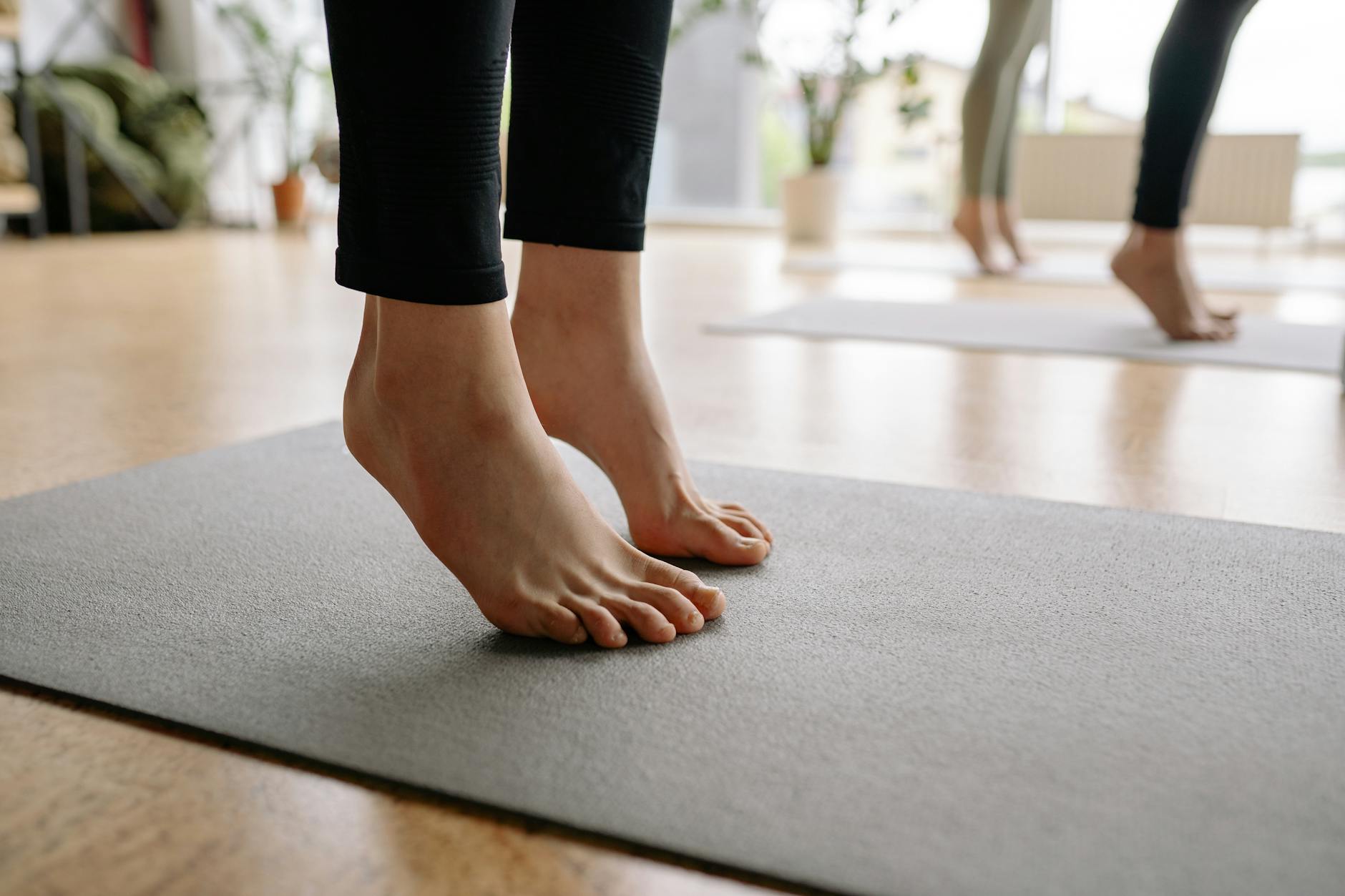
Standing on a hard floor (laminate, tile, concrete) in socks or thin-soled shoes is a recipe for foot pain, heel pain, and fatigue. The hard surface transmits impact through your heels and into your joints with every micro-shift in weight.
The fix: An anti-fatigue mat (£20-50) provides cushioned support that reduces pressure on your feet, knees, and lower back by 30-50%. The slight instability of the mat also encourages small postural adjustments that prevent the problems of static standing.
Good options in the UK: – Ergodriven Topo (£80-100) — the premium option with calculated terrain that encourages foot movement – AmazonBasics anti-fatigue mat (£20-30) — basic but effective flat cushion – ComfiLife anti-fatigue mat (£25-35) — good thickness, bevelled edges – IKEA KOLON floor protector (£15) — not technically an anti-fatigue mat but better than bare floor
Footwear matters too. Standing barefoot or in thin-soled slippers lacks arch support. Shoes with cushioned soles and arch support (running shoes work well) make a noticeable difference. Some people keep dedicated “standing shoes” at their desk. You might also find our Standing Desk vs Sitting Desk: What the Science Says guide useful here.
Mistake 6: Screen Glare and Lighting
This isn’t directly a standing desk issue, but changing your eye level when you stand changes your relationship with ambient light. Windows that were behind your monitor when sitting might now reflect directly off the screen when standing. Overhead lights that were fine at seated eye level can cause glare at standing height.
The fix: – Position your desk perpendicular to windows, not facing or backing onto them – Use a monitor hood or anti-glare screen filter if repositioning isn’t possible – Adjust monitor brightness and use warm (2700-3000K) lighting to reduce eye strain – Consider a desk lamp (like the BenQ ScreenBar at £90-100) that illuminates your desk without reflecting on the screen You might also find our Standing Desk vs Sitting Desk: What the Science Says guide useful here.
Mistake 7: Cable Chaos
Standing desks move. Your cables don’t. Without cable management, raising the desk yanks on cables, unplugs things, or creates a bird’s nest of wires that catches on the desk mechanism.
The fix: – Cable management tray (£10-20) mounted under the desk catches loose cables – Cable spine or cable chain (£10-15) — a flexible vertical channel that extends and retracts with the desk – Velcro cable ties — bundle cables together with enough slack for the full height range – Leave extra cable length coiled behind the desk — enough to reach maximum standing height without tension
Most standing desk manufacturers sell cable management kits as accessories. Buy one when you buy the desk — retrofitting is more annoying.
Mistake 8: Forgetting to Move
Even with perfect desk height, monitor position, and an anti-fatigue mat, the fundamental principle is movement. Static standing is only marginally better than static sitting. The health benefits come from changing position regularly.
Build movement into your day: – Walk during phone calls (wireless headset makes this easy) – Take a 2-minute walk break every hour – Do calf raises, gentle squats, or hip circles while standing – Walk to a colleague’s desk instead of sending a Slack message – Take the stairs (if you work in an office) – Stretch your hip flexors — they shorten from sitting and tighten from standing
A fitness tracker or smartwatch that reminds you to move hourly is genuinely useful here. The Apple Watch’s stand reminders are surprisingly effective at breaking the static pattern.
Mistake 9: Cheap Desk, Good Intentions
A £100 standing desk from Amazon might seem like a smart way to test whether you’ll use one before investing properly. In practice, cheap standing desks wobble at standing height (making your monitor shake while you type), have noisy/slow motors, and lack memory presets — meaning you manually adjust to the right height every time. We cover this in more detail in our UPLIFT Desk V2 Review: Premium Standing Desk piece.
That friction matters. If raising the desk is slow, wobbly, or annoying, you stop doing it. Within a month, it’s permanently at sitting height and you’ve wasted £100.
The sweet spot in the UK:
Budget picks (£200-350): – IKEA BEKANT (£329) — reliable, basic, no memory presets but smooth motor – Flexispot E7 (£350-400) — excellent motor, memory presets, 125kg capacity, frequently on sale
Mid-range (£400-600): – Fully Jarvis Bamboo (£500-600) — beautiful bamboo top, smooth operation, great warranty – IKEA RODULF (£250) — basic but solid if you don’t need presets We cover this in more detail in our UPLIFT Desk V2 Review: Premium Standing Desk piece.
Premium (£600+): – Herman Miller Nevi (£800+) — the quality you’d expect from Herman Miller – Humanscale Float (£1,000+) — counterbalance mechanism (no motor, incredibly smooth)
Frame-only options: Companies like Flexispot, Vivo, and Titan sell desk frames without tops (£150-250). Add your own timber top from IKEA (GERTON, KARLBY) or a timber merchant for a custom setup at mid-range prices.
Mistake 10: Expecting Miracles
A standing desk won’t cure your back pain if the underlying issue is weak core muscles, poor posture habits, or an unsupportive mattress. It won’t make you lose weight (standing burns roughly 50 more calories per hour than sitting — about half a biscuit). It won’t transform your productivity overnight.
What it does do — when used properly — is reduce the damage from prolonged static sitting, encourage more movement throughout the day, and often improve energy levels and focus during afternoon slumps. Those benefits are real and meaningful, but they’re gradual.
The desk is a tool. The habit changes are what matter.
How to Build the Standing Habit (Without Burning Out)
Most people who abandon their standing desk do so within the first month — not because the desk was wrong, but because they tried to change too much too quickly. Building a sustainable standing habit takes a deliberate approach.
Week 1: Stand for just two 20-minute sessions per day, ideally mid-morning and mid-afternoon when energy naturally dips. Keep a timer on your phone. At the end of each session, sit back down — even if you feel fine. The goal is to build the routine, not test your endurance.
Week 2: Extend to three sessions of 25-30 minutes. Start noticing which tasks feel better standing (calls, brainstorming, reading emails) and which feel better sitting (deep writing, detailed spreadsheets, creative work). Most people find a natural pattern here.
Weeks 3-4: Move towards a roughly 40/60 stand/sit split. By now your feet and legs should have adapted. If you’re still getting sore feet at this stage, reassess your footwear and anti-fatigue mat rather than pushing through.
Month 2 onwards: Most experienced users settle into a 50/50 split, or something close to it. Some prefer standing more in the morning and sitting in the afternoon; others do the opposite. There’s no single right answer — the point is regular position changes throughout the day.
One practical tip that helped during our testing: pair position changes with natural work transitions. Finished a task? Stand up. About to start a video call? Sit down. Heading into a deep focus block? Choose whichever position feels right. Tying the switch to something you already do makes it automatic rather than something you have to remember.
If you experience persistent pain — particularly in your knees, lower back, or feet — that doesn’t improve after the first two weeks, consult a physiotherapist. A standing desk shouldn’t cause pain when used correctly, and ongoing discomfort usually points to either a setup issue or an underlying condition that needs addressing.
The Setup Checklist
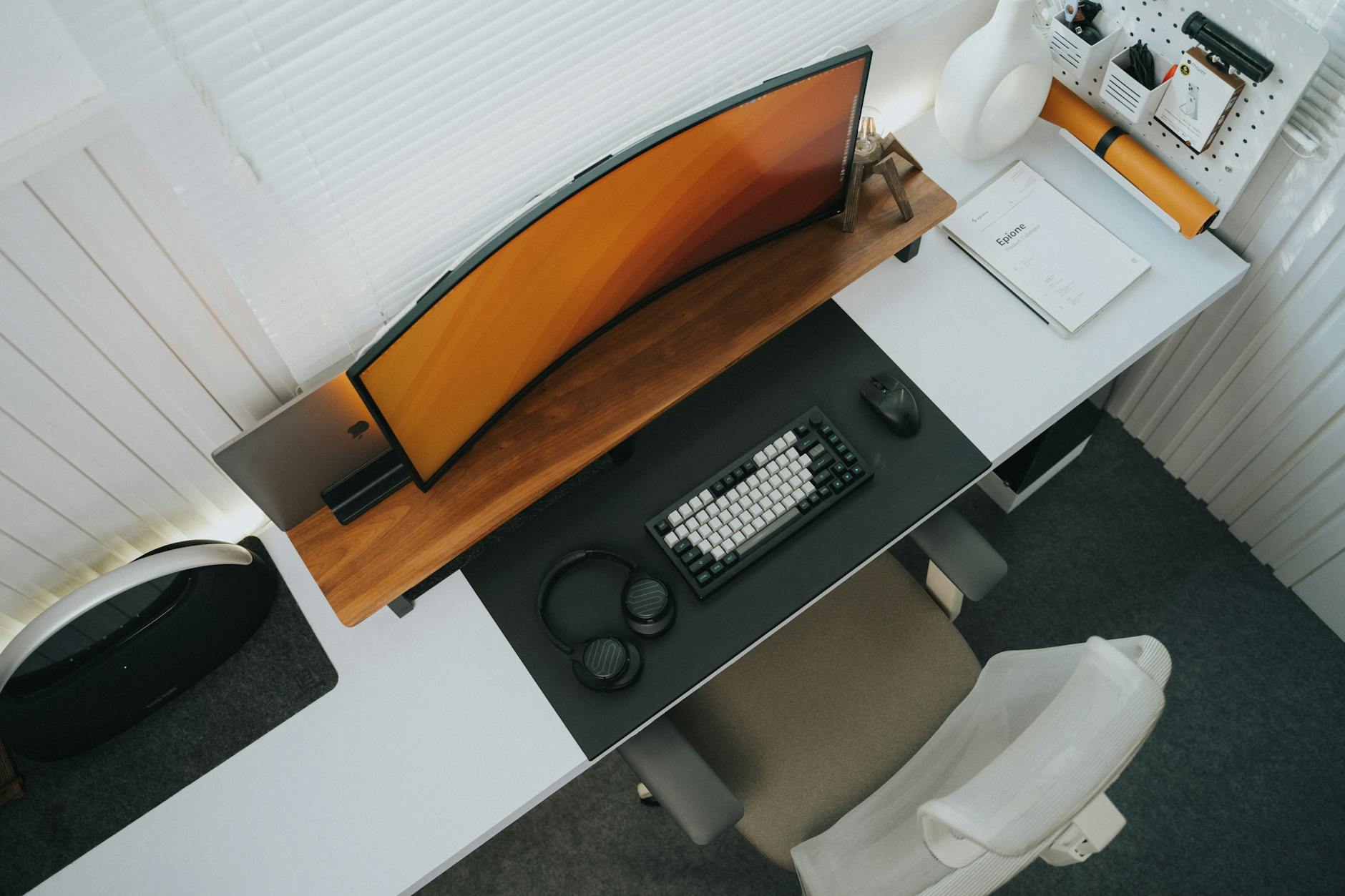
Before your first standing session, verify:
- [ ] Standing elbow height = keyboard height
- [ ] Monitor top at eye level (use an arm or stand)
- [ ] Screen an arm’s length away
- [ ] Anti-fatigue mat in place
- [ ] Cable management sorted (nothing will snag when desk moves)
- [ ] Timer set for 30-minute standing intervals
- [ ] Supportive footwear on
- [ ] Water bottle within reach (you drink more when standing — which is a good thing)
Get the setup right once and you’ll barely think about it again. Get it wrong and every session is a low-grade battle against discomfort that eventually makes you give up.
Standing desks work. They just need you to work with them, not against them.
Frequently Asked Questions
How long should I stand at a standing desk each day? Most ergonomic experts recommend alternating between sitting and standing every 30-60 minutes. Start with 15-20 minutes per hour and build from there.
Are standing desks worth the money? For daily home office use, yes. Even budget options around £250 let you alternate positions and reduce back pain. The key is smooth height adjustment so you actually use it.
What height should a standing desk be set to? Your elbows should rest at roughly 90 degrees with forearms parallel to the desk. For most people that is 95-115 cm. Electric desks with memory presets make this effortless.
What should I check first with Standing Desk Mistakes Everyone Makes (And How to Fix Them)? Start with the real use case, then check size, compatibility, running costs and maintenance. A product that looks good on paper can still be the wrong fit if it does not suit the room, routine or budget.
How do I avoid wasting money on Standing Desk Mistakes Everyone Makes (And How to Fix Them)? Avoid buying on one headline feature alone. Compare the practical details, read the warranty or returns terms, and choose the option that solves your main problem rather than the one with the longest specification list.