The UPLIFT Desk V2 remains a strong premium standing-desk frame, but it is no longer the sensible new purchase for most UK buyers. UPLIFT now leads with the V3 in its current two-leg range, while importing a US-focused desk complicates voltage, delivery, returns and after-sales support. A used V2 can still be worthwhile if it is complete and priced for that risk; for a new UK setup, the FlexiSpot E5 is the best all-round alternative here.
That distinction matters. The V2 itself is not suddenly a poor design: its three-stage frame, broad adjustment range, dual motors and strong official specification still compare well. The problem is practical UK support. A technically impressive desk stops being good value when replacement parts, warranty handling or a damaged desktop require international coordination.
In This Article
- Direct verdict
- V2 specifications and current status
- Comparison table
- Six UK alternatives
- What the V2 still does well
- Where it is a poor fit
- How to choose
- Final recommendation
- Frequently Asked Questions
UPLIFT Desk V2 Review: The Direct Verdict
Buy a used UPLIFT V2 only when you can verify the exact frame, control box, handset, mains requirements and condition. It suits a permanent office where stability and a wide height range matter, but the price must leave room for the weaker UK support route. Do not pay a premium merely because old reviews call it a category leader.
- Best reason to buy: a well-specified three-stage frame with an unusually broad desktop and height range.
- Best reason to skip: UPLIFT’s current flagship two-leg desk is now the V3, and its direct sales information is US-led.
- Best new UK alternative: FlexiSpot E5 for a complete dual-motor desk with a one-piece 140 × 80cm top.
- Best DIY route: ErGear Dual-Motor Frame when you already own a suitable top.
- Best tall or heavy frame: MAIDeSITe T2 Pro Max when its 65–135cm range fits your measured working heights.
If a seller cannot demonstrate a complete powered cycle and show every cable and control component, treat the desk as a frame-and-top project rather than a ready-to-use workstation.
UPLIFT V2 Specifications and Current Status
UPLIFT’s official V2 documentation specifies a three-stage, dual-motor frame with a 25.6-inch travel range, desktop compatibility from 42 to 80 inches wide and a 355lb lifting capacity that includes the desktop. Converted for UK readers, that is roughly 107–203cm of desktop width and about 161kg of total rated lift. The published V2 height range with a one-inch top is about 64–129cm.
UPLIFT quotes movement below 50dB and roughly 4cm per second for the V2. These are manufacturer figures, not independently measured results. Its official V2 specification page set out the available frame configurations.
The V3 Has Replaced the V2 as the Current Two-Leg Desk
UPLIFT’s current two-leg product page now presents the V3, not the V2. The V3 starts lower, moves faster and includes a revised cable-management system, so a V2 purchase should be judged as discontinued-generation stock or a used buy. Support documentation and some replacement components remain visible, which is encouraging for existing owners, but it does not turn a private UK sale into a current local retail purchase.
V2 Versus V2-Commercial
Check the label before comparing examples. The standard V2 has no lower crossbar and reaches higher. The V2-Commercial starts lower and uses a lower stability crossbar; UPLIFT designed it to meet the ANSI/BIFMA G1-2013 ergonomic height standard. For a shorter seated user, the Commercial version may fit better. For a tall standing user, the standard V2 has the higher ceiling.
UPLIFT V2 and UK Alternatives at a Glance
The six products below are currently orderable UK choices validated for this update. “Frame only” means you must supply a compatible desktop and fixings; complete desks include the top identified in the product title. That difference is more important than a headline load rating.
| Model | Best for | Height range | Motor | Worktop |
|---|---|---|---|---|
| FlexiSpot E5 140 × 80cm | Best complete alternative | 60–125cm | Dual motor | One-piece top |
| ErGear 160 × 80cm | Best large complete desk | Check listing | Electric | Large worktop |
| ErGear Dual-Motor Frame | Best value DIY frame | 72–120cm | Dual motor | Frame only |
| FlexiSpot Q3 120 × 60cm | Best with storage | 73.5–118cm | Single motor | Drawer and USB-C |
| FEZIBO 140 × 70cm | Best budget complete desk | 72–118cm | Single motor | Spliced top |
| MAIDeSITe T2 Pro Max | Best heavy-duty frame | 65–135cm | Dual motor | Frame only |
Six UPLIFT V2 Alternatives for UK Buyers
1. FlexiSpot E5 140 × 80cm — Best Complete Alternative

The E5 is the cleanest recommendation for someone who likes the V2 idea but wants a current, complete UK desk. The selected version combines a three-stage dual-motor frame with a 140 × 80cm one-piece top, four memory positions and anti-collision protection. Its stated 60–125cm range covers a much broader fit than many low-cost two-stage desks.
Choose it for full-time work, dual monitors and regular sit-stand changes. It is less configurable than an UPLIFT system, but that simplicity is useful: the frame and top arrive as one specified combination rather than a long menu of upgrades.
Main compromise: 140cm is generous for most home offices but not a substitute for UPLIFT’s largest 183–203cm top options. Buying check: measure your seated elbow height and standing elbow height; both must fall inside the usable range after allowing for the desktop thickness.
2. ErGear 160 × 80cm — Best Large Complete Desk
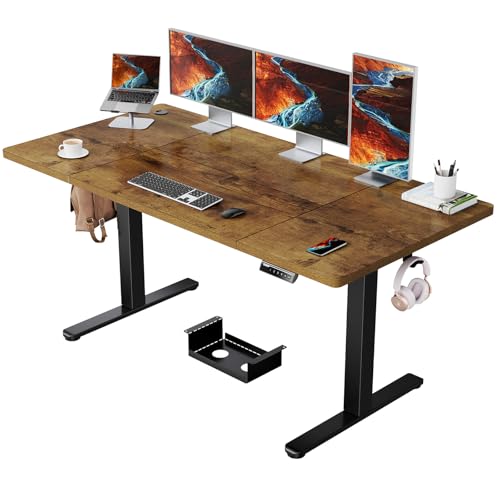
This ErGear is the practical choice when desktop area matters more than premium customisation. Its 160 × 80cm top gives two monitors, speakers and a notebook room to coexist, while the listing specifies a 100kg load claim. It is closer to a conventional office-sized surface than the compact 120 × 60cm options that dominate cheaper ranges.
Choose it for a larger permanent setup when you do not want to source a separate desktop. It gives up the V2’s extensive finish and accessory system, but it avoids the compatibility work of a frame-only build.
Main compromise: confirm whether the selected colour uses a joined or one-piece top, because a seam can affect writing and monitor-arm placement. Buying check: verify the current height range and controller shown for the exact variant before ordering.
3. ErGear Dual-Motor Frame — Best Value DIY Frame
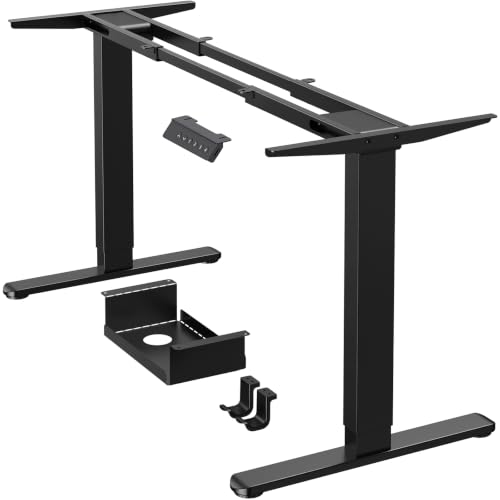
The ErGear frame is the value-led route for reusing a solid worktop. Its listing specifies dual motors, four memory positions, a 72–120cm frame range and compatibility with tops roughly 110–228cm wide and 60–80cm deep. That unusually broad width range makes it useful for custom builds, provided the top is structurally suitable.
Choose it when the desktop is already sorted or when you want a specific timber finish. Compared with a complete E5, it takes more measuring and drilling but avoids paying for a bundled top you do not want.
Main compromise: its minimum height is relatively high for shorter seated users. Buying check: measure the bare frame plus your top thickness, then compare the total with your seated elbow height before drilling anything.
4. FlexiSpot Q3 120 × 60cm — Best With Storage

The Q3 answers a different problem: a compact desk that keeps stationery off the work surface. The selected 120 × 60cm version includes an integrated drawer, USB-C charging, four memory positions, child lock and anti-collision. Its stated 73.5–118cm complete-desk range is narrower than the E5’s.
Choose it for a laptop-led setup, one moderate monitor or a bedroom office where a drawer matters. The integrated design looks tidier than adding a pedestal, but the 60cm depth leaves less viewing distance for a large display.
Main compromise: the higher minimum height may be unsuitable for shorter users without a keyboard tray and footrest. Buying check: mock out 120 × 60cm with masking tape and check monitor depth, not just whether the desk fits the wall.
5. FEZIBO 140 × 70cm — Best Budget Complete Desk
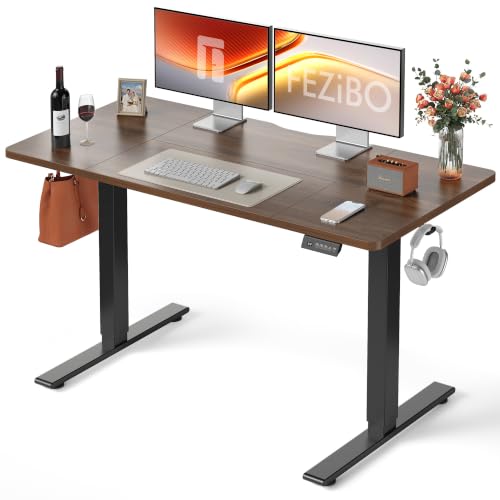
The FEZIBO offers a useful 140 × 70cm footprint, electric adjustment and two saved heights at the budget end. The listing states a 72–118cm range. That is enough for many average-height users, but it lacks the low seated position and high standing reach of a three-stage frame.
Choose it for occasional standing, lighter equipment and a first sit-stand setup. The 70cm depth is more workable for a monitor than a 60cm budget desk, while the complete package removes the need to match a separate top.
Main compromise: the top is described as spliced, and two memory settings are less flexible for a shared desk. Buying check: inspect the seam position and make sure a monitor-arm clamp can sit on a sound, flat rear edge.
6. MAIDeSITe T2 Pro Max — Best Heavy-Duty Frame

The T2 Pro Max earns the heavy-frame category through its stated 65–135cm adjustment range, dual motors and compatibility with tops from roughly 110–220cm long and 60–100cm deep. It is the most flexible option here for a tall user, deep worktop or equipment-heavy setup.
Choose it when ordinary complete desks are too low, too narrow or paired with the wrong top. It offers the custom-build freedom that originally made the UPLIFT range appealing, but through a product currently sold into the UK market.
Main compromise: it is frame only, so the final desk depends on your top, fixing positions and assembly. Buying check: include the weight of the top itself in any load calculation and use a desktop thick enough for the specified screws without breaking through.
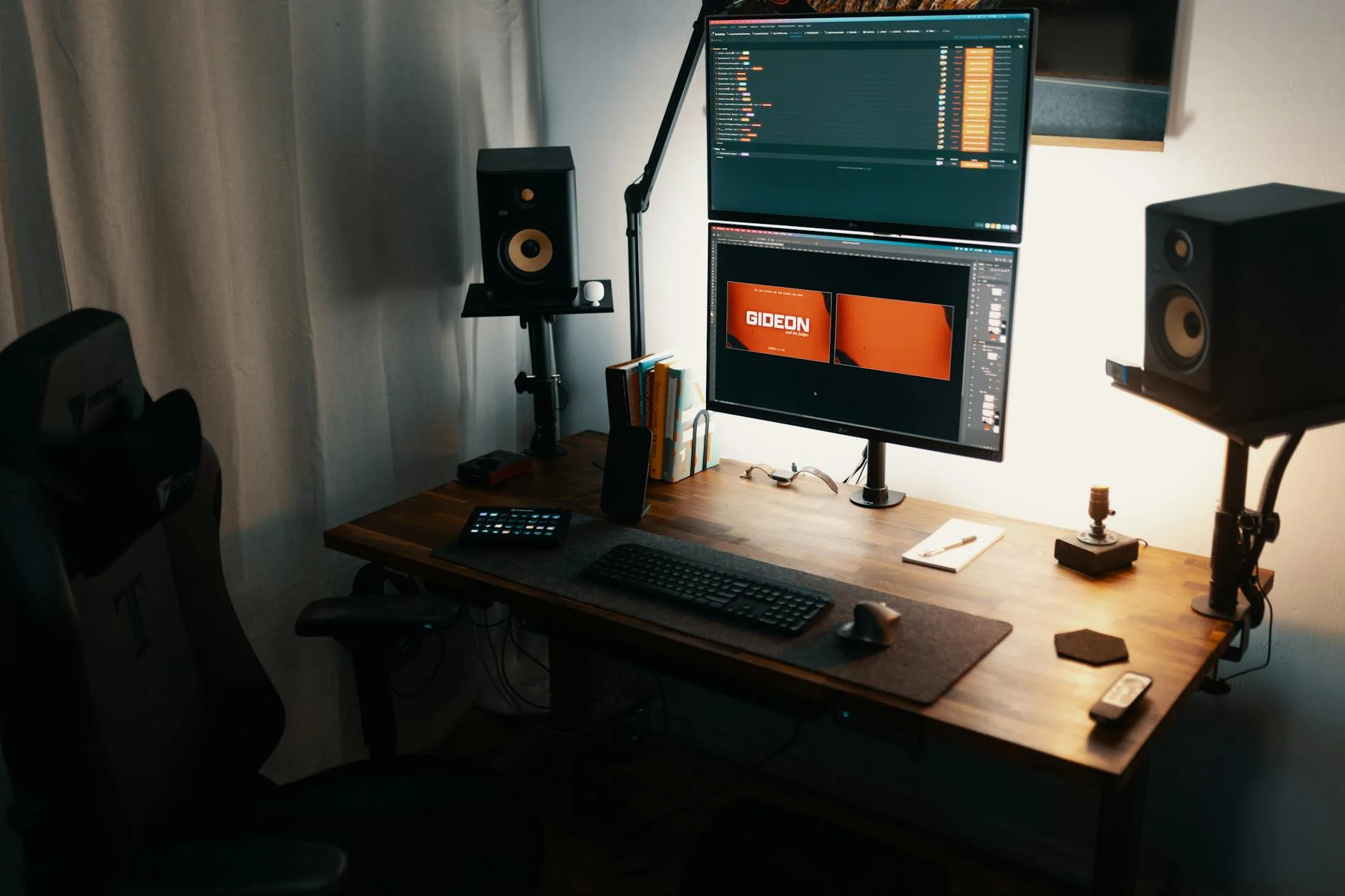
What the UPLIFT V2 Still Does Well
Broad Three-Stage Adjustment
A three-stage frame is the V2’s key advantage over cheap two-stage desks. It provides more vertical travel without making the retracted legs excessively tall. That helps both seated fit and standing reach. The standard and Commercial frames serve different height bands, so neither is universally better.
Desktop Choice and Frame Width
The V2 frame was designed around tops from roughly 107 to 203cm wide. That range supports compact offices, wide dual-monitor stations and substantial solid-wood tops. A frame-only alternative can recreate that flexibility, but it requires more care over desktop weight, screw length, cable position and front-to-back balance.
Documented Specification and Repairability
UPLIFT still hosts assembly instructions, identification guides and replacement-component pages for the V2. That is more useful than vague claims of “premium build quality”. A used desk with a known model and available documentation is easier to assess than an unbranded frame whose controller and lifting columns cannot be identified.
The cautious conclusion is that the V2 remains good hardware. The reason not to recommend it as a new UK default is product generation and purchase support, not a claim that a current budget desk suddenly exceeds it in every mechanical respect.
Where the UPLIFT V2 Is a Poor Fit
New UK Buyers Who Want Simple Support
UPLIFT’s current official sales pages do not set out a simple UK fulfilment and returns arrangement. A UK buyer should obtain written confirmation of the plug, input voltage, delivery terms, duties, returns address and warranty handling before paying. Do not assume a US product page describes a UK purchase.
Buyers Who Need a Low Seated Position
The standard V2 does not start as low as the V2-Commercial or current V3. A desk can be stable and still be ergonomically wrong. If the top sits above relaxed elbow height, a footrest alone will not fix raised shoulders; you may need a lower frame or a properly positioned keyboard tray.
Anyone Expecting Standing to Solve Inactivity
A motorised desk helps you change position; it does not replace breaks or exercise. The HSE display-screen guidance focuses on workstation assessment and breaking up screen work. Use saved heights to remove friction from changing posture, then step away from the desk regularly.

How to Choose the Right Standing Desk
Measure Working Heights Before Shopping
Set your chair, relax your shoulders and bend your elbows to about 90 degrees. Measure from the floor to the underside of your forearms for the seated keyboard height, then repeat while standing. Compare those measurements with the complete desk range, including the top. Our standing-desk setup guide explains the broader workstation arrangement.
Choose the Right Top Size
For one monitor and a laptop, 120 × 60cm can work. A large screen benefits from 70–80cm depth, and two monitors are more comfortable on 140–160cm of width. Check the full room plan, chair travel and access route with our standing-desk comparison and monitor-size guide.
Separate Load From Stability
A high load number tells you what the motors and structure are rated to lift under the maker’s conditions. It does not tell you how much a desk moves at full height, how a spliced top behaves under a monitor arm or whether the floor is level. Our standing-desk stability guide covers those differences.
Plan Cables and Power
- Leave a service loop: every cable must reach at the highest position without pulling.
- Mount the power strip to the desk: one flexible mains lead is easier to manage than several device cables.
- Keep cables out of the columns: test the full travel while watching for pinch and snag points.
- Set anti-collision correctly: it is a backup, not permission to store rigid objects in the travel path.
For the wider setup, pair the desk with sensible desk accessories and follow the practical fixes in our guide to common standing-desk mistakes.
Final Recommendation
The UPLIFT V2 is still a capable premium frame, but it is not the best new standing-desk purchase for most UK readers now. The V3 has taken over as UPLIFT’s current two-leg model, and the V2’s advantages do not erase the uncertainty around a US-led purchase and support route.
Buy a used V2 when it is complete, demonstrably working and priced below a comparable current UK desk. Check whether it is the standard or Commercial frame, confirm the controller and mains hardware, run it through its full travel under load and inspect the top and mounting points.
For a new complete desk, choose the FlexiSpot E5. Pick the ErGear 160 × 80cm when surface area matters, the Q3 for integrated storage or the FEZIBO for a lower-cost first setup. If you already have a suitable top, the ErGear frame is the value choice and the MAIDeSITe T2 Pro Max is the better fit for tall, wide or heavy custom builds.
Frequently Asked Questions
Is the UPLIFT Desk V2 still sold new?
UPLIFT now presents the V3 as its current two-leg standing desk. V2 documentation and some replacement parts remain available, but UK buyers should treat a V2 offer as discontinued-generation stock or a used purchase unless the seller proves otherwise.
Is the UPLIFT V2 worth buying used in the UK?
It can be, if it is complete, fully tested and priced to reflect the less direct support route. Confirm the exact frame version, control box, handset, mains hardware and full loaded movement before buying.
What is the best current UK alternative to the UPLIFT V2?
The FlexiSpot E5 140 × 80cm is the best complete alternative in this shortlist because it combines a three-stage dual-motor frame, broad adjustment range and one-piece top.
What is the difference between UPLIFT V2 and V2-Commercial?
The standard V2 reaches higher and has no lower crossbar. The V2-Commercial starts lower, uses a lower stability crossbar and was designed to meet the ANSI/BIFMA G1-2013 ergonomic height standard.
Should I buy a complete standing desk or a frame only?
Buy a complete desk for simpler compatibility and assembly. Choose a frame only when you already have a suitable top or need a particular size or material and are comfortable measuring and drilling it correctly.
How much lifting capacity does a standing desk need?
Most monitor-and-laptop setups do not need extreme capacity. Add the desktop and all equipment, leave reasonable headroom, then prioritise usable height range, stability, top quality and local support over the largest headline number.