You’ve been scrolling through r/battlestations and every other setup is either a sleek all-black cave with RGB strips or a bright Scandinavian-white workspace that looks like an IKEA catalogue. Both look incredible in photos. But which one is actually better to work at for eight hours a day — and which will you get tired of in three months?
I’ve run both setups over the past few years. Started with a dark walnut desk, black peripherals, and dark grey walls — looked amazing in photos, felt like sitting in a cinema. Then swapped to a light oak desk with white peripherals when we moved house, and the difference in how the room felt during a workday was striking. Neither is objectively “right,” but there are real practical differences that nobody on Reddit mentions because they’re too busy posting glamour shots.
In This Article
- Dark Setups: The Case for Going Dark
- Light Setups: The Case for Going Light
- Eye Strain and Screen Contrast
- Productivity and Mood Effects
- Practical Considerations for UK Home Offices
- The Hybrid Approach
- Desk and Monitor Pairing by Theme
- Accessories That Define Each Look
- Which Should You Choose?
- Frequently Asked Questions
Dark Setups: The Case for Going Dark
The Aesthetic Appeal
Dark desk setups look cinematic. There’s a reason movie editing suites, music studios, and gaming rooms tend toward dark themes — dark surfaces reduce visual distraction, make screens pop, and create a focused, immersive atmosphere.
A dark setup typically includes (I built one of these for two years before switching):
- Dark wood or black desk surface — walnut, dark oak, or matte black laminate
- Black or dark grey peripherals — mechanical keyboard, mouse, mousepad
- Dark monitor bezels — most monitors come in black by default
- Accent lighting — LED strips, monitor light bars, desk lamps with warm light
- Dark desk mat — ties the surface together
When Dark Works Best
- Evening and night work — dark surroundings reduce the contrast between your screen and the room, making late sessions more comfortable
- Content creation — photo editing, video work, and design benefit from reduced colour interference from surrounding surfaces
- Focused deep work — fewer visual distractions, more immersive
- Smaller rooms — counterintuitively, a dark setup in a small room can feel more intentional and cosy rather than cramped (though lighting is critical)
- Rooms with good artificial lighting — dark setups need quality lighting to avoid feeling cave-like
The Downsides of Going Dark
- Dust and fingerprints are visible on every surface — black desks show dust within hours. Matte finishes help but don’t eliminate this
- The room can feel oppressive during daytime hours — particularly in winter when UK daylight is already limited
- Poor natural light amplification — dark surfaces absorb light rather than reflecting it, requiring more artificial lighting
- Cable management is harder to hide — black cables on dark surfaces still show because of shadows and texture differences
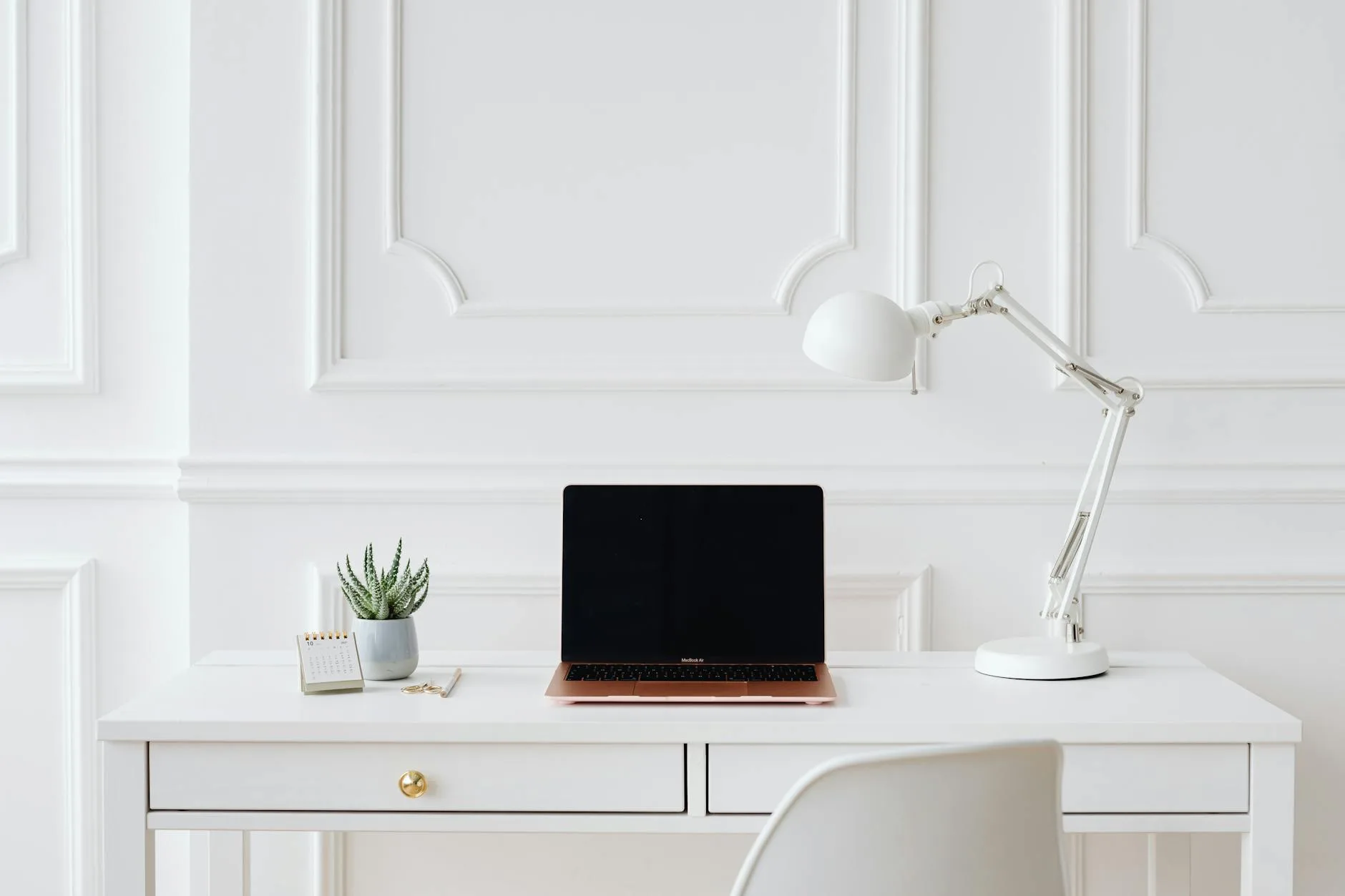
Light Setups: The Case for Going Light
The Aesthetic Appeal
Light setups feel open, clean, and airy. They photograph well in natural light, look professional on video calls, and create a workspace that feels like a place you want to be — not a bunker you retreat to. If you are exploring this area, our guide on Desk Mats vs Mouse Pads: Which Is Better? covers the essentials.
A light setup typically includes:
- Light wood or white desk — birch, maple, light oak, or white laminate
- White or silver peripherals — increasingly available from Logitech, Apple, Keychron
- Light desk mat — grey, cream, or natural leather
- Minimal accent lighting — the room’s natural light does most of the work
- Plants and natural materials — amplify the fresh, open feeling
When Light Works Best
- Daytime work (typical 9-5) — reflects and amplifies natural light, keeping the room bright and energising
- Video calls — light surroundings naturally bounce light toward your face, improving camera quality
- UK rooms with limited natural light — north-facing spare bedrooms and basement offices benefit massively from light, reflective surfaces
- Shared or multi-use spaces — light setups blend into living spaces better than dark gaming caves
- Mental health considerations — research from HSE on workplace lighting confirms that brighter environments support alertness and mood during the working day
The Downsides of Going Light
- Stains and marks show differently — coffee rings, ink marks, and scratches are visible on light surfaces (though dust is less obvious than on dark)
- Glare on screens — light surfaces reflect ambient light toward your monitor, potentially causing glare
- Can feel clinical — all-white setups without warmth (wood grain, plants, texture) feel sterile
- Less immersive for creative work — light bouncing off surrounding surfaces can interfere with colour-critical monitor work
Eye Strain and Screen Contrast
The Real Issue: Luminance Ratio
Eye strain from desk work isn’t about dark vs light aesthetics — it’s about the contrast ratio between your screen brightness and your surroundings. If your screen is a bright rectangle in an otherwise dark room, your pupils constantly adjust, causing fatigue.
Ideal luminance ratios:
- Screen to immediate surroundings (desk, wall behind): 3:1 maximum
- Screen to peripheral vision: 10:1 maximum
In practical terms:
- Dark room + bright screen = high contrast = more strain. This is the classic gaming setup mistake — looking cool but tiring your eyes after two hours
- Bright room + appropriately bright screen = low contrast = less strain. This is why offices have overhead lighting
- Dark setup with bias lighting (LED strip behind monitor) = medium contrast = good compromise
The Monitor Light Bar Solution
A monitor light bar (BenQ ScreenBar or similar, about £50-90) sits on top of your monitor and illuminates your desk without reflecting in the screen. It works brilliantly in both dark and light setups by reducing the contrast between screen and surroundings. I’d call it the single best upgrade for anyone working long hours at a screen.
Productivity and Mood Effects
What the Research Says
Studies on workplace design consistently find that lighting and surroundings affect cognitive performance:
- Brighter environments correlate with faster task completion and fewer errors on detail-oriented work (data entry, spreadsheets, writing)
- Dimmer environments correlate with increased creativity and divergent thinking (brainstorming, design work, problem-solving)
- Warm colour temperatures (amber, warm white) promote relaxation
- Cool colour temperatures (daylight white, blue-white) promote alertness
Matching Your Setup to Your Work
If your day is mostly analytical work (coding, spreadsheets, emails, project management), a light setup with good natural light and cool-white task lighting supports sustained focus and accuracy.
If your day is mostly creative work (design, writing, music production, video editing), a darker setup with warm accent lighting and reduced visual distraction supports flow states and creative thinking.
If you do both (most knowledge workers), the hybrid approach or smart lighting that shifts through the day is the practical answer.
Practical Considerations for UK Home Offices
Natural Light Reality
UK home offices are often spare bedrooms — small rooms that may face north, have a single window, or sit partially below ground level. In winter, useful daylight lasts from roughly 8:30am to 3:30pm. This reality matters: You might also find our 4K vs 1440p vs 1080p: Which Resolution for Productivity? guide useful here.
- North-facing rooms: Light setups amplify whatever natural light exists. Dark setups feel gloomy by November
- South-facing rooms: Either theme works. The natural light is strong enough to compensate for dark surfaces
- Basement/low-light rooms: Light setups are strongly recommended. A dark setup in a low-light room requires serious artificial lighting investment to avoid depression-cave vibes
Heating and Temperature
Dark surfaces absorb more radiant heat than light surfaces. In a south-facing UK home office in summer, a dark desk setup near the window will be warmer to the touch and radiate heat. Minor, but noticeable during July heatwaves.
Resale and Flexibility
If your home office doubles as a guest room or might change purpose, light setups are more adaptable. A white desk and neutral peripherals blend into any room style. An all-black gaming-aesthetic desk screams “dedicated office” and limits the room’s future flexibility.
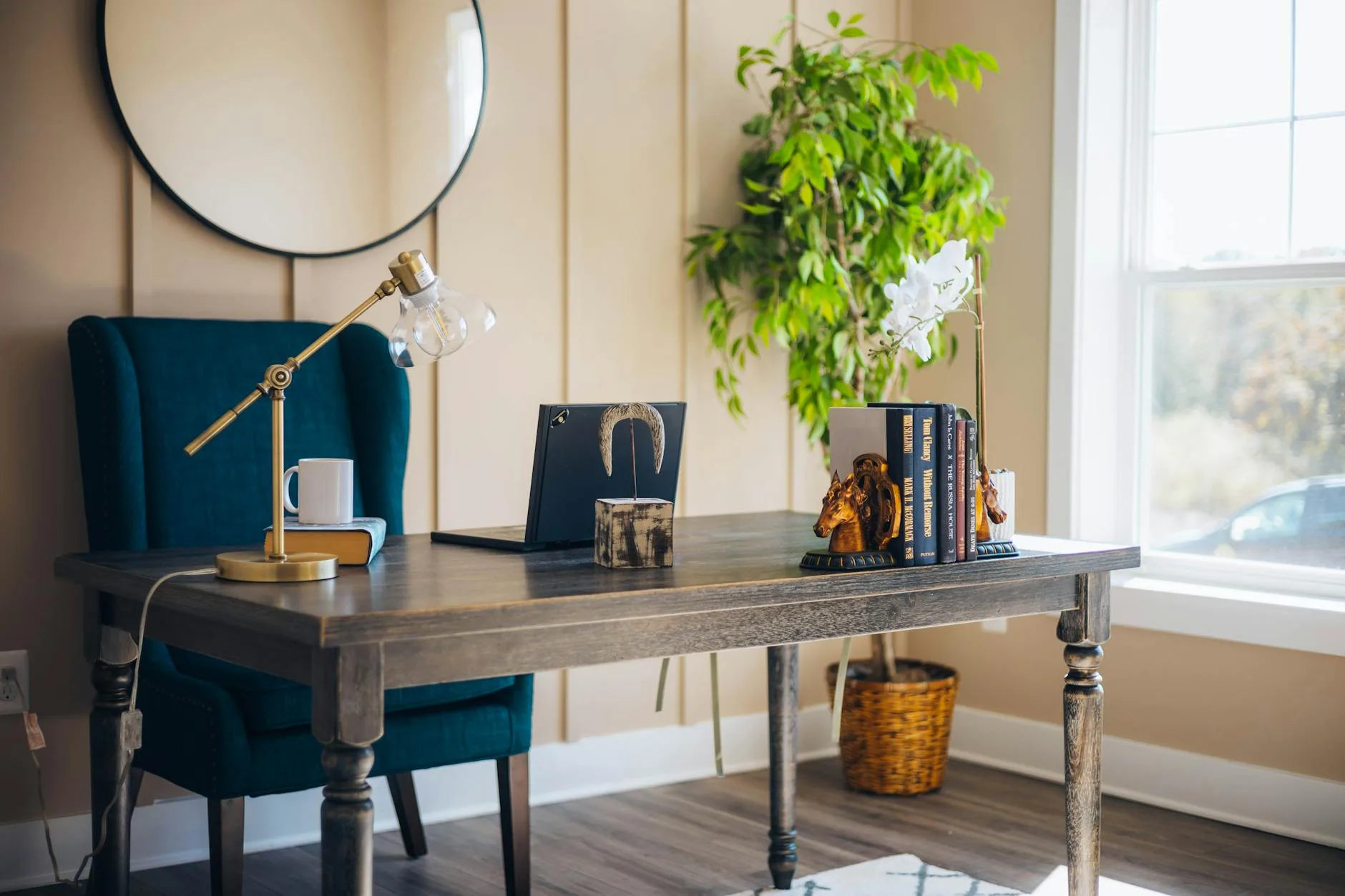
The Hybrid Approach
Best of Both Worlds
The most practical setup for most people combines dark and light elements:
- Light desk surface (natural wood or white) — reflects light, shows less dust, warm and inviting
- Dark peripherals (black keyboard, dark grey mouse, dark desk mat) — looks intentional, reduces glare on surfaces you’re looking at
- Dark monitor setup (black bezels, dark mount) — standard and unobtrusive
- Warm lighting — desk lamp with warm-white bulb, optional LED strip behind the monitor
- Natural accents — plants, wood, brass or matte black metal hardware
This hybrid approach works in any room orientation, looks great on video calls, and avoids the pitfalls of fully committing to either extreme.
My Recommendation
After living with both setups, I settled on light desk + dark peripherals + warm lighting. The desk reflects enough ambient light to keep the room feeling open during the day, the dark peripherals look sharp without showing every speck of dust, and the warm bias lighting behind the monitor makes evening sessions comfortable. It’s not as dramatic as an all-black cave, but it’s far more liveable for daily work.
A good desk chair under £500 also makes more visual impact than most people realise — choose one that complements rather than clashes with your colour theme.
Desk and Monitor Pairing by Theme
All-Dark Pairing
- Desk: UPLIFT V2 in dark walnut (about £650) or IKEA Karlby walnut worktop on Alex drawers (about £180 total)
- Monitor: Any — virtually all monitors come in black
- Monitor arm: Black gas-spring arm (about £30-50 from Amazon)
- Desk mat: Black or dark grey felt/leather (about £20-40)
All-Light Pairing
- Desk: IKEA BEKANT in white (about £250) or a birch/oak desk from John Lewis (about £300-500)
- Monitor: White-bezelled monitors exist but are rare — focus on thin bezels instead
- Monitor arm: White or silver arm (about £40-60)
- Desk mat: Cream, light grey, or natural leather
Hybrid Pairing (Recommended)
- Desk: Natural oak or birch (about £200-400)
- Monitor: Standard black bezels — don’t fight this
- Monitor arm: Black (it matches the monitor)
- Desk mat: Dark grey or charcoal on the light desk surface
- Keyboard/mouse: Dark grey or black
Accessories That Define Each Look
Dark Setup Essentials
- RGB LED strips — behind the desk or monitor for bias lighting AND aesthetic. Govee or Philips Hue strips (about £15-40)
- Monitor light bar — BenQ ScreenBar (about £90) or Quntis equivalent (about £30)
- Cable management — critical for dark setups. Dark cable trays, spiral wraps, and raceways (about £20-30 total)
- Dark plant pots — matte black or dark concrete. Even dark setups benefit from a plant or two
- Warm accent lighting — a single warm-white desk lamp adds depth without breaking the dark theme
Light Setup Essentials
- Plants — the defining accessory. A pothos trailing from a shelf, a small monstera, dried grasses in a vase
- Natural materials — wooden headphone stand, leather desk pad, cork or bamboo accessories
- Minimal cable management — white cable trays and trunking blend into white walls
- Quality desk lamp — Anglepoise or IKEA TERTIAL in white (about £10-50)
- Personal items — light setups have space for personality: framed prints, ceramics, books
Which Should You Choose?
Go Dark If
- You work primarily in the evening or at night
- Your room has strong natural light that compensates
- You do colour-critical creative work
- Aesthetics and immersion matter more than practicality
- You’re willing to dust frequently and invest in good lighting
Go Light If
- You work standard daytime hours
- Your room has limited natural light (north-facing, small window)
- You have video calls regularly
- The space is shared or multi-use
- You want a setup that looks as good at noon as it does at midnight
Go Hybrid If
- You’re unsure (most people should start here)
- You do varied work throughout the day
- You want flexibility to adjust with seasons
- You want something that looks intentional without committing to an extreme
Frequently Asked Questions
Is a dark or light desk setup better for eye strain? Neither inherently — what matters is the contrast ratio between your screen and surroundings. A bright screen in a dark room causes more strain than a bright screen in a well-lit room. A monitor light bar (£30-90) eliminates most eye strain regardless of setup theme by illuminating your desk without reflecting in the screen. If forced to choose, a light setup with natural light produces lower contrast and less strain during daytime work.
Do dark desks show more dust? Yes — noticeably more. Black and dark walnut surfaces show dust, fingerprints, and water marks within hours of cleaning. Matte finishes are better than glossy but still show dust. Light surfaces show less dust but more stains (coffee rings, ink). The middle ground: medium-toned natural wood (oak, beech) hides both dust and marks better than either extreme.
Which setup is better for video calls? Light setups, comfortably. Light surfaces and walls bounce ambient light toward your face, acting as a natural fill light. Dark setups absorb light, often leaving your face underlit or forcing you to add a ring light. If you take many video calls, a light or neutral setup with a window to one side is the most flattering without additional equipment.
Can I mix dark and light elements? This is actually the recommended approach. A light desk with dark peripherals gives you the brightness benefits of a light surface with the sleek look of dark accessories. The key is intentionality — pick a dominant tone and use the other as accent. Random mixing looks messy; deliberate contrast looks designed.
How much does a complete desk setup theme change cost? A basic theme change (new desk mat, cable management, desk lamp, and a couple of accessories) costs about £80-150. A full change including the desk surface itself runs £200-600 depending on quality. Before buying a new desk, try just changing the desk mat colour and adding or removing a bias light — often that’s enough to shift the room’s feel without the expense.