If your office feels dry by mid-afternoon, a tiny humidifier can help, but only if the air around your desk is actually dry. The useful version of this desk humidifier office guide is not “buy a cute mist gadget and hope”; it is measure the room, fix the obvious causes first, then choose a unit that will not soak your keyboard, leave white dust on your monitor, or become another thing you forget to clean.
In This Article
- Do Desk Humidifiers Actually Help in a Dry Office?
- Desk Humidifier Office Guide: The Humidity Range That Matters
- When a Desk Humidifier Is Worth Using
- When It Will Not Fix the Problem
- What to Buy for a UK Desk Setup
- How to Run One Without Making Your Desk Worse
- Frequently Asked Questions
Do Desk Humidifiers Actually Help in a Dry Office?
Yes, but the honest answer is narrower than most product pages make it sound. A desk humidifier can make the air immediately around you feel less sharp when central heating, air conditioning, or a small sealed room has pushed relative humidity too low. It will not turn a badly ventilated office into a healthy building, and it will not solve dry eyes caused by screen glare, poor monitor height, contact lenses, or sitting under a draught.
The best result I have seen from small humidifiers is comfort, not transformation. They can take the edge off a dry throat, tight skin, static, and that papery feeling you get after working beside a radiator all day. They are not medical devices, and they should not be treated as a cure for asthma, sinus issues, eczema, or eye problems.
That matters because desk humidifiers are sold like harmless accessories. In a small home office they can be useful. In a shared workplace, they can be annoying, messy, or against office policy. If you work near expensive kit, loose paperwork, monitor arms, a docking station, or a laptop stand, placement matters more than the brand name.
The first question is simple: is the humidity actually low?
The £8 test beats guessing
Buy a small digital hygrometer before buying a humidifier. You can get one for about £7-£12 from Amazon UK, B&Q, Screwfix, or eBay. Put it on the desk for a full working day, not ten minutes, and check it in the morning, after lunch, and late afternoon.
If your desk sits at 35-45% relative humidity, a humidifier may help a bit. If it sits at 45-55%, the problem is probably something else: heat, dust, screen habits, low water intake, or just being too close to a radiator. If it is already over 60%, adding mist is the wrong direction.
The Health and Safety Executive treats workplace comfort as a mix of temperature, air movement, humidity, clothing, work rate and radiant heat, rather than one magic number. Its thermal comfort guidance is a good reminder that dry-air complaints often sit inside a wider office setup problem.
What a desk unit can realistically change
A compact ultrasonic unit can lift the immediate desk area slightly if the room is small, the door is closed, and the heating is drying the air. The effect is much weaker in a large open-plan office. You are not humidifying the whole floor with a 300ml USB cylinder from Amazon UK. You are making a small comfort zone around one workstation.
That is why the cheapest units often disappoint. A £9 USB humidifier may puff mist, but it usually has a tiny tank, weak output, no real humidity control, and no filter worth trusting in a hard-water area. It can still be useful beside a spare-room desk for short sessions. It is just not the same thing as a proper 2-5 litre room humidifier.

Desk Humidifier Office Guide: The Humidity Range That Matters
For most home offices, the practical target is roughly 40-55% relative humidity. Below that, air can feel dry, static builds up more easily, and eyes or skin may feel more irritated. Above that, the room can feel clammy, condensation can start on cold windows, and mould risk rises if the room is poorly ventilated.
You do not need lab-level accuracy. A basic hygrometer gives enough direction. What you want is a pattern:
- Under 35% most afternoons: a humidifier is worth considering, especially in winter.
- 35-45%: try cheaper fixes first, then use a humidifier lightly if the room still feels harsh.
- 45-55%: this is usually fine for desk work; look for another cause of discomfort.
- Over 60%: do not add moisture. Ventilate, heat evenly, and check for condensation.
The trap is confusing “the office feels dry” with “the office needs moisture”. A room can feel uncomfortable because it is too warm, airless, dusty, or full of screen glare. Before buying another gadget, check the boring things: radiator setting, fan direction, window trickle vent, desk position, dust around vents, and whether your monitor is forcing you to blink less.
Why winter offices feel worse
Cold outdoor air holds less moisture. Once that air comes inside and gets warmed by central heating, relative humidity can drop. That is why many UK spare-room offices feel fine in October and scratchy in January. The same happens in some corporate offices where heating runs hard but windows stay shut.
Dry skin is a real winter problem for some people. NHS Shropshire, Telford and Wrekin notes in its dry skin self-care advice that low humidity increases the risk of dry skin, and that increasing humidity can help. That still does not mean your desk needs a mist machine every day. It means humidity is one part of the picture.
Why the number on the hygrometer can move around
Relative humidity changes through the day. Cooking, showers, drying washing indoors, opening windows, and heating cycles all move it. A small room with a closed door can also behave differently from the hallway outside it.
For a desk decision, measure where you work. A hygrometer on a windowsill tells you about the coldest part of the room, not the air around your keyboard. A reading beside a radiator may look lower than the centre of the room. Put it where your face actually is when you work.
When a Desk Humidifier Is Worth Using
A desk humidifier earns its place when three things line up: the room measures dry, you feel the dryness during work, and you can run the unit safely without creating damp around electronics.
The best use case is a small home office, box room, or bedroom desk where winter heating pushes humidity below 40% and your skin, throat, or eyes feel worse after a few hours. In that setup, a low-output cool-mist unit can be sensible. It gives you local comfort without needing a larger appliance running all day.
Good signs it may help
Use a humidifier if you are seeing a repeatable pattern, not one random dry day. The strongest clues are:
- Low measured humidity: repeated readings under about 40% near your workstation.
- Winter-only discomfort: symptoms appear when the heating season starts and ease when windows are open.
- Static around the desk: paper, hair, fleece sleeves, and chair fabric seem more charged than usual.
- Dry throat during calls: especially in a small heated room where you speak for long periods.
- Dry skin on hands: made worse by frequent washing, heating, and low humidity.
If that sounds familiar, start small. Run the humidifier for 30-60 minutes, then check the hygrometer. You are trying to nudge the air, not fog the room.
The home-office case is stronger than the corporate-office case
At home, you control the room. You can open a window, move the unit, clean it properly, and stop using it if condensation appears. In a corporate office, you may not control ventilation, cleaning rules, desk-sharing, or electrical policies. A desk humidifier in a shared workspace can also annoy colleagues who dislike mist or scents.
I would not take a personal humidifier into an office without checking the policy first. Many workplaces are wary of personal electrical items, water near equipment, fragrance diffusers, and anything that could affect other staff. A £12 USB humidifier is not worth a facilities argument.
It can pair well with other desk comfort fixes
If dry air is only part of the problem, a humidifier works best with sensible desk changes. Move your desk slightly away from a radiator. Clean dust from the area behind monitors and under the desk. If your eyes feel tired, check your display before blaming the air; our guide to reducing eye strain at your desk covers screen brightness, contrast, and habits that often matter more.
For heat rather than dryness, a fan may be the better purchase. The comparison of desk fans vs tower fans is more relevant if the room feels stale or hot rather than sharp and dry.
When It Will Not Fix the Problem
A desk humidifier is a poor fix for a room with bad ventilation, damp patches, mould, overheating, or a workstation that is causing strain. It can also make a problem worse if you use it in a cold room with condensation already forming on the windows.
The main mistake is using mist as a comfort shortcut. If the room is too hot, reduce the heat. If the air is stale, ventilate. If dust is the trigger, clean and filter. If your eyes ache because your monitor is too high, fix the monitor. Spraying moisture into the air does not solve those causes.
Avoid one if the room is already damp
Do not run a desk humidifier in a room with:
- Condensation on windows: especially every morning through winter.
- Black mould spots: around frames, walls, blinds, or external corners.
- A musty smell: which suggests moisture is already sitting in the room.
- Humidity over 60%: particularly if the room is cold or poorly ventilated.
In those rooms, a dehumidifier, better heating pattern, extractor fan, or ventilation fix is more likely to help. A humidifier may only feed the damp.
Be careful around electronics
Mist and electronics are a bad mix. Keep the humidifier at least 60cm from your laptop, monitor, docking station, plug sockets, paperwork, and anything fabric-covered. Never aim the nozzle at a keyboard. Never put it under a monitor shelf where moisture can collect.
This is where desk layout matters. A compact unit on a side table is often safer than one beside the mouse mat. If your workspace is already cramped, sort the layout before adding mist. Our guide to reducing desk clutter is more useful than buying another device for a desk that has no safe spare surface.
Do not use fragrance oils unless the unit is designed for them
Many cheap USB humidifiers are not proper aroma diffusers. Adding essential oils to the wrong tank can damage the unit, leave residue, and irritate people nearby. In a shared office, scented mist is a bad idea. At home, use fragrance only if the manufacturer says the model is designed for it.
What to Buy for a UK Desk Setup
For a desk, I would buy either a simple 500ml-1 litre cool-mist unit for personal use or a proper 2-4 litre room humidifier if the whole home office is dry. I would skip the ultra-cheap novelty units unless you only want something for occasional short sessions.
Here is the practical price ladder in the UK:
- Budget USB mini humidifier, about £8-£18: common on Amazon UK and eBay. Fine for trying the idea, but tanks are tiny and quality is mixed.
- Small branded cool-mist unit, about £25-£45: a better bet for a single desk or small spare room. Look for a removable tank and easy cleaning.
- Nursery-style 3-4 litre humidifier, about £40-£70: models such as the Babymoov Wave at John Lewis, listed at £39.99, give longer runtime than desk toys.
- Smart or purifier-humidifier unit, about £80-£150: larger Levoit, Philips, Meaco, or similar units suit a room, not a crowded desk.
My preference for most home offices would be the small branded cool-mist option, not the cheapest USB tube and not a huge smart appliance. A 1-2 litre top-fill unit around £30-£50 is the sweet spot if you want something you can refill once during the day, clean without a fight, and place safely away from your laptop.
Features that matter more than app control
Smart controls sound useful, but for a desk humidifier they are rarely the thing that makes ownership better. I would prioritise:
- Easy tank access: top-fill or wide-opening tanks are much easier to clean.
- Low mist setting: you need a gentle output for desk use, not a cloud machine.
- Auto shut-off: useful when the tank runs dry during a call-heavy day.
- Quiet operation: cheap units can buzz, drip, or make a faint electrical whine.
- No mandatory fragrance: clean water only is better for most workspaces.
If you already own a lot of desk kit, treat the humidifier like any other accessory: it has to earn space. The same logic applies to desk accessories you actually need. Useful beats decorative.
What about plants?
Plants can make a desk feel less sterile, but they are not a reliable humidity fix for most workstations. A cluster of thirsty plants may nudge moisture slightly, but a single pothos beside a monitor is not a humidifier. Choose plants because you like them and can keep them alive, not because you expect them to change the room climate.
If you want greenery anyway, start with hardy choices. The guide to the best indoor plants for your desk setup is the better place to decide what will survive near screens, low winter light, and irregular watering.
How to Run One Without Making Your Desk Worse
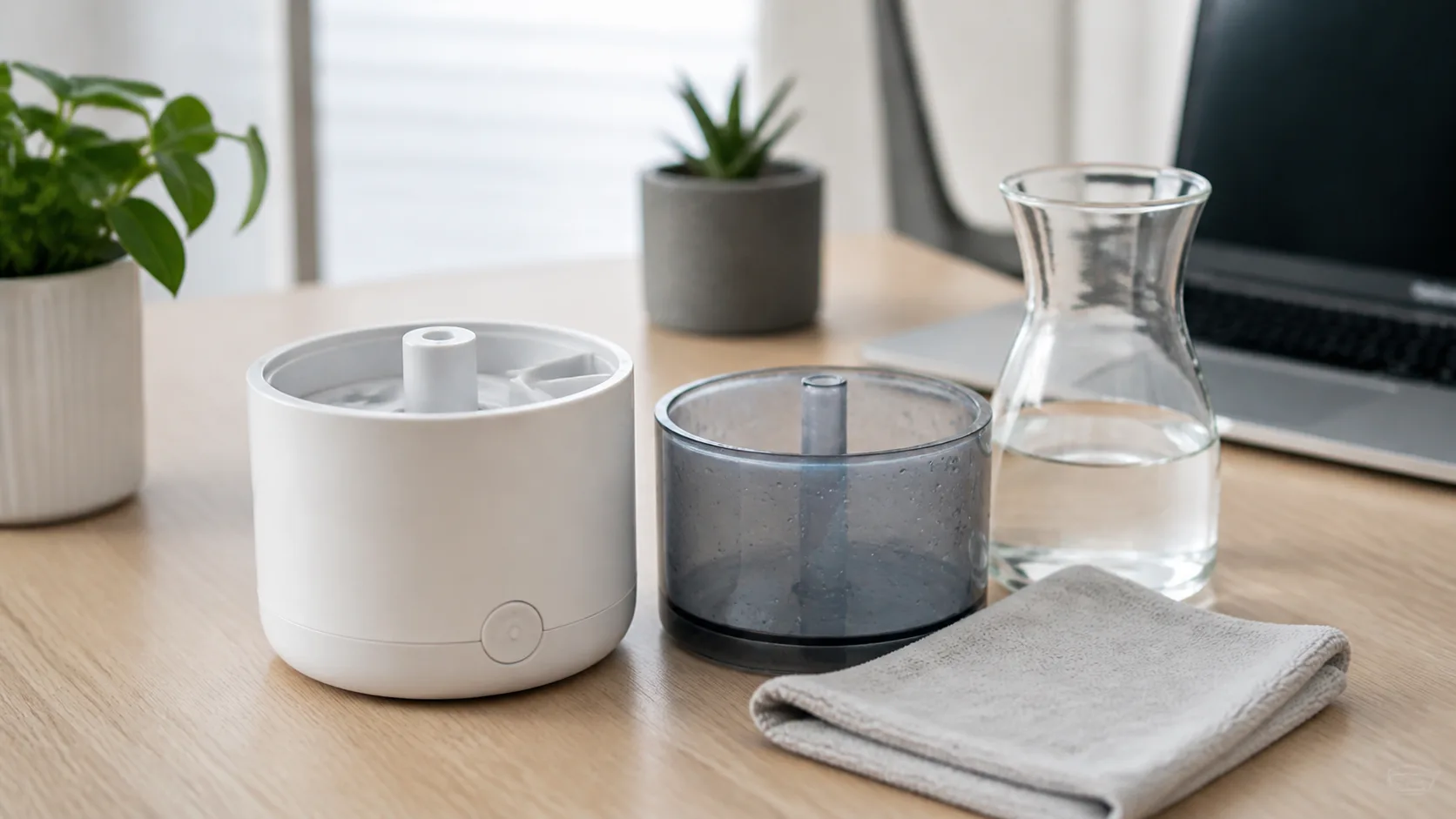
The safe way to use a desk humidifier is dull, which is why it works: measure, place it away from electronics, use clean water, empty it daily, clean it often, and stop when humidity gets high enough.
Do this instead of leaving it running all day:
- Measure the room first. Put a hygrometer near your working position and note the starting humidity.
- Place the unit off to one side. Keep it at least 60cm from laptops, monitors, sockets, notebooks, and fabric panels.
- Use a low mist setting. If you can see droplets landing on the desk, it is too close or too strong.
- Run it in short blocks. Try 30-60 minutes, then check whether humidity has moved into the 40-55% range.
- Empty and dry it after work. Standing water is the bit people ignore, then wonder why the tank smells.
That routine sounds fussy until you have cleaned a slimy water tank. Small humidifiers are low effort only if you treat them like a kettle rather than a decorative lamp.
Tap water, filters, and white dust
In hard-water areas, ultrasonic humidifiers can leave fine white mineral dust on nearby surfaces. You may notice it on a black desk mat, monitor stand, or laptop lid. It is not a premium desk-patina feature. It is dissolved minerals from the water.
Filtered water can reduce it. Deionised water reduces it more, but buying water for a tiny desk humidifier quickly makes the whole thing feel daft. If you live in a hard-water area and plan to run a humidifier daily, a wick/evaporative unit or a model with proper limescale management may be less annoying.
Cleaning schedule
Empty the tank every day you use it. Rinse it, leave it open to dry, and give it a proper clean at least weekly. Follow the manufacturer instructions, because some units use replaceable wicks or filters and others have ultrasonic plates that need gentle cleaning.
Do not let office water sit in the tank from Friday to Monday. That is how a comfort gadget becomes a smell generator.
Where I would put it on a real desk
On a standard 120cm desk, I would not put the humidifier between the keyboard and monitor. I would put it on the far corner, angled away from the laptop, or on a separate side table if one fits. If you use a desk shelf, keep the mist clear of the shelf underside. If you use a monitor arm, make sure droplets cannot collect on joints or cables.
The best layout is the one you forget about because nothing gets wet. If you have to keep moving papers, wiping the desk, or worrying about your docking station, the humidifier is in the wrong place.
Frequently Asked Questions
Are desk humidifiers good for dry offices? They can help if the office is measurably dry, usually below about 40% relative humidity near your desk. They are less useful if the room is hot, dusty, poorly ventilated, or already around 45-55% humidity.
What size humidifier is best for a desk? For personal desk use, a 500ml-1 litre cool-mist unit is usually enough. For a whole home office, a 2-4 litre model around £35-£70 is more practical because it runs longer and usually has better controls.
Can a desk humidifier damage a laptop? It can if mist lands on the laptop, keyboard, monitor, plug sockets, or docking station. Keep the humidifier at least 60cm away, aim the mist away from electronics, and use the lowest setting that works.
Should I use tap water in a desk humidifier? You can if the manufacturer allows it, but hard tap water may leave white mineral dust. Filtered water can help. Clean the tank often and never leave water sitting in it for days.
Is a USB humidifier worth buying? A USB humidifier can be worth £8-£18 as a low-risk trial for short desk sessions. It is not the best choice for a full working day or a whole room because output, tank size, and build quality are limited.
Should a shared office allow personal humidifiers? Only if facilities or management approve them. Shared offices have electrical safety, cleaning, fragrance, and comfort issues for other staff, so a personal humidifier should not be treated like a normal desk ornament.