You’ve seen the Reddit desk setup posts — the £200 LED light bars, the custom keycap sets, the artisan desk mats, the monitor arms with integrated USB hubs. Your desk looks boring by comparison and you’re wondering whether buying all that stuff would actually make you more productive or just make your credit card statement more interesting. Some desk accessories genuinely improve your working day. Others are aesthetic purchases disguised as productivity tools. Here’s the honest breakdown.
In This Article
- Accessories That Genuinely Improve Your Work
- Nice to Have But Not Essential
- Accessories You Probably Don’t Need
- The Ergonomic Essentials
- Cable Management: Worth Doing Properly
- Lighting: The Most Underrated Upgrade
- What to Buy First: The Priority Order
- Budget Desk Setup vs Premium
- Frequently Asked Questions
Accessories That Genuinely Improve Your Work
These are the items that make a measurable difference to comfort, productivity, or both. If your budget is limited, spend it here first.
Monitor Arm or Riser
Your monitor should sit at eye level with the top of the screen roughly aligned with your eyes. Most monitors on their stock stands sit too low, which means you tilt your head down for 8 hours. A monitor arm (about £25-80) or a simple riser (about £10-20) fixes this immediately.
The difference is physical: neck strain, headaches, and upper back tension often improve within days of correcting monitor height. We’ve tested this with a desk height calculator and the stock stand on most 24-27″ monitors sits 5-8cm too low for average-height adults. A proper ergonomic setup starts with getting the screen at the right height.
External Keyboard and Mouse
If you use a laptop, an external keyboard and mouse let you position the screen at eye level (on a stand or arm) while keeping your hands at desk height. Without them, you choose between comfortable arms (laptop on desk, screen too low) or comfortable neck (laptop raised, keyboard too high). It’s an unsolvable compromise that an external keyboard eliminates for £20-40.
Desk Lamp with Adjustable Colour Temperature
Overhead room lighting is designed for living, not working. A desk lamp with adjustable colour temperature (warm white for relaxed work, cool white for focused tasks) reduces eye strain and improves concentration. The evidence from workspace studies is clear: task lighting outperforms ambient ceiling lights for sustained desk work. Budget about £25-50 for a good LED desk lamp.
Headphones (for Focus)
Open-plan homes, children, partners on calls, neighbours — the distractions in a home office are relentless. A decent pair of headphones (noise-cancelling for about £60-150, or basic over-ears for £20-40) creates a focused bubble that’s worth more per hour than almost anything else on your desk. Not technically a desk accessory, but arguably the single most productivity-enhancing purchase a home worker can make.
Nice to Have But Not Essential
These improve your setup meaningfully but aren’t first-purchase priorities.
Desk Mat
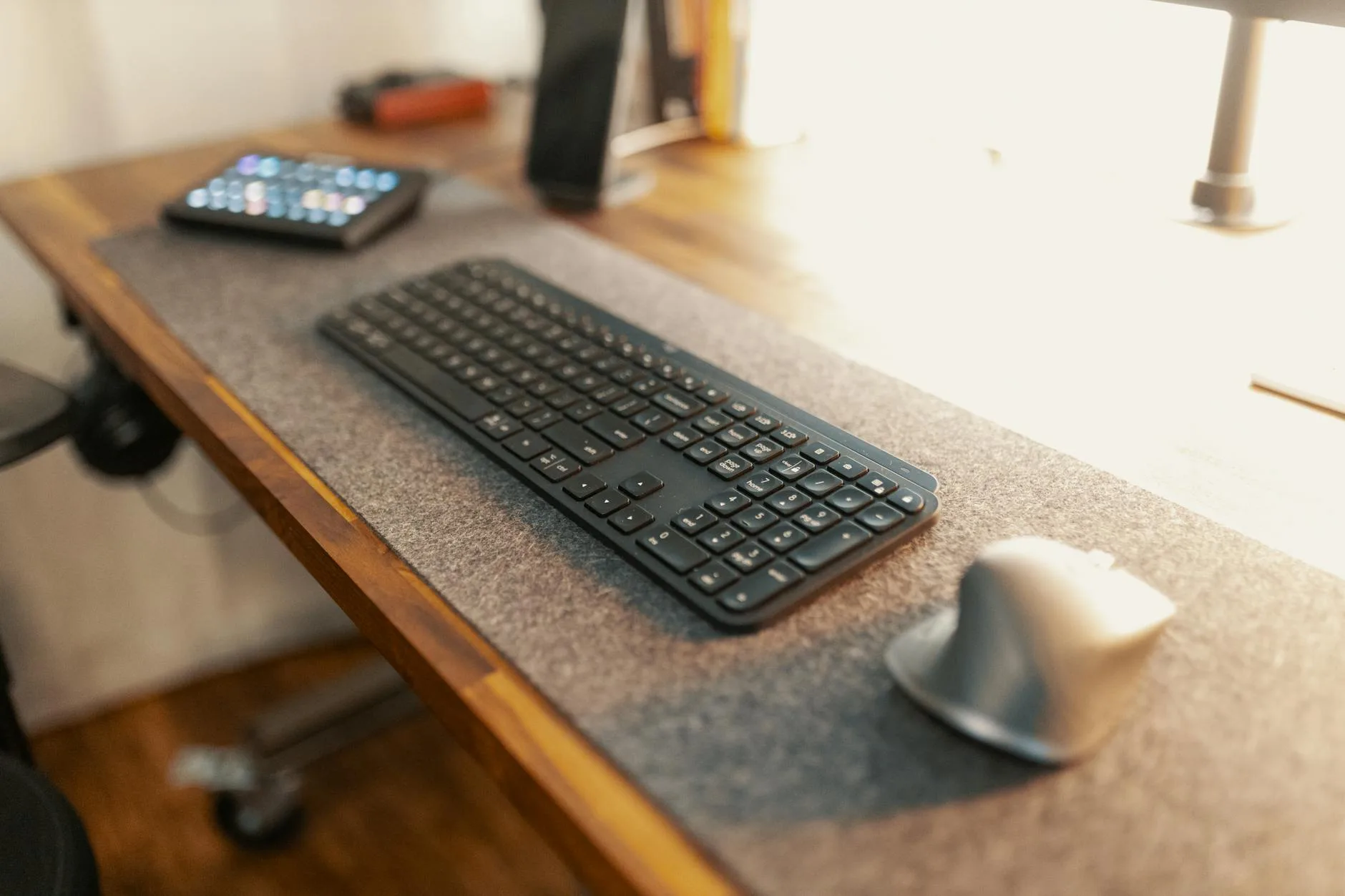
A large desk mat (about £15-40) protects the desk surface, provides a comfortable mouse surface across the full desk width, and ties the visual look together. Functionally, it’s a mouse pad that covers more area. The comfort improvement for your wrists is real but modest. The aesthetic improvement is bigger — a good desk mat makes even a cheap desk look intentional. If you are exploring this area, our guide on Best Desk Accessories for Productivity in 2026 covers the essentials. If you are exploring this area, our guide on Best Desk Accessories for Productivity in 2026 covers the essentials.
Monitor Light Bar
A light bar mounted on top of your monitor (BenQ ScreenBar, Xiaomi equivalent) illuminates your desk without screen glare. It’s a better option than a traditional desk lamp if desk space is tight, and the asymmetric lighting design genuinely prevents reflections on the screen. At £40-80, it’s a premium desk lamp alternative. If you already have a good desk lamp, you don’t need one. If you don’t have either, a light bar is the more space-efficient choice.
USB Hub or Docking Station
If your laptop has limited ports (most modern laptops), a USB hub (about £15-30) or a full docking station (about £40-120) gives you enough connections for monitor, keyboard, mouse, webcam, and phone charging. Essential for single-USB-C laptops, unnecessary if your desktop has enough ports already. A USB hub guide covers port types and what to look for.
Webcam
If you take video calls regularly (and who doesn’t in 2026), a dedicated webcam outperforms the built-in laptop camera in every way — better image quality, better angle (especially with the laptop on a stand), and better low-light performance. Budget about £40-80 for a meaningful upgrade over the laptop camera.
Cable Management Tray
A tray that hangs under the desk to hide cable clutter (about £15-25). Purely organisational — it doesn’t improve productivity, but it removes the visual chaos that makes some people twitchy. Worth it if cables bother you, ignorable if they don’t.
Accessories You Probably Don’t Need
These are popular but rarely justify their cost in practical terms.
Custom Mechanical Keyboard (Over £100)
A basic mechanical keyboard (about £40-60) is a genuine upgrade over a membrane keyboard. But the rabbit hole of custom keycaps, hot-swappable switches, and boutique PCBs that costs £200+ is a hobby, not a productivity investment. Your words per minute don’t improve beyond a basic mechanical keyboard. If you enjoy the hobby, buy with clear eyes — it’s for pleasure, not performance.
RGB Lighting
LED strips behind the desk, RGB mouse pads, colour-changing light panels — they look spectacular in photos and add precisely zero to your productivity. If you game in the evenings and want atmosphere, go ahead. If you’re buying them thinking they’ll help you work better, save the £30-80.
Standing Desk Treadmill or Under-Desk Bike
The concept is appealing: walk or pedal while working. The reality: you can’t type accurately while walking, your video calls look like an earthquake, and the novelty wears off within weeks. Studies from the HSE (Health and Safety Executive) on workstation ergonomics consistently recommend alternating between sitting and standing — not exercising while working. A standing desk gives you the movement benefit without the coordination problems.
Second Monitor (Maybe)
Controversial opinion: many people don’t need a second monitor. If your work involves comparing documents, coding with a reference, or monitoring dashboards alongside your main task, a second screen is genuinely useful. If you work primarily in one application at a time (writing, design, spreadsheets), a single large monitor (27-32″) with good window management achieves the same result without the desk space, cable clutter, and neck rotation.
Desk Plants (for Productivity)
Studies suggesting plants improve productivity are real but the effect size is tiny — roughly 5-15% in controlled environments. In practice, the plant on your desk is decoration. Buy it because you like plants, not because you think a succulent will make you better at Excel.
The Ergonomic Essentials
These aren’t accessories in the traditional sense, but they matter more than anything else on this list. You might also find our Standing Desk Mistakes Everyone Makes (And How to Fix Them) guide useful here. You might also find our Standing Desk Mistakes Everyone Makes (And How to Fix Them) guide useful here.
Your Chair
The most important purchase in any home office. A good chair (about £200-400) with adjustable height, lumbar support, and armrests prevents the back pain that cheap chairs guarantee after 6 months of full-time use. Sitting in a kitchen chair or a £50 “gaming chair” for 40 hours a week is a false economy — you’ll pay the physiotherapy bill eventually.
Footrest
If your desk is too high and your chair is at maximum height with your feet dangling, a footrest (about £15-25) provides the floor contact your legs need. Dangling feet compress the underside of your thighs and restrict circulation, causing numbness and restlessness. A simple angled footrest fixes it.
Wrist Rest
Optional but beneficial if you type extensively. A padded wrist rest (about £8-15) keeps your wrists in a neutral position rather than hyperextended against the desk edge. Gel rests are comfortable but flatten over time; memory foam maintains its shape longer.
Cable Management: Worth Doing Properly
Why Bother
Cable clutter is the difference between a desk that feels professional and one that feels temporary. More practically, organised cables are easier to troubleshoot, clean around, and reconfigure when you change equipment.
The Cheap Way (Under £15)
- Velcro cable ties (about £5 for a roll) — bundle cables behind the desk
- Cable clips (about £3 for a pack) — stick to the desk edge and route individual cables
- Binder clips on the desk edge — free if you have them already. Clip cables through the handles to stop them sliding behind the desk
The Proper Way (£15-40)
- Under-desk cable tray (about £15-25) — hides the entire cable mess in a tray screwed or clipped under the desk
- Cable sleeve (about £8-12) — a fabric tube that bundles cables from desk to floor
- Cable management guide — covers the full setup including power strip placement
Lighting: The Most Underrated Upgrade
Good lighting improves focus, reduces eye strain, and makes video calls look professional. Bad lighting does the opposite. Most home offices rely entirely on ceiling lights, which create harsh shadows and uneven illumination across the desk.
What Good Desk Lighting Looks Like
- Task light positioned to the side — reduces shadows from your hands while writing or using the mouse
- Screen-matched colour temperature — cool white (5000-6500K) for focused work matches most monitor white points. Warm white (2700-3000K) for evening wind-down
- Brightness control — adjustable from bright working light to dim ambient. Fixed brightness is too bright in the evening and often too dim for detail work
- No direct glare on the screen — position the light so it illuminates the desk surface and keyboard, not the monitor face
Budget Recommendations
- Under £20 — Ikea Tertial (about £9) with a daylight LED bulb. Functional and adjustable. Not pretty but effective
- £20-50 — TaoTronics LED desk lamp or BenQ ScreenBar Lite. Colour temperature adjustment and decent build quality
- £50+ — BenQ ScreenBar Plus, Dyson Lightcycle. Premium lighting with ambient sensors and USB charging
What to Buy First: The Priority Order
If you’re building a desk setup from scratch, spend in this order:
- Chair — the foundation of physical comfort. Nothing else matters if your back hurts after two hours
- Monitor at correct height — arm, riser, or books under the stand. Free if improvised, £25-80 if bought
- External keyboard and mouse (laptop users) — £20-40 total. Unlocks proper ergonomic positioning
- Desk lamp — £15-50. Immediate improvement in eye comfort and focus
- Headphones — £20-150. Essential for focus in shared spaces
- Cable management — £5-25. Tidies the visual chaos
- Everything else — desk mat, webcam, USB hub, monitor light bar. Nice to have, buy when budget allows
Total for the essentials (items 1-6): about £260-445. Total for a “complete” setup including nice-to-haves: about £500-800.
Budget Desk Setup vs Premium
Under £100 Setup
- Monitor riser — stack of books or £10 wooden riser from Amazon
- Keyboard + mouse — Logitech MK270 combo (about £20)
- Desk lamp — Ikea Tertial with LED bulb (about £12)
- Cable ties — velcro roll (about £5)
- Headphones — any over-ear headphones you already own
This gets you the ergonomic basics handled for about £47.
£300 Setup
- Monitor arm — Amazon Basics (about £25)
- Keyboard — Keychron K2 mechanical (about £60)
- Mouse — Logitech M720 (about £40)
- Desk lamp — TaoTronics adjustable (about £30)
- Cable tray — under-desk mesh tray (about £15)
- Desk mat — large felt or leather (about £20)
- Headphones — Anker Soundcore Q45 ANC (about £60)
This is the sweet spot where every component is good quality without overspending on any single item.
£800+ Setup
- Monitor arm — Ergotron LX (about £100)
- Keyboard — Keychron Q1 Pro (about £150)
- Mouse — Logitech MX Master 3S (about £80)
- Monitor light bar — BenQ ScreenBar Plus (about £100)
- Docking station — CalDigit TS4 (about £120)
- Desk mat — Grovemade wool felt (about £60)
- Cable management — full under-desk tray + sleeves (about £30)
- Webcam — Elgato Facecam (about £90)
Diminishing returns set in here. The £300 setup covers 90% of the practical benefit — the premium tier is for people who spend 8+ hours daily at their desk and appreciate refined tools.
Frequently Asked Questions
What’s the most important desk accessory? A monitor at the correct height — whether that’s a monitor arm, a riser, or a stack of books. Getting your screen at eye level prevents neck strain, headaches, and upper back pain. It’s the single change with the biggest ergonomic impact, and it can be free if you improvise.
Are standing desk accessories worth it? A standing desk mat (anti-fatigue mat, about £20-40) is worth it if you stand for more than an hour at a time — it reduces foot and lower back fatigue. Under-desk treadmills and bikes are novelty items that most people stop using within weeks.
Do I need a mechanical keyboard? Need? No. A £15 membrane keyboard types perfectly well. A basic mechanical keyboard (£40-60) offers better tactile feedback and durability. Beyond that, spending more buys aesthetics and hobby satisfaction, not typing performance. Try a basic mechanical before investing in a premium one.
How much should I spend on a desk setup? About £300 covers every functional essential to a good standard. Under £100 gets you the basics with smart choices. Over £500 enters premium territory where improvements are incremental. The chair should absorb 40-50% of your total budget — it’s the one item where spending more makes a genuine daily difference.
Are desk plants actually good for productivity? The scientific evidence shows a small positive effect (5-15% improvement in controlled studies), but real-world impact is likely minimal. Buy plants because you enjoy them. They improve the visual feel of your workspace and that has value — just don’t expect a fern to transform your output.