You’re shopping for something to put under your keyboard and mouse, and suddenly you’re in a rabbit hole. Desk mats, mouse pads, extended mouse pads, desk pads — the naming is all over the place and nobody seems to agree on what’s what. Here’s the short version: they do different things, they cost different amounts, and the right choice depends on how you use your desk.
In This Article
- What Counts as a Desk Mat
- What Counts as a Mouse Pad
- The Key Differences
- Desk Mats: The Case for Going Big
- Mouse Pads: The Case for Staying Small
- Which One Suits Your Setup
- Material Matters More Than Size
- Our Picks for Both
- Can You Use Both at the Same Time
- Cleaning and Maintenance
- Ergonomics and Comfort
- Frequently Asked Questions
What Counts as a Desk Mat
A desk mat is a large surface cover that sits across most or all of your desk. Typical sizes range from 80cm × 40cm up to 120cm × 60cm — big enough to sit your keyboard, mouse, and usually a drink or notepad on top.
Common Materials
- Cloth/fabric — most popular, usually polyester with a rubber base. Soft, affordable, easy to roll up
- Leather (PU or genuine) — looks more professional, wipes clean easily, but the mouse doesn’t track as smoothly
- Cork — natural look, good for warm climates because it stays cool to the touch
- Felt — premium option from brands like Grovemade, usually wool felt on cork backing
What They’re For
Desk mats protect your desk surface from scratches, spills, and general wear. They also create a unified aesthetic — everything sits on one clean surface instead of a mix of bare desk and scattered accessories. If you’ve invested in a decent wooden or bamboo desk, a mat stops your keyboard feet from leaving marks.
What Counts as a Mouse Pad
A mouse pad is a smaller, dedicated surface for your mouse only. Standard sizes are roughly 25cm × 20cm (about the size of a book), though gaming mouse pads can extend to 45cm × 40cm or larger.
Common Types
- Standard cloth — the most common. Soft surface, rubber base, costs about £5-10
- Hard surface — plastic or aluminium. Faster mouse glide, easier to clean, but louder and less cushioning
- Gaming extended — wider pads (60cm+) designed for low-sensitivity gamers who sweep their mouse across large arcs. These blur the line with desk mats
- Gel wrist rest — mouse pad with built-in wrist support. Popular for office workers, though the ergonomic benefit is debated
What They’re For
Mouse pads exist to give your mouse a consistent, smooth tracking surface. On a bare wooden desk, optical mice can skip and stutter. On glass, some mice refuse to track at all. A mouse pad solves both problems for a few quid.
The Key Differences
Size and Coverage
This is the obvious one. A desk mat covers your entire workspace. A mouse pad covers a patch. If you’re the sort of person who likes a tidy, coordinated desk, the mat wins. If you just need your mouse to work properly and don’t care about aesthetics, the pad is fine.
Price
- Mouse pads: £5-15 for standard, £15-30 for premium gaming pads
- Desk mats: £15-30 for cloth, £30-60 for leather, £60-100+ for premium materials
You’re paying more for a desk mat because it’s physically larger and often made from better materials.
Desk Protection
Desk mats protect the entire surface. Mouse pads protect a small square. If you’ve got a £500 solid oak desk, the mat pays for itself in scratch prevention alone.
Mouse Tracking
Here’s where it gets interesting. Dedicated mouse pads — especially gaming ones — are optimised specifically for sensor tracking. The surface texture, weave density, and coating are designed to give the most consistent, accurate mouse movement. A desk mat’s cloth surface works perfectly well for everyday use, but competitive gamers often find the tracking less precise than a purpose-built pad. If you are exploring this area, our guide on Dark vs Light Desk Setups: Which Is Better? covers the essentials.
Aesthetics
Desk mats create a cleaner, more intentional look. A well-chosen mat ties a desk setup together visually. Mouse pads are functional but rarely beautiful — they sit there doing their job without adding much to the overall appearance.
Desk Mats: The Case for Going Big
Everything in One Place
Once you use a desk mat, going back to a bare desk feels wrong. Your keyboard, mouse, phone, and coffee all sit on one surface. Nothing slides around. Nothing scratches. There’s a satisfying uniformity to it.
Noise Reduction
A desk mat dampens keyboard and mouse noise noticeably. If you type heavily or use mechanical switches, the mat absorbs some of the impact sound that would otherwise bounce off a hard desk surface. After three months with a cloth mat under my keyboard, I noticed the difference immediately when I took it off to clean — the desk was louder than I remembered.
Wrist Comfort
The soft surface provides light cushioning for your wrists and forearms as they rest on the desk. It’s not a replacement for proper ergonomic equipment, but it’s more comfortable than a hard surface during long work sessions. The HSE’s guidance on display screen equipment recommends a comfortable forearm position — a padded surface helps.
Spill Protection
A cloth desk mat with a rubber base catches minor spills before they reach the desk. I’ve saved my desk from coffee splashes twice. Not a selling point you think about until it happens.
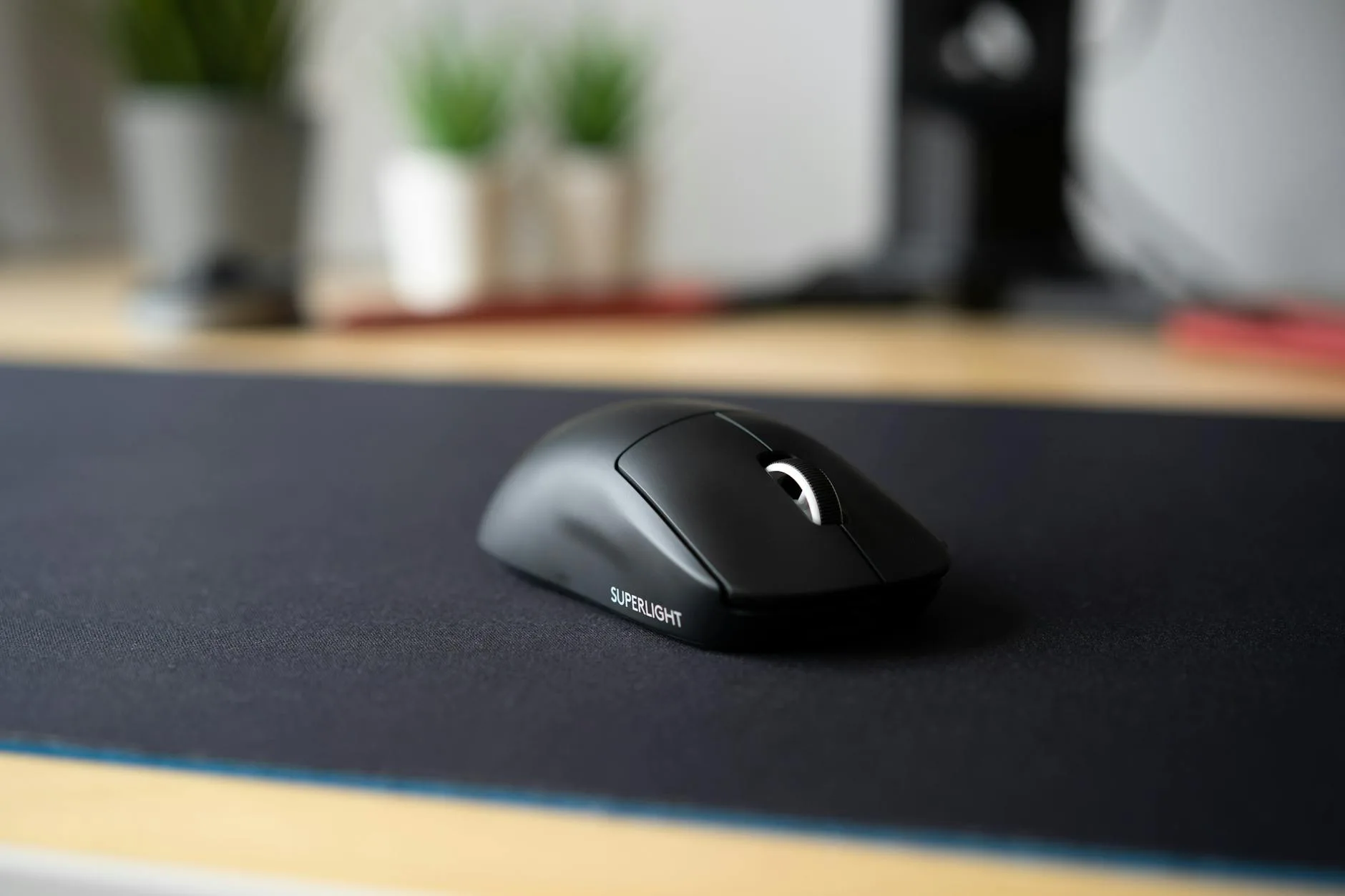
Mouse Pads: The Case for Staying Small
Precision Tracking
If you’re a gamer or do detailed design work, a dedicated mouse pad often tracks better than a desk mat. Brands like Artisan, Zowie, and Razer engineer their surfaces for specific mouse sensor types. The difference between a £15 gaming pad and a £25 desk mat’s cloth surface is measurable — tighter weaves, more consistent glide, less initial friction.
Takes Up Less Space
Not everyone wants their entire desk covered. If your desk is already small, a desk mat can feel like you’re just adding another layer of clutter. A compact mouse pad leaves room for notebooks, a desk lamp, or whatever else you keep within arm’s reach. You might also find our 4K vs 1440p vs 1080p: Which Resolution for Productivity? guide useful here.
Easier to Replace
Mouse pads wear out where you move the mouse. Replacing a £10 pad every 6-12 months is painless. Replacing a £40 desk mat because one corner has gone shiny is more annoying — though desk mats do last longer overall because the wear distributes across a larger area.
Portability
Throw a mouse pad in your laptop bag and you’ve got a consistent surface anywhere. Desk mats don’t travel well unless you buy a specifically compact one.
Which One Suits Your Setup
Get a Desk Mat If…
- You work from home and want a clean, coordinated workspace
- You’ve got a wooden or glass desk you want to protect
- You use a keyboard and mouse on the same surface
- You want noise reduction from typing
- You’re not gaming competitively
- You like the aesthetic of a unified desk surface
Get a Mouse Pad If…
- You game competitively and need optimal tracking
- Your desk is small and space is tight
- You already have a desk surface you like (stone, glass, metal)
- You want something portable for a laptop setup
- You’re on a tight budget and just need a mouse surface
Get Both If…
- You want desk protection AND precision mouse tracking
- You game on one part of the desk and work on another
- You use different mice for different tasks (work mouse on mat, gaming mouse on pad)
Material Matters More Than Size
Cloth (Polyester)
The most common material for both desk mats and mouse pads. Soft, affordable, and available in every colour and design imaginable. Tracks well with optical and laser mice. The downside: stains, absorbs spills, and the surface degrades over time.
Leather and PU Leather
Popular for desk mats in office settings. Looks professional, wipes clean instantly, and ages nicely (genuine leather) or stays uniform (PU). Mouse tracking is adequate for everyday work but noticeably less smooth than cloth for fast movements. If your desk setup prioritises productivity aesthetics, leather desk mats fit the vibe.
Microfibre
A step up from standard polyester. Finer weave, smoother surface, slightly better tracking. More expensive but holds up better over time. Common in premium desk mats from brands like Oakywood and Satechi.
Hard Surfaces
Glass, aluminium, and hard plastic. Almost exclusively mouse pads rather than desk mats. The fastest tracking surface — the mouse glides with minimal friction. Loud, cold, and unforgiving on wrists. Best for competitive gaming where speed matters more than comfort.
Cork
A niche choice for desk mats. Natural, sustainable, stays cool in warm rooms, and has a distinctive look. Mouse tracking is poor on bare cork — most cork mats have a leather or fabric top layer with cork backing. We cover this in more detail in our White vs Black Desks: Which Colour Stays Cleaner? piece.
Our Picks for Both
Best Desk Mats
- Nordik Leather Desk Mat (90cm × 40cm) — about £25-30 from Amazon UK. PU leather, reversible (dark/light), waterproof surface. The entry-level desk mat I’d recommend to anyone starting out
- Oakywood Felt Desk Mat — about £60-70 from Oakywood direct. Merino wool felt with cork backing. Premium look and feel, excellent durability. Worth it if you’re building a high-end setup
- Amazon Basics Large Mouse Pad — about £10-15. It’s technically marketed as a mouse pad but at 90cm × 40cm it’s a desk mat in everything but name. Cloth surface, rubber base, does the job for less
Best Mouse Pads
- SteelSeries QcK — about £8-12 from Amazon UK or Currys. The default recommendation for a reason: consistent tracking, durable, affordable. Available in multiple sizes from small to XXL
- Logitech G240 — about £10-15. Thin, firm cloth pad optimised for Logitech mice. If you use a Logitech mouse, start here
- Razer Gigantus V2 — about £10-20 depending on size. Textured micro-weave, good balance of speed and control. The medium size is perfect for most gamers
For more on choosing the right desk mat material and size, our desk mat guide goes deeper into the options.
Can You Use Both at the Same Time
Yes, and it works better than you’d expect. A desk mat covers and protects the desk surface while a smaller mouse pad sits on top in your mouse area, giving you the tracking precision of a dedicated pad with the desk protection and aesthetics of a mat.
When This Makes Sense
- Gaming + work hybrid setups — the desk mat unifies the look while the gaming pad gives competitive-grade tracking
- Leather desk mat users — leather tracks poorly for mice. A small cloth pad on top solves it while keeping the leather aesthetic everywhere else
- Mechanical keyboard users — the desk mat dampens keyboard noise while the separate pad handles mouse duties
When It Doesn’t
If your desk mat is already cloth and you’re not gaming competitively, layering a pad on top is pointless — the tracking will be virtually identical.

Cleaning and Maintenance
Desk Mats
- Cloth: Hand wash in lukewarm water with mild soap. Lay flat to dry — never put in the tumble dryer. Machine washing is possible for some mats but check the label first, and always use a cold cycle
- Leather/PU: Wipe with a damp cloth. Use leather conditioner every few months for genuine leather. PU leather just needs occasional wiping
- Cork: Wipe with a damp cloth. Don’t submerge in water — cork absorbs it and can warp
Mouse Pads
- Cloth: Same as cloth desk mats — lukewarm water, mild soap, flat dry. Smaller pads dry faster
- Hard surface: Wipe with a damp cloth or glass cleaner. Easy to keep spotless
How Often
Clean a desk mat every 2-3 months for light use, monthly if you eat at your desk or have pets. Mouse pads need cleaning whenever the surface feels different from new — you’ll notice the mouse glide changing before you see visible dirt.
Ergonomics and Comfort
Surface Padding
A 3-4mm cloth desk mat provides meaningful wrist cushioning during long sessions. Hard mouse pads offer none. If you spend 8+ hours at a desk daily, the soft surface under your wrists makes a cumulative difference.
Temperature
Leather and PU desk mats can feel cold in winter and sticky in summer. Cloth stays neutral. Cork stays cool. Hard mouse pads follow room temperature — cold in winter, fine in summer.
Posture Considerations
Neither a desk mat nor a mouse pad is ergonomic equipment — they don’t replace proper chair height, monitor positioning, or keyboard placement. But a comfortable surface removes one small source of discomfort from the equation, and that compounds over a full working day.
Frequently Asked Questions
Do I need a mouse pad if I have a desk mat? For everyday work, no. A cloth desk mat provides perfectly good mouse tracking. If you game competitively or do precision design work, adding a dedicated mouse pad on top of the mat gives better tracking without sacrificing the desk mat’s protection and aesthetics.
Are desk mats worth it for small desks? Yes — arguably more so. A 70cm × 35cm mat fits most small desks and protects the surface from keyboard scratches, mouse wear, and coffee spills. On a small desk where everything’s close together, having one unified surface stops items sliding around.
How long do desk mats last? Cloth desk mats last 1-2 years with daily use before the surface starts to fray or lose its texture. Leather and PU mats last 2-4 years. Premium felt mats like Oakywood can last 5+ years with proper care. Mouse pads wear out faster because the friction is concentrated in a smaller area — expect 6-12 months for regular use.
Can I cut a desk mat to fit my desk? Cloth mats with stitched edges — not without fraying. PU leather mats can be trimmed with a sharp blade if you’re careful. Cork mats cut cleanly. But it’s easier to just buy the right size — most brands offer 3-4 size options.
Does a desk mat affect keyboard feel? Slightly. A soft mat under a mechanical keyboard dampens bottom-out sound and makes the typing feel marginally softer. Most people consider this an improvement. If you prefer a firm, clacky typing experience, a hard desk or a thin mat preserves more of that feel.