Desk clutter usually builds up because useful things have nowhere obvious to live. The fix is not buying a prettier tray and hoping for the best; it is deciding what earns space on the desk, what needs to move underneath, and what should leave the room altogether. These reduce desk clutter tips are deliberately practical, because a tidy desk that takes 20 minutes to maintain will not survive a normal working week.
In This Article
- Reduce Desk Clutter Tips: Start With What Actually Needs to Stay
- Sort Cables, Chargers and Power Without Creating a New Mess
- Use Zones for Work, Notes, Tech and Your Daily Reset
- Choose Storage That Fits a UK Desk, Not a Showroom
- Keep Paper, Stationery and Desk Accessories Under Control
- Build a Five-Minute Reset That You Will Actually Do
- Frequently Asked Questions
Reduce Desk Clutter Tips: Start With What Actually Needs to Stay
The fastest way to reduce desk clutter is to stop treating the desktop as storage. A desk is a work surface. If it has become a landing strip for receipts, spare cables, old notebooks, headphones, water bottles, post and half-charged gadgets, you are not dealing with a storage problem first. You are dealing with a decision problem.
Before buying anything, clear the whole surface and sort everything into four groups:
- Daily use: laptop, monitor, keyboard, mouse, notebook, pen, water bottle, desk lamp.
- Weekly use: headset, webcam, external drive, reference documents, spare charger.
- Occasional use: stamps, adapters, old notebooks, spare stationery, packaging, receipts.
- Not desk items: laundry, plates, kids’ school forms, returns parcels, random DIY bits.
Only the daily-use group deserves permanent desk space. Weekly items need nearby storage, not centre-stage placement. Occasional items belong in a drawer, cupboard or labelled box away from the desk. The last group should leave the room. It sounds basic, but this is where most desk tidying fails: people organise too many items instead of removing them.
Tip 1: Set a hard desktop limit
Give yourself a visible limit. On a small 100cm desk, that might mean laptop, keyboard, mouse, notebook, pen and mug only. On a 140cm desk, you can add a monitor arm, lamp and small tray. If an item is not used every day, it has to justify its place.
This matters more on sit-stand desks because clutter makes the surface heavier, catches cables when the desk rises, and encourages awkward reaches. If you already use a sit-stand setup, our guide to standing desk mistakes is worth checking before you bolt more accessories onto the frame.
Tip 2: Keep the centre third empty
The centre third of the desk should stay clear for active work. That is where papers, sketching, keyboard movement and short tasks happen. If that space is always occupied by a tray, plant, speaker or stack of notebooks, the desk feels messy even when everything is technically arranged.
Think of the desk in three strips: left, centre and right. Put fixed kit at the back or sides. Keep the centre front open. A clear 40-60cm working zone is enough for most home offices, and it makes the desk feel calmer immediately.
There is an ergonomic reason for this too. The HSE guidance on display screen equipment recommends arranging workstations so equipment is positioned comfortably and there is enough space to work. Clutter that pushes your keyboard too far forward or forces your mouse hand sideways is not just untidy; it changes how you sit.
Tip 3: Do one ruthless duplicate pass
Most cluttered desks contain duplicates: three pens, two notebooks, four USB-C cables, two pairs of earbuds, old glasses, spare mouse mats, multiple screen cloths. Pick the best one and move the rest. You do not need six emergency pens within arm’s reach unless you are running a stationery shop from the spare room.
Be especially strict with items that feel useful but rarely are. Old cables are the worst offenders. If you cannot name what a cable belongs to, label it and move it to a cable box for 30 days. If you still have not used it, it can leave.
Sort Cables, Chargers and Power Without Creating a New Mess
Cables make a desk look cluttered even when the surface is fairly clear. The problem is rarely the number of cables. It is usually that power, data and charging leads are all visible, loose and slightly too long. Good cable control should make the desk easier to use, not turn the underside into a plastic-tie nightmare.
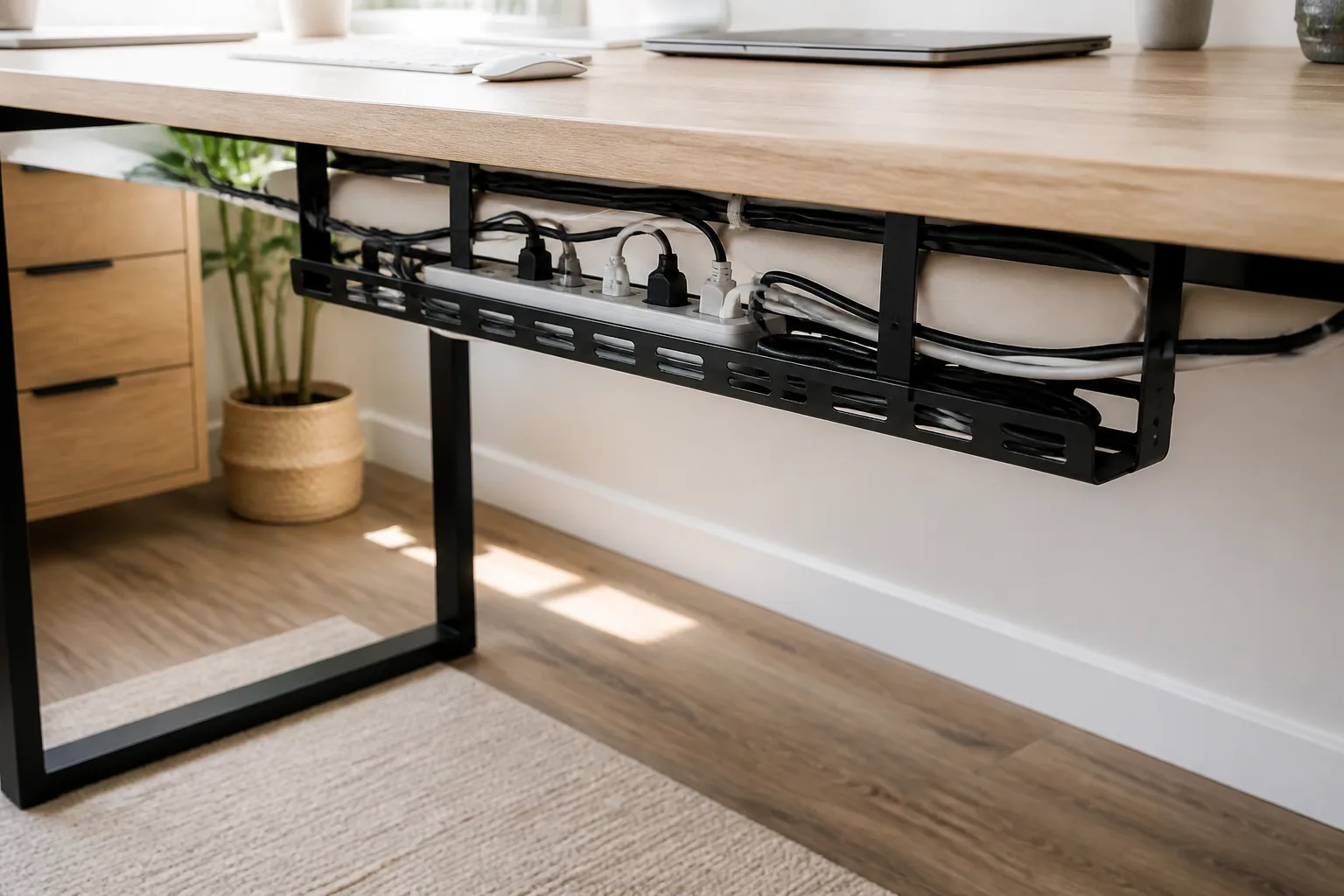
Tip 4: Move the power strip off the floor
If your extension lead sits on the carpet, every cable has to travel down, coil somewhere, then come back up. Mounting the power strip under the desk or in a cable tray shortens the visible run and makes cleaning easier. A basic under-desk cable tray from Amazon UK is usually around £17-£30; clamp-on metal trays cost more, often £25-£45, but avoid drilling into rented furniture.
For a cleaner installation, read our desk cable tray installation guide before buying. The main choice is not “tray or no tray”. It is whether your desk frame can take screws, whether a clamp tray will foul the wall, and whether your power brick load is too bulky for a shallow basket.
Tip 5: Separate permanent cables from charging cables
Permanent cables should be routed once and left alone. That includes monitor power, monitor data, laptop dock power, speaker power and the cable from a mounted lamp. Use reusable hook-and-loop ties rather than single-use zip ties, because you will change something later. A pack costs about £5-£10 from Amazon UK, Screwfix or B&Q.
Charging cables are different. They need to be reachable, but they should not sprawl across the desk. Use one short USB-C cable in a side clip or small charging dock. Cheap adhesive cable clips cost about £4-£8, but the adhesive often fails on textured desks. Magnetic cable holders around £8-£15 are neater if your cable ends are light enough.
The trick is leaving one intentional charging point rather than five loose “just in case” leads. If you charge your phone, earbuds and Kindle at the desk, use a compact charger with two or three ports and keep the cable ends parked at the same side every time. That one habit removes a surprising amount of visual noise.
Tip 6: Do not hide cables where you need access
There is a bad version of cable management where everything is tied so tightly that unplugging a laptop charger becomes a minor engineering job. Leave slack where movement is normal: laptop charging, sit-stand desk travel, monitor arm movement and anything you unplug weekly.
For sit-stand desks, raise the desk to its highest normal position before fixing cable lengths. If you manage cables with the desk low, the first height change may tug the power strip or pull a monitor cable loose. That is the kind of small annoyance that makes people abandon tidy systems.
Use Zones for Work, Notes, Tech and Your Daily Reset
A clutter-free desk needs simple zones. This sounds more formal than it is. You are giving common items a default place so they do not drift. The best zones are obvious enough that you follow them when tired.
Tip 7: Create four working zones
For most UK home-office desks, four zones are enough:
- Screen zone: monitor, laptop stand, webcam and speakers at the back.
- Input zone: keyboard, mouse, trackpad and wrist space in the middle.
- Notes zone: notebook, planner or document holder to one side.
- Drop zone: one small tray for the few things that arrive during the day.
The drop zone is important. Without one, receipts, post, spare batteries and school letters spread across the whole desk. With one, the mess has a boundary. Use a shallow tray, not a deep box. If you cannot see what is in it, it becomes a drawer without a handle.
If you work with printed notes, consider a vertical document holder rather than laying papers flat. Our guide to document holders for reducing neck strain covers the ergonomic side, but the clutter benefit is just as useful: upright papers take less surface space and are harder to bury.
Tip 8: Put visual weight at the back
Tall or bulky items feel less cluttered when they sit at the back edge or on a shelf riser. Monitor arms, laptop stands, speakers, lamps and small plants should not crowd the front working area. If your desk looks messy in photos even after tidying, check what sits nearest the chair. Front-edge clutter is what your brain notices first.
A desk shelf can help, but only if it replaces clutter rather than displays it. Budget wooden or MDF risers on Amazon UK often cost £20-£35. Better bamboo or metal options sit around £40-£80. I like them for a monitor, small notebook and dock; I do not like them as a stage for candles, figures, spare glasses and decorative clutter.
For small rooms, vertical storage usually beats wider furniture. The article on creating a home office in a small flat goes deeper on layouts, but the same principle applies here: go up, not out.
Choose Storage That Fits a UK Desk, Not a Showroom
Storage should solve a specific friction point. If you buy storage because it looks tidy in a shop photo, it can create a second clutter system: boxes full of mystery items, trays stacked on trays, drawer dividers holding things you never use. Start with what needs a home, then pick the container.
Pick storage by problem, not by aesthetic
Here is the simple match:
- Loose stationery: one drawer insert or small caddy, usually £5-£15.
- Paper waiting for action: one letter tray or magazine file, usually £10-£25.
- Chargers and adapters: a labelled cable pouch or small lidded box, usually £8-£18.
- Daily accessories: a shallow tray or desk organiser, usually £10-£30.
- Overflow kit: a mobile drawer unit beside the desk, usually £50-£115.
The current IKEA range gives useful price anchors: SKADIS pegboards are about £13-£15 for basic boards, SKADIS combinations tend to sit around £24-£34, and ALEX drawer units on castors run from about £50 for compact versions to roughly £115 for larger six-drawer units. John Lewis desk organisers are pricier: a Stackers desk caddy is about £45, while magazine trays and small drawer organisers can be around £20-£25 depending on finish.
My view: spend more on the storage you touch every day, spend less on hidden storage. A £45 caddy is only worth it if it sits in reach and replaces three messy piles. For spare cables under the desk, a £6 lidded Really Useful Box or IKEA box is fine.
Avoid the “one big drawer” trap
One big drawer feels tidy for about a week. Then it becomes archaeology. Small compartments work better for stationery, cables and adapters because they stop items sliding into one mixed layer. You do not need a fancy organiser; even a £6 cutlery tray from IKEA or Dunelm can work if the dimensions fit.
If you already own a desk with shallow drawers, reserve the top drawer for daily items only: one pen, sticky notes, screen cloth, earbuds, cable adapter and maybe lip balm or hand cream. Everything else goes lower down or elsewhere. The top drawer should be boring. Boring is maintainable.
Use wall storage carefully
Pegboards look tidy when they are edited. They look chaotic when every hook is full. A SKADIS board above a desk is good for headphones, scissors, one notebook, small pots and a couple of cables. It is not good for displaying every gadget you own.
Wall storage is especially useful in box rooms where the desk has no drawers. Just keep it within reach and avoid mounting heavy items above your head. If you rent, use freestanding shelves or clamp-on options rather than making holes you will have to repair.
Keep Paper, Stationery and Desk Accessories Under Control
Paper clutter is different from gadget clutter because it often carries decisions: pay this, reply to this, file this, scan this, sign this. That is why piles stay on the desk. They are visual guilt. The answer is a small paper workflow, not another stack.
Keep one active paper tray
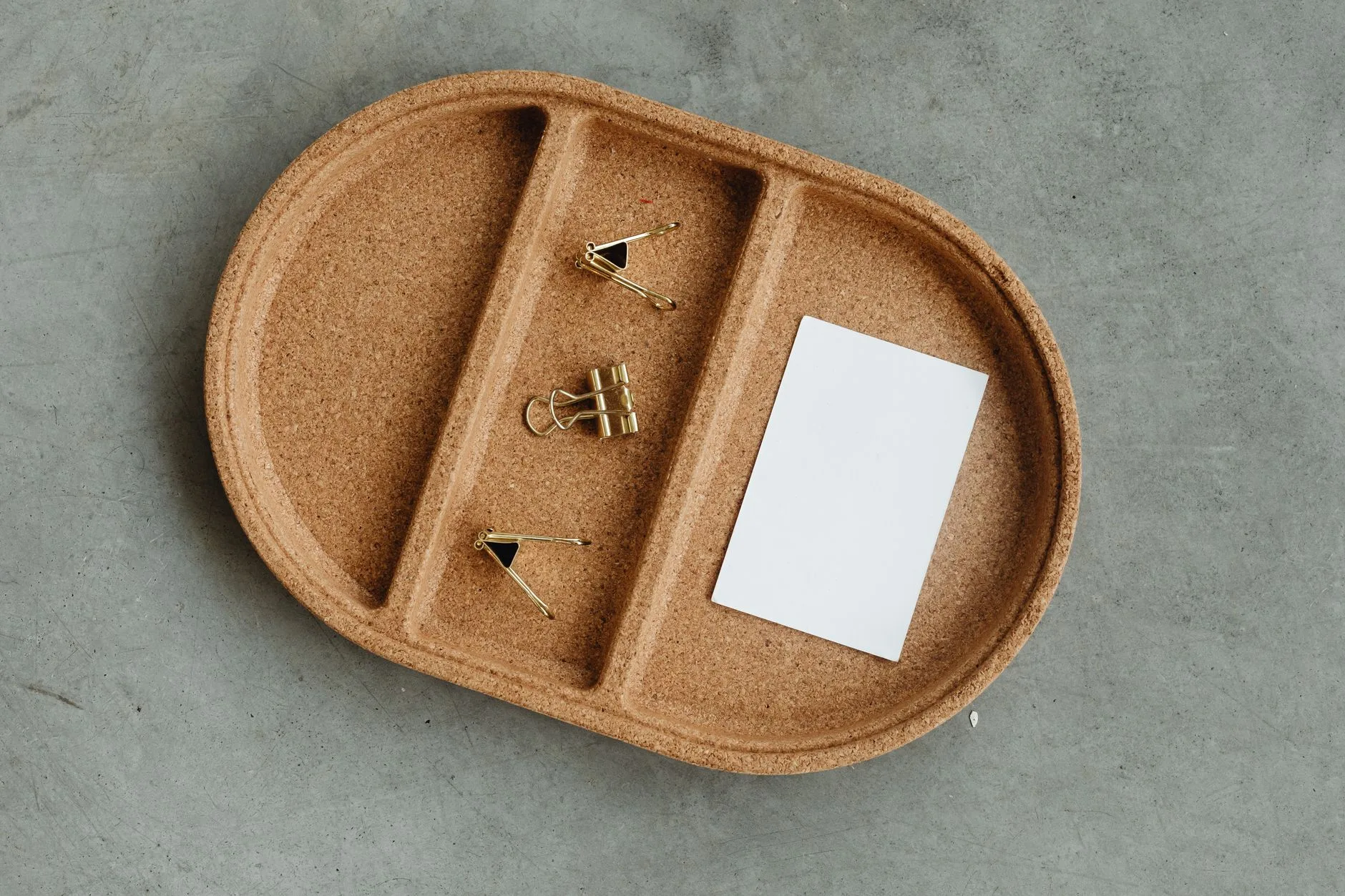
Use one tray for active paper only. Not archive paper, not sentimental cards, not old manuals. Active means you need to do something with it in the next week. If it does not need action, file it, scan it or bin it. A simple magazine tray from John Lewis, IKEA or WHSmith costs about £5-£20 and is enough.
Set a rule: when the tray is full, it gets processed before anything else joins it. That physical limit stops “temporary” paperwork becoming a second desktop.
For receipts and warranties, use your phone. Photograph them, save them to the right folder, then move the paper version out of the desk area unless you truly need the original. A desk is a poor filing cabinet.
Reduce accessories to the useful few
Desk accessories are tempting because they feel like productivity. Some help. Many just occupy space. A desk mat, monitor arm, lamp, document holder and cable tray can all earn their keep. Decorative stands, oversized organisers and novelty gadgets often do not.
If you are deciding what to keep, compare against our desk accessories you actually need guide and the best desk accessories for productivity list. The key test is simple: does this item reduce friction every working day, or does it just make the desk look more “setup”?
Desk mats are a good example. A plain mat can define your keyboard and mouse zone, protect a cheap desktop and make the desk look calmer. Budget felt or PU mats are about £10-£20. Better leather, cork or wool options can be £30-£80. The best one is not the most expensive; it is the one that gives your hands enough space without becoming a coaster for every loose object.
Make the desk easier to clean
If tidying requires lifting ten things before you can wipe the surface, it will not happen often. Keep small items in a tray that can be lifted in one go. Mount power off the floor so you can vacuum. Avoid fabric organisers if you eat at the desk, because crumbs and dust settle into them.
This is where minimalism becomes practical rather than aesthetic. A cleaner desk is usually a lower-friction desk. You can start work faster, wipe it faster, and spot missing items faster.
Build a Five-Minute Reset That You Will Actually Do
The final clutter fix is a reset habit small enough to do when you cannot be bothered. Big Sunday tidies look good, but weekday resets keep the desk usable.
Use a closing routine, not a vague promise
At the end of the workday, do the same five actions:
- Clear the centre zone: move mugs, plates, wrappers and loose paper off the active work surface.
- Park cables: return charging leads to clips or the side dock.
- Empty the drop tray: file, bin or move anything that does not belong there overnight.
- Reset tools: keyboard, mouse, notebook and pen back to their default positions.
- Leave tomorrow visible: one notebook page, one document or one task list, not five reminders.
That is it. No drawer overhaul. No label maker. No reorganising your entire home office while dinner goes cold.
If your desk clutter tends to build during long sitting sessions, pair the reset with movement. The NHS sitting exercises page is a useful prompt for simple desk-friendly movement, and our own desk stretches guide covers workday habits in more detail. A quick stand-up reset often catches clutter before it becomes the next day’s starting point.
Do a weekly friction check
Once a week, ask three questions:
- What keeps appearing on the desk? That item needs a better home or a clearer decision.
- What do I keep reaching for? That item may deserve a closer place.
- What have I not touched? That item should leave the desktop.
This is how you avoid the common tidy-desk cycle: clear everything, slowly refill it, clear everything again. The aim is not a perfect desk. It is a desk where the same clutter does not keep returning for the same reason.
For most people, the best reduce desk clutter tips are not dramatic. Keep fewer things on the surface, route cables once, give paper a short route through the system, buy storage only for known problems, and reset the desk before you leave it. Do that for a week and your desk will feel less like a dumping ground and more like a place where work starts cleanly.
Frequently Asked Questions
What is the fastest way to reduce desk clutter? Clear the whole surface, put back only daily-use items, and move everything else into nearby storage or out of the room.
How many items should be on a desk? Most home-office desks only need a laptop or monitor, keyboard, mouse, notebook, pen, lamp and drink. Anything else should earn its space.
Are cable trays worth it for desk clutter? Yes, if you have a monitor, dock or power strip. A £17-£30 under-desk tray can remove most visible cable mess.
What storage works best for a small desk? Use vertical storage, one shallow paper tray, a small drawer organiser and cable clips. Avoid large desktop organisers that steal working space.
How do I stop paper piling up on my desk? Keep one active paper tray and process it when full. Scan, file or bin anything that does not need action this week.
How often should I tidy my desk? Do a five-minute reset at the end of each workday and a short weekly check for repeat clutter. That beats one big tidy every month.