Desk stretches help most when they are small enough to do before your back starts shouting. If you spend the day at a laptop, the goal is not a heroic 40-minute mobility session after work; it is a handful of repeatable movements that stop your hips, ribs and shoulders locking into one position for hours. This desk stretches back pain routine is the one I would use in a UK home office because it needs no floor space, no gym clothes and no awkward office theatrics.
In This Article
- Why Desk Stretches Help Back Pain
- Desk Stretches Back Pain Routine: The Moves I Would Actually Use
- How to Build a Five-Minute Desk Stretch Habit
- Desk Setup Changes That Make Stretches Work Better
- When Back Pain Means Stop and Get Advice
- Low-Cost Kit That Helps Without Turning Your Office into a Gym
- Common Desk Stretch Mistakes
- Frequently Asked Questions
Why Desk Stretches Help Back Pain
Back pain at a desk is rarely just a “bad back” problem. It is usually a position problem. You sit, lean, reach, tuck one foot under the chair, raise one shoulder for the mouse, then wonder why your lower back feels wooden by 4pm. The back is taking the blame for your hips, ribs, neck and shoulders all staying still for too long.
The useful bit of desk stretching is movement variety. A stretch gives your body a reason to leave the same compressed position for 30 to 60 seconds. Done often enough, that can reduce stiffness and make it easier to sit well again afterwards. It will not fix a chair that is miles too low or a monitor that has you craning forward, but it does buy you some slack.
The HSE’s display screen equipment guidance is clear that users should be able to change posture and take breaks from screen work. That matters because most desk pain is not caused by one terrible posture; it is caused by any posture held for too long. Sitting bolt upright like a statue for eight hours is not much better than slumping if nothing moves.
I would think about desk stretches in three layers:
- Relief: short movements that make the back feel less tight now.
- Reset: stretches that bring hips, ribs and shoulders back towards neutral.
- Prevention: a daily rhythm that stops stiffness building up in the first place.
That last layer is the one people skip. A stretch you do once after pain appears is damage control. A stretch you do three times a day, before pain ramps up, is the habit that pays off.
Stretching is not the whole fix
If your chair height, screen position or keyboard reach is poor, stretching becomes a mop for a leaking pipe. It still helps, but the same strain returns. DeskSetupLab already has a broader ergonomic desk setup checklist; this article is narrower. The aim here is to give your back regular movement and then remove the worst desk habits that keep undoing it.
Desk Stretches Back Pain Routine: The Moves I Would Actually Use
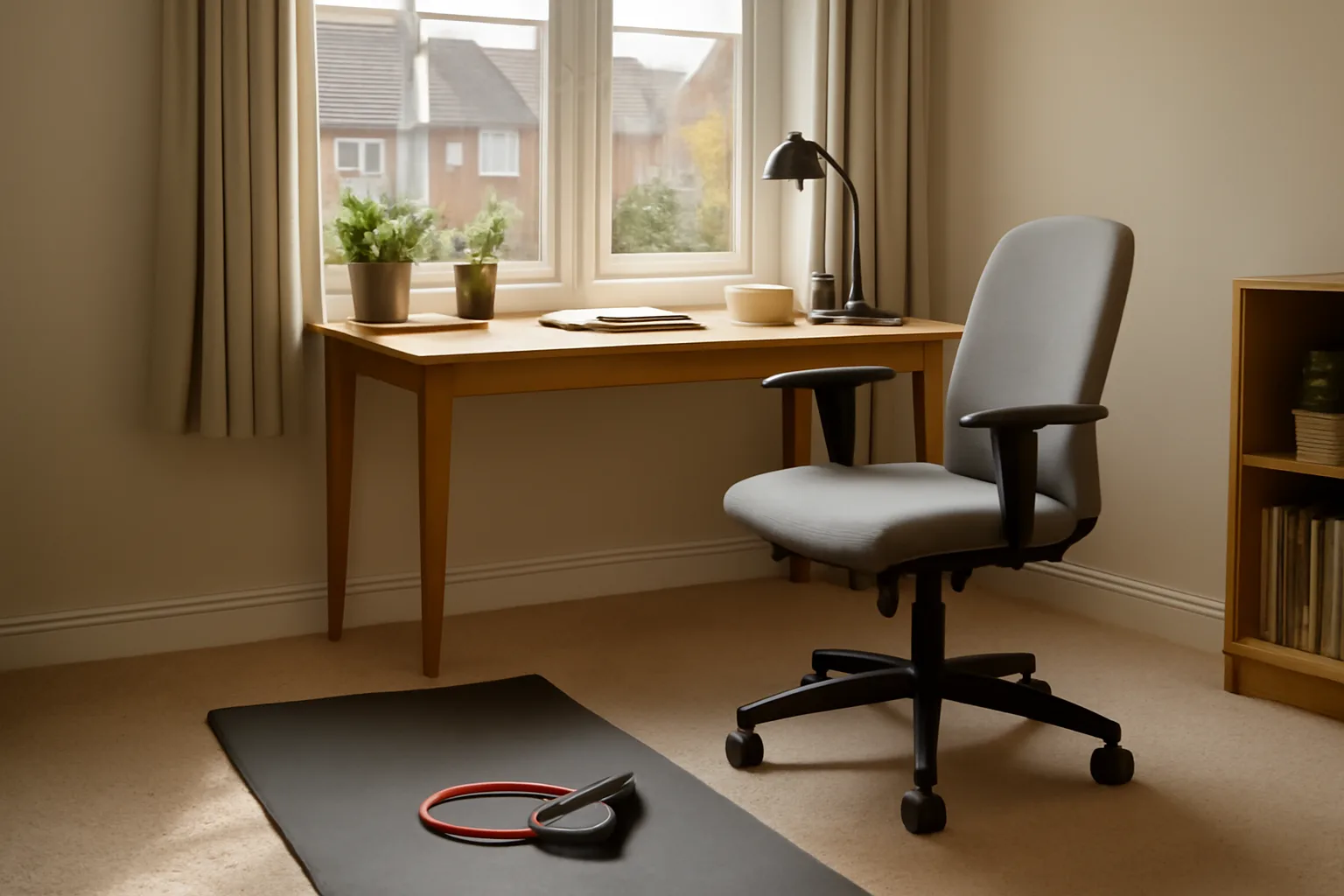
You do not need twelve movements. Six done well beat twenty you never repeat. Keep each stretch gentle, breathe normally, and stop if you get sharp pain, pins and needles, numbness or pain travelling down the leg.
Seated pelvic tilts
Sit near the front half of your chair with both feet flat. Tip your pelvis forward so your lower back arches slightly, then roll your pelvis back so your lower back rounds. Move slowly for 8 to 12 reps.
This is not glamorous, but it is one of the best desk movements because it teaches your lower back to move again without asking you to lie on the floor. I like it as the first stretch because it also tells you how stiff you are that day. If the movement feels tiny, do not force it. Let it loosen over a few rounds.
Chair hip flexor stretch
Stand beside your chair, step one foot back, tuck your pelvis slightly under and bend the front knee. You should feel the stretch at the front of the back hip, not in the lower back. Hold for 25 to 35 seconds each side.
Hip flexors get short and grumpy after long sitting spells. When they stay tight, they can pull your pelvis forward and make the lower back do more work. This is the stretch I would prioritise for anyone who feels lower-back tightness after meetings or long writing sessions.
Seated figure-four glute stretch
Sit tall, place your right ankle across your left thigh, and hinge forward from the hips until you feel a stretch in the right glute. Keep the foot flexed rather than floppy. Hold for 30 seconds, then swap.
This one is useful if your back feels tight on one side. It also shows up asymmetry quickly. If one side feels much tighter, give that side a second shorter hold rather than yanking on it.
Thoracic chair extension
Sit back in the chair with your hands behind your head. Keep your lower ribs down, then gently extend your upper back over the top of the chair back. Do 5 slow reps.
Most desk setups pull the upper back into a rounded shape. When the upper back stops extending, the neck and lower back often compensate. This stretch should feel like your chest opening and your upper back moving. If it jams in the lower back, move higher against the chair or make the range smaller.
Seated side bend with reach
Sit tall, reach one arm overhead and lean gently to the opposite side. Keep both sitting bones on the chair. Hold for 20 to 25 seconds each side.
This targets the side body rather than just the spine. It is handy after mouse-heavy work because one side of the torso often gets tighter than the other. Do not twist forward. Think long through the ribs, not collapsed into the waist.
Standing hamstring hinge
Stand with one heel slightly forward, toes up, and your hands on your hips. Hinge from the hips until you feel a mild stretch down the back of the thigh. Hold 20 to 30 seconds each side.
The key is the hinge. If you round your back to chase a bigger stretch, you have missed the point. Keep it tidy and modest. A small hamstring stretch done well is better than folding yourself in half and irritating your back.
The quick version for busy days
If you only have two minutes, do this:
- Seated pelvic tilts for 30 seconds.
- Chair hip flexor stretch for 30 seconds each side.
- Thoracic chair extension for 5 slow reps.
- Figure-four glute stretch for 20 seconds on the tighter side.
That is enough to break up the position. It is not a full mobility session, but it is realistic. Realistic wins.
How to Build a Five-Minute Desk Stretch Habit
The hard part is not knowing the stretches. The hard part is remembering them before your back has already gone stiff. I would attach the routine to things that already happen in the workday rather than relying on motivation.
Use trigger points, not vague intentions
Pick three moments:
- After your first coffee or tea: pelvic tilts and thoracic extension.
- Before lunch: hip flexor stretch and side bend.
- Mid-afternoon: figure-four stretch and hamstring hinge.
That gives you three posture resets without making the day revolve around stretching. If you work in timed blocks, do one stretch pair after every second 50-minute block.
Keep the routine socially normal
At home, nobody cares. In an office, the best stretches are the ones you will actually do without feeling like you are auditioning for a yoga DVD. Seated pelvic tilts, glute stretches and thoracic extensions are discreet. Hip flexor stretches are fine near a chair. Floor-based moves are usually a non-starter unless you have a private space.
Use a timer carefully
A sit-stand desk reminder or Apple Watch nudge can help, but reminders become wallpaper if they fire too often. Set two or three deliberate prompts, not one every 20 minutes. If you ignore a reminder three times in a row, change the timing. The routine should fit the workday, not nag you through it.
Track feel, not perfection
Do not turn this into another productivity scoreboard. Just ask: “Does my back feel better at 5pm than it did last week?” If yes, keep going. If no, adjust the desk setup, shorten the sitting blocks, or get advice.
Desk Setup Changes That Make Stretches Work Better
Stretches are more useful when the desk stops putting you straight back into the same strained position. You do not need a designer office, but a few setup changes make a clear difference.
Get your feet supported
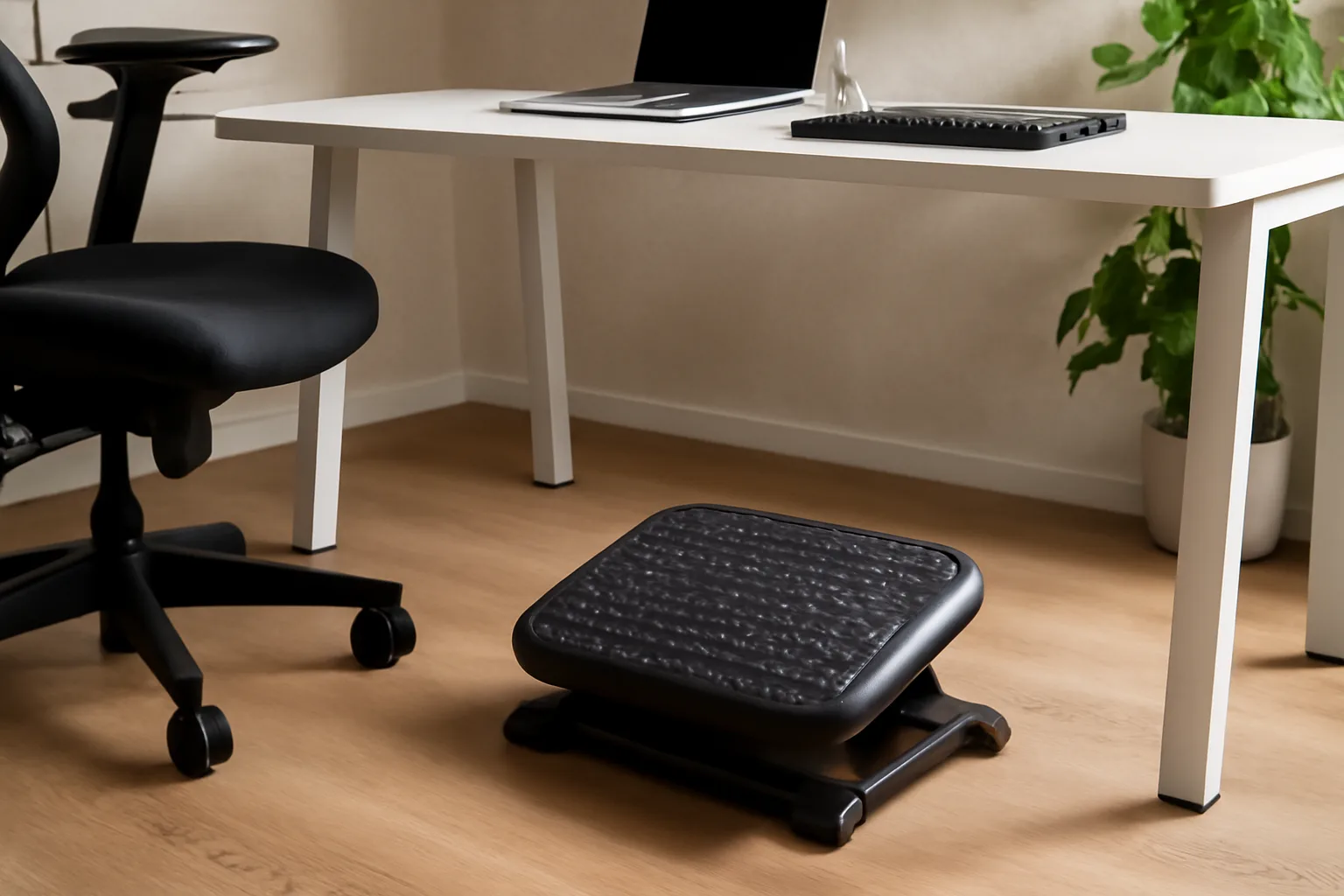
If your feet dangle or you perch on your toes, your pelvis has no stable base. Lower the chair if you can. If that makes the desk too high, use a footrest. A basic adjustable footrest costs about £15 to £35 from Amazon UK, Argos or Viking, while a firmer Kensington-style model is often around £30 to £45.
DeskSetupLab has a dedicated guide to footrests for better desk posture, but the short version is simple: both feet should be supported, knees roughly level with hips, and the footrest should not slide away every time you move.
Bring the screen to your eyes
If your screen is low, your neck rounds forward and your upper back follows. That makes thoracic extension and side bending harder because you are fighting the same collapse all day. A laptop stand costs about £20 to £45, and a separate keyboard and mouse can be found for £20 to £60 combined from Currys, John Lewis or Amazon UK.
For a fuller setup, use the monitor height ergonomics guide and the article on positioning monitors to avoid neck pain. For this stretch routine, you only need one principle: your normal gaze should land near the top third of the screen without craning.
Stop reaching for the mouse
A mouse too far away quietly wrecks the shoulder and mid-back. Keep it close enough that your elbow stays near your side. If you use a large desk mat, do not let the mat become an excuse to push everything further away. A decent desk mat is £12 to £35; useful, yes, but only if it supports a compact working zone.
Alternate sitting and standing, but do not overdo standing
A standing desk can help because it changes load through the hips and spine. It is not magic. Standing still all day can also make your back ache. If you use one, alternate positions in blocks: 30 to 45 minutes sitting, 15 to 25 minutes standing, then move.
The standing desk vs sitting desk comparison goes deeper on the trade-offs. For back pain prevention, the useful answer is movement variety rather than declaring one posture morally superior.
When Back Pain Means Stop and Get Advice
Most mild desk-related back tightness improves with movement, breaks and better setup. Some symptoms are different. If stretching makes pain worse, stop. If pain travels down the leg, causes weakness, comes with numbness or follows a fall, do not try to stretch your way through it.
The NHS back pain guidance explains when to seek help and which symptoms need urgent attention. That is a better reference point than guessing based on a fitness video.
Do not chase pain
A good stretch feels like mild tension. It should ease as you breathe. It should not feel sharp, nervy, hot, electric or threatening. More force is not more benefit. If a hip flexor stretch creates a pinch in the lower back, reduce the range or skip it.
Be careful with old injuries
If you have a disc history, sciatica, inflammatory back condition or recent surgery, treat online stretch routines as general information. A physiotherapist session in the UK is usually around £45 to £90 privately, depending on location. That can be money well spent if pain keeps returning, because a clinician can tell you which movements suit your back and which ones are poking the bear.
Low-Cost Kit That Helps Without Turning Your Office into a Gym
You can do every stretch in this article with just a chair. Still, a few cheap bits of kit can make the routine easier and more comfortable. I would keep it minimal.
The useful buys
- Firm footrest, £15-£45: useful if your chair cannot sit low enough for both feet to rest flat.
- Yoga or exercise mat, £10-£25: useful if you want to add floor work before or after the day, but not needed for desk stretches.
- Long resistance band, £5-£15: useful for gentle shoulder and upper-back mobility away from the desk.
- Foam roller, £12-£35: useful for upper-back extension work, though too bulky for most office floors.
- Laptop stand, £20-£45: useful if a low laptop screen is pulling your upper back into a slump.
If I were buying one thing first, it would be the footrest if your feet are unsupported, or a laptop stand plus cheap keyboard if you work from a laptop every day. A foam roller is nice. Fixing the working position matters more.
What I would not buy first
I would not start with a posture brace. Most are £15 to £40, and they can make you rely on being held upright instead of building better movement habits. I would also skip expensive massage guns for desk back pain unless you already know you like them. A £90 massage gun that lives in a drawer is not a plan.
When a chair upgrade makes sense
If your chair has no height adjustment, no stable base or a seat that slopes you backwards, stretches will only do so much. A sensible budget ergonomic office chair starts around £150 to £250 from IKEA, John Lewis, Amazon UK or office furniture suppliers. Better chairs often sit in the £300 to £600 range. That is a bigger spend, so I would fix screen height, foot support and movement breaks first.
Common Desk Stretch Mistakes
The mistakes are boring, which is why they happen. None of these need a complicated fix.
Waiting until the pain is already bad
Stretching after six hours of stillness is better than nothing, but it is late. Put the first movement break early in the day, even if your back feels fine. Prevention feels almost too easy when it works.
Turning every stretch into a test of flexibility
Desk stretches are not about touching your toes. They are about giving joints a different position. Keep the intensity around 3 or 4 out of 10. If you are grimacing, you are probably doing too much.
Ignoring the chair
If you do the routine and then sit twisted with one leg tucked under you, your back will notice. Move during the day, but also return to a half-decent seated position. Feet supported, hips back in the chair, keyboard close, screen raised. Nothing heroic.
Doing only lower-back stretches
Lower-back tightness often comes from hips and upper back. That is why the routine includes hip flexors, glutes, thoracic extension and side bends. If you only round and twist the lower back, you may miss the actual source of the stiffness.
Copying stretches that do not fit your workspace
The best desk stretch is the one you will repeat. If a move needs a floor, a wall and five minutes of privacy, it might be great exercise but poor workday design. Keep the work routine simple, then do longer mobility later if you enjoy it.
Frequently Asked Questions
How often should I do desk stretches for back pain? Two or three short sessions per workday is a good target. Aim for 2 to 5 minutes each time rather than one long session you keep missing.
Which desk stretch is best for lower-back tightness? Start with seated pelvic tilts and a chair hip flexor stretch. That combination moves the lower back gently and tackles the tight hips that often feed desk-related stiffness.
Can desk stretches replace proper exercise? No. They are movement snacks, not a full fitness plan. Walking, strength training and regular activity still matter for back health.
Should I stretch if my back pain goes down my leg? Be cautious. Pain travelling down the leg, numbness, weakness or pins and needles should be checked against NHS guidance or discussed with a clinician.
Do I need a standing desk to prevent back pain? No. A standing desk can help some people vary posture, but regular movement breaks, supported feet and a sensible screen height matter more.
What is the cheapest useful back-pain desk upgrade? If your feet are unsupported, buy a firm footrest for about £15 to £35. If you use a laptop, a £20 to £45 stand plus a separate keyboard and mouse is often the better first fix.