Two or three monitors make a desk work harder than most product photos admit. The best overall choice for most UK home offices is a 160cm wide, 80cm deep, properly braced desk such as the FlexiSpot E7 with a 160x80cm top, usually about £399-£650 depending on sales and desktop choice. If you want the short buying rule for desks multiple monitors UK shoppers can trust: buy width first, depth second, and stability before drawers, RGB strips or clever-looking shelves.
In This Article
- Desks Multiple Monitors UK: The Quick Verdict
- What A Multi-Monitor Desk Must Get Right
- Fixed Desk, Standing Desk Or Corner Desk?
- The Best Desks For Multiple Monitors
- Monitor Arms, Cable Trays And Weight Limits
- Set Up The Screens Without Wrecking Your Neck
- The Bottom Line
- Frequently Asked Questions
Desks Multiple Monitors UK: The Quick Verdict
For two 27-inch monitors, I would start at 140cm wide and 70cm deep. For three screens, an ultrawide plus a side monitor, or dual monitors on arms with speakers and a laptop dock, I would rather have 160cm x 80cm. That extra 10cm of depth is what stops the screens sitting too close to your face, especially if the stand feet are large or you cannot clamp a monitor arm at the back.
What I would buy
My pick for most people is a 160x80cm sit-stand desk with a dual-motor frame, not because everyone needs to stand all day, but because good electric frames tend to be stiffer, deeper and easier to cable-manage than cheap fashion desks. The FlexiSpot E7 2026 range starts from about £249.99 for some frame configurations, but a sensible 160x80cm desktop setup usually lands nearer £399-£650 once you choose the top, colour and controls. For a heavy monitor-arm setup, that is better money than a decorative desk with thin legs and a shallow top.
If you want a fixed desk, the IKEA UTESPELARE is the value pick at about £160-£180 for the desk alone, or roughly £379 when bundled with the STYRSPEL chair. It is 160cm wide and 80cm deep, which is exactly the shape I like for two screens. I would still add a proper cable tray and avoid hanging a very heavy triple-monitor arm from the rear mesh area.
The minimum spec I would accept
For a multi-monitor desk, these are the non-negotiables:
- Width: 140cm minimum for dual 24-27 inch monitors, 160cm better, 180cm ideal if you also keep speakers, a printer or a desktop PC on the desk.
- Depth: 70cm minimum, 80cm much better. A 60cm desk feels cramped once monitor stands, keyboard and wrists all compete for space.
- Load rating: at least 60kg for a normal setup; 100kg+ if using electric standing frames, heavy arms or a desktop PC on top.
- Rear edge strength: solid enough for clamps. Some hollow-core tops and thin chipboard edges are poor with monitor arms.
- Stability: no obvious wobble when typing, adjusting an arm or raising a standing desk to 110-120cm.
The trap is buying a desk that looks wide in photos but is only 55-60cm deep. That can work for a laptop and one monitor. With two large screens, it pushes everything too close and makes your chair, keyboard and neck position worse.
What A Multi-Monitor Desk Must Get Right
A desk for multiple monitors is not just a larger writing table. It has to deal with concentrated rear-edge weight, sideways movement from monitor arms, cable clutter, and the fact that most people keep adding kit after they buy the desk.
Width is about layout, not just screen size
Two 27-inch monitors side by side need roughly 122-130cm of screen width before you count bezels, angled placement, speakers or a laptop stand. A 120cm desk can physically hold them, but it leaves no breathing room. You end up with screens right at the edge, a mouse mat squeezed into a corner, and cables visible because there is nowhere else for them to go.
For a clean setup:
- 120cm: one large monitor plus laptop, or two 24-inch screens if you are disciplined.
- 140cm: two 24-27 inch monitors, small speakers and a dock.
- 160cm: the sweet spot for two 27-inch monitors or a 34-inch ultrawide plus one side screen.
- 180cm: three screens, large speakers, studio gear, or a PC tower on the desktop.
If you are not sure which screen layout you will keep long term, read our monitor size guide before buying the desk. It is cheaper to buy the right desktop once than replace a shallow desk six months later.
Depth is the comfort feature people miss
Depth matters more than the showroom photo suggests. A 27-inch screen on its original stand can sit 20-28cm forward from the wall because the stand foot is so large. On a 60cm deep desk, that leaves your keyboard and wrists fighting for the remaining space. On an 80cm desk, you can push the screens back, keep the keyboard in line with your shoulders and still have room for a notepad.
The Health and Safety Executive’s DSE guidance says employers should manage health risks for people who use display screen equipment daily for continuous periods of an hour or more, and its workstation advice is a useful sanity check even for home offices: HSE display screen equipment guidance. You do not need a corporate assessment form to buy a desk, but the principle holds: the desk has to let you position the screen, keyboard and mouse without strain.
Wobble gets worse with arms
Monitor arms are brilliant, but they expose weak desks. A single cheap 24-inch monitor on its own stand is forgiving. Two 27-inch monitors on a dual arm are not. The clamp concentrates weight on a small patch of desktop, then adds leverage every time you move a screen.
If you tap the desk and the monitors sway for three seconds, you will notice it every day. Some wobble is normal on standing desks at full height, but it should settle quickly. If you already own a shaky desk, our guide to fixing a wobbly desk is worth trying before you replace it. If the top flexes around the clamp, though, do not keep loading it with more screens.

Fixed Desk, Standing Desk Or Corner Desk?
The right format depends on how many screens you use, how much space the room gives you, and how often you plan to change working height. There is no universal winner.
Fixed desks are cheaper and simpler
A fixed 160x80cm desk is the best value if you sit most of the day and just need a stable surface. You avoid motors, control panels and assembly weight. You can also get a decent fixed desk for £150-£350 from IKEA, Argos, John Lewis, Wayfair or office-furniture suppliers.
The downside is adjustability. If the desk is too high, you end up raising your chair and needing a footrest. If it is too low, your wrists and shoulders complain. Fixed desks also vary wildly in build quality. A £90 desk with thin metal legs can look fine online and still wobble once you clamp two monitors to the back.
Standing desks suit heavier setups if the frame is good
Good standing desks are strong multi-monitor platforms because the frames are built to lift weight. The better dual-motor models usually quote 100-125kg load capacity, which is far above a normal screen setup. The FlexiSpot E7 and E7 Pro, Yo-Yo DESK PRO 2, IKEA IDASEN and similar models all make more sense for multi-screen users than the cheapest single-motor frames.
The risk is buying too cheap. A budget electric desk can be fine with one monitor, then start wobbling with two screens on arms. If you stand for video calls, type heavily or use a tall monitor stack, prioritise frame stability over fancy controls. Our standing desk guide goes deeper on that trade-off.
Corner desks work when the room shape helps
Corner and L-shaped desks are excellent for people who run a monitor bank plus paperwork, audio gear, a desktop PC or a second work zone. A 160cm straight desk can feel big, but an L-shape gives you a return surface for notes, chargers and devices without putting everything behind the keyboard.
The catch is room fit. Many UK spare rooms are narrow, with radiators, wardrobes and awkward sockets. A corner desk can dominate the space and make cable access worse if it sits hard against two walls. Before buying, tape the footprint on the floor and check chair movement. Our corner desk layout guide covers the layouts that work in small rooms.
The Best Desks For Multiple Monitors
These are the desks and desk types I would shortlist first. Prices move constantly, so treat the figures as realistic UK ranges rather than permanent stickers.
Best overall: FlexiSpot E7 with 160x80cm desktop
The FlexiSpot E7 is the one I would buy for most dual-monitor home offices. A good-size setup normally costs about £399-£650 depending on desktop, sales and accessories. The reason is simple: the frame is strong, the 160x80cm top is the right shape, and it gives you room for a dual arm, laptop dock and proper cable tray.
It is not the cheapest option, and assembly is heavier than a flat-pack fixed desk. But if you have two 27-inch screens, a laptop, keyboard, mouse, speakers and a monitor arm, I would rather spend the money on frame stiffness than on a prettier but weaker desk.
Best for:
- Two 27-inch monitors: especially on separate or dual arms.
- Hybrid workers: people who switch between laptop calls and focused screen work.
- Long-term setups: buyers likely to add another screen, dock or arm later.
Best fixed value: IKEA UTESPELARE
The IKEA UTESPELARE works because the dimensions are right: 160cm wide and 80cm deep. It is sold as a gaming desk, but ignore the label. That size is useful for work because it gives monitors enough distance and leaves space for keyboard, mouse and forearms.
At about £160-£180 for the desk alone, it is strong value. I like it more than many decorative home-office desks that cost twice as much but give you only 120cm width and shallow drawers. The rear cable area helps, though I would still use a separate cable tray or Velcro wrap for a tidy multi-monitor setup.
The compromise is style and clamp choice. It looks more gaming than classic office, and the rear construction means you should check exactly where your monitor arm can clamp. If you want a softer furniture look, John Lewis and Habitat have neater options, but many are smaller or less practical for two screens.
Best premium UK-made option: Yo-Yo DESK PRO 2
The Yo-Yo DESK PRO 2 is the polished option if you want a stronger office-grade standing desk and do not mind paying more. Yo-Yo lists the PRO 2 from £549.95 inc VAT, with the PRO 2+ from £649.95 and the larger L-shaped PRO 3 from £799.95. For a serious work setup, the PRO 2 in 160x80cm or 180x80cm is the one I would look at first.
It suits people who want delivery support, a more business-like finish and a warranty-backed desk rather than a bargain frame. I would not buy it just to hold two small monitors; that is overkill. I would buy it for a heavy dual-arm setup, client-facing home office or someone who wants the desk to feel stable at standing height.
Best budget option: 140-160cm fixed desk plus separate arm
If the budget is tight, put the money into size and stability before standing motors. A 140-160cm fixed desk from Argos, IKEA, Wayfair or John Lewis at £100-£250 can work well if the top is solid and deep enough. Add a single or dual monitor arm for £35-£120, a cable tray for £15-£35 and a decent extension lead mounted off the floor.
This is the sensible route for students, renters and occasional home workers. Just avoid very shallow writing desks, glass tops and decorative desks with flimsy rear rails. Glass desks are especially poor for monitor clamps unless the manufacturer explicitly allows it.
Best for three screens: 180cm desk or L-shape
For three monitors, skip 120cm and be cautious with 140cm. A 160cm desk can work if the screens are modest or one is vertical. A 180cm desk is calmer. You get room for the centre screen, angled side screens, speakers and a normal keyboard position without feeling like every item is about to fall off an edge.
An L-shaped desk is even better if the room allows it. Keep the main screens on the long run and use the return for notebooks, charging, printer or a desktop tower. Do not put the primary screen deep in the corner unless you enjoy twisting your neck.
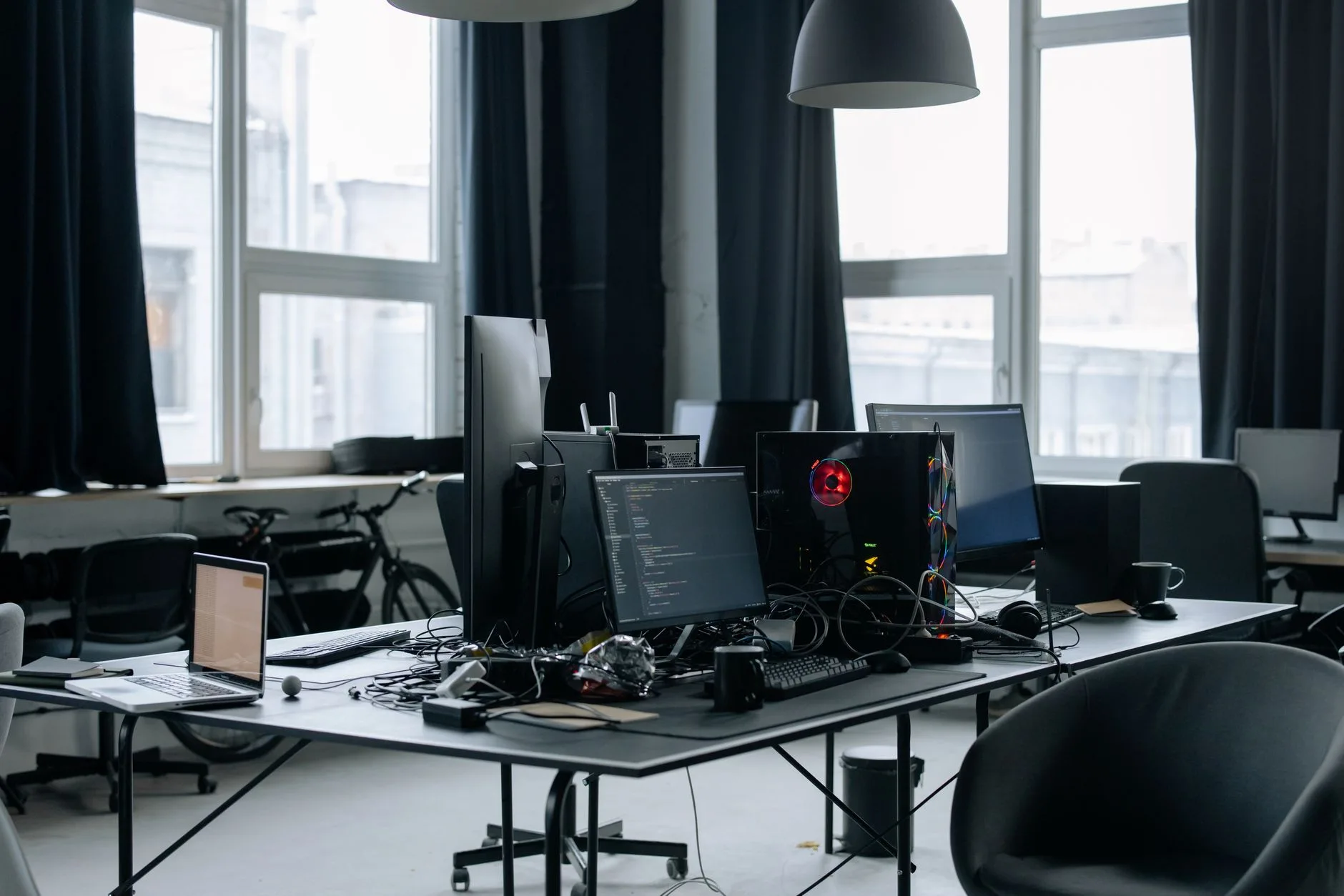
Monitor Arms, Cable Trays And Weight Limits
A good multi-monitor desk is usually a system: desktop, frame, arms, cable management and power. Buy the desk without thinking about the accessories and you can end up drilling, clamping and swearing later.
Check clamp space before buying arms
Monitor arms need a strong rear edge. A normal clamp needs enough flat desktop above and below the rear edge, usually around 6-10cm depending on the arm. Some desks have metal bars, cable trays, bevelled backs or thin hollow sections exactly where the clamp wants to sit.
Before buying a dual arm, check:
- Desktop thickness: many arms support roughly 10-80mm, but check the model.
- Rear obstruction: cable trays and frame bars can block the clamp plate.
- Screen weight: include the monitor without its stand, not the boxed weight.
- VESA mount: most arms need 75x75mm or 100x100mm VESA holes.
- Desk material: solid wood, good MDF or thick chipboard handles clamps better than thin hollow-core tops.
For two 27-inch monitors, expect to spend about £60-£140 on a decent dual arm. Cheap £30-£40 arms can be fine for smaller screens, but they often sag or make adjustment annoying. If you use one large ultrawide, a strong single arm from Ergotron, Humanscale, Amazon Basics or Duronic can cost £70-£220 depending on load rating.
Cable management is not cosmetic
Multiple monitors mean multiple power leads, DisplayPort or HDMI cables, USB-C docks, laptop chargers, speaker cables and sometimes a desktop PC. Without a tray, everything hangs down the back and catches your knees or chair.
Budget for:
- Cable tray: about £15-£40 from Amazon UK, IKEA, FlexiSpot or Yo-Yo.
- Velcro ties: £5-£10 and much better than single-use plastic ties.
- Under-desk power strip mount: £10-£25, or a tray large enough to hold the extension lead.
- Longer display cables: £8-£20 each if a standing desk needs extra travel.
If you use a docking station, keep it reachable but not in the way. Our docking station guide explains what to check before you blame the desk for cable mess that is really a port problem.
Weight adds up quickly
A typical 27-inch monitor might weigh 4-7kg without the stand. Two of them plus a dual arm can put 12-18kg on the rear edge of the desk. Add speakers, a laptop, a dock and a PC tower and the total load can pass 40kg without looking extreme.
That is why I do not trust vague claims like “strong office desk” unless the retailer gives dimensions, materials and a load rating. If there is no load rating, judge the construction: leg thickness, cross-bracing, top thickness and customer photos. Owners consistently report that thin tops and long unsupported spans are where wobble starts.
Set Up The Screens Without Wrecking Your Neck
The desk gets you most of the way there, but the screen layout decides whether it feels good after three hours. A huge desk with badly placed monitors still gives you neck ache.
Put the main screen in front of you
If you use one monitor most of the time, put it directly in front of your keyboard and body. The second screen should sit to the side, angled in slightly. If you use both monitors equally, place the join roughly in front of you and angle both screens inward. If you use three, keep the centre screen primary and make the sides secondary.
The HSE’s posture advice says DSE training should include good posture guidance, and the screen setup has to support that rather than fight it: HSE good posture guidance. In plain English, you want relaxed shoulders, elbows close to the body, and screens high enough that you are not craning down all day.
Our guide to positioning monitors to avoid neck pain covers the fine tuning, but the desk choice affects it first. A shallow desk forces screens too close. A wobbly desk makes arms bounce. A narrow desk makes you twist.
Do the simple ergonomic checks
Once the desk is built, spend 20 minutes setting it up properly:
- Screen distance: roughly an arm’s length is a useful starting point, then adjust for text size and eyesight.
- Screen height: the top of the main display should sit around eye level for most people, with small adjustments for glasses and screen size.
- Keyboard position: keep it centred to your main screen, with room to rest your forearms lightly.
- Mouse space: leave enough room that your shoulder is not reaching forward or out to the side.
- Chair clearance: check that arms, trays and drawer units do not stop you sitting close enough.
If something feels off, do not rush to buy another accessory. Move the screens first, then the keyboard, then the chair. Our ergonomic desk setup checklist is a good final pass once the hardware is in place.
The Bottom Line
The best desks for multiple monitors are usually boring in the right ways: wide, deep, stable and easy to clamp. For most UK buyers, I would choose a 160x80cm desk over a prettier 120cm one every time.
Buy the FlexiSpot E7 or a similar dual-motor 160x80cm standing desk if you want the safest long-term choice for two large screens. Buy the IKEA UTESPELARE if you want a cheaper fixed desk with the right footprint. Buy a Yo-Yo DESK PRO 2 if you want a more premium UK office-grade setup. Go 180cm or L-shaped if you run three screens or keep a lot of gear on the desktop.
The biggest mistake is treating monitor count as the only issue. Two monitors are not heavy by themselves. The problem is the whole setup: arms, cables, depth, posture, wobble and future upgrades. Get those right and the desk disappears into the background, which is exactly what a good desk should do.
Frequently Asked Questions
What size desk is best for two monitors? A 140cm wide desk is the minimum I would buy for two 24-27 inch monitors, but 160cm x 80cm is much better. The width gives each screen space, while the depth lets you push the monitors back far enough for comfortable viewing.
Can a 120cm desk fit two monitors? It can fit two smaller monitors, especially on arms, but it is tight. A 120cm desk works best for one large monitor plus a laptop. For two 27-inch screens, expect cramped mouse space and less room for speakers, notebooks or a dock.
Are standing desks good for multiple monitors? Good standing desks are often excellent for multiple monitors because the frames have higher load ratings and better bracing. Avoid the cheapest wobbly frames if you plan to use dual monitor arms or large screens.
How deep should a desk be for multiple monitors? Aim for at least 70cm, with 80cm preferred. A 60cm deep desk can force screens too close, especially if the original monitor stands are large. Monitor arms help, but they do not fix a desk that is too shallow.
Do I need monitor arms for a dual-monitor desk? No, but arms make the setup cleaner and give you more control over screen height and angle. Budget about £60-£140 for a decent dual arm. Check desk thickness, clamp space and screen weight before buying.
Is a corner desk better for three monitors? Often, yes. A corner or L-shaped desk gives you more working surface and keeps extra kit away from the keyboard zone. It only works if the room has enough clearance and you keep the main screen in front of you rather than buried in the corner.