Most decent electric standing desks should last 7-10 years in a home office, but the cheap ones can feel tired in half that time. The standing desk lifespan depends less on the desktop and more on the lift system: motors, control box, columns, wiring and how much weight you ask it to move every day.
In This Article
- The Short Answer: Standing Desk Lifespan By Type
- What Usually Fails First
- Why Cheap Standing Desks Age Faster
- How Daily Use Changes The Lifespan
- Repairs, Spare Parts And Warranty Reality
- How To Make A Standing Desk Last Longer
- Repair Or Replace: My Rule Of Thumb
- Frequently Asked Questions
The Short Answer: Standing Desk Lifespan By Type
If you buy a good dual-motor standing desk, assemble it properly and keep the load sensible, 8-10 years is a fair expectation. A premium frame with a long warranty can run longer. A cheaper single-motor desk used daily with two monitors and a desktop PC may start showing wobble, noise or electrical faults after 3-5 years.
That is why two desks that look similar online can age very differently. A £180 Amazon UK electric desk and a £500-£800 premium frame both go up and down, but they are not built with the same columns, control electronics or load tolerance.
Typical lifespan ranges
Use these as practical home-office ranges, not promises:
- Manual crank desk: 10+ years if the frame is not bent and the crank mechanism is kept clean. There is less to go wrong, but most people stop using the crank because it is a faff.
- Budget electric desk under £250: 3-5 years is realistic for daily use. Some last longer, but support and parts can be weak.
- Mid-range dual-motor desk around £350-£600: 7-10 years is a sensible expectation for a home office.
- Premium commercial-grade frame around £700-£1,000+: 10-15 years is possible if spare parts stay available and the desk is not overloaded.
The frame usually outlives the desktop. A laminated chipboard top can look tired after five years if you use monitor arms, spill coffee or clamp accessories to the same edge. A bamboo, solid wood or high-pressure laminate top tends to age better, but it costs more. A replacement desktop can be £60-£150 from IKEA, FlexiSpot or desktop suppliers, while a custom solid wood top can run £200-£500.
What I would expect from common UK options
For a budget electric standing desk sold around £180-£250, I would be pleased with five clean years. For a FlexiSpot E7-style dual-motor setup in the £350-£550 range depending on desktop and sale pricing, I would expect closer to eight years before I start thinking about motor, keypad or column issues. For a higher-end office frame, the desk should feel boringly solid for a decade.
That is the standard I would use when judging value. A £200 desk that lasts four years costs £50 per year. A £550 desk that lasts nine years costs about £61 per year, but gives you better stability, quieter movement and less annoyance each working day. The cheap one is not always cheaper in the way that matters.
What Usually Fails First
A standing desk rarely dies all at once. It usually gets annoying first: one side moves slightly slower, the keypad needs a reset, the desk drops a few millimetres after lifting, or it starts making a grinding noise that was not there in year one.
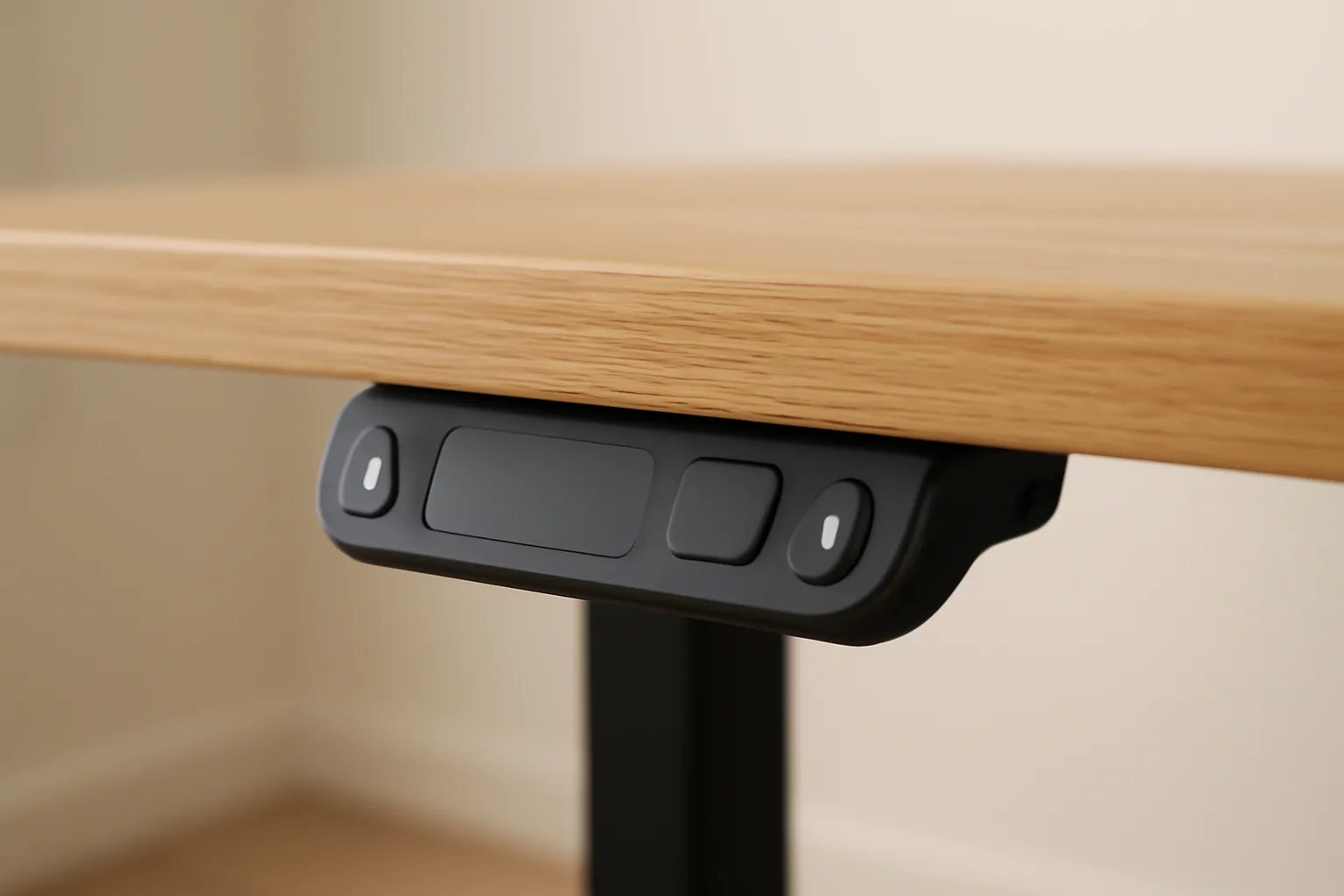
Control boxes and keypads
The control box is the small electronic unit under the desk that tells the motors what to do. The keypad is the bit you press. These are common failure points because they deal with daily button presses, power cycles, cable strain and occasional knocks during cleaning or moving.
Symptoms include:
- No response: the desk does not move even though the plug and socket work.
- Error codes: the keypad shows a code or flashes after a movement attempt.
- Lost memory presets: the desk forgets saved sitting and standing heights.
- One-way movement: it goes down but not up, or needs a reset every few days.
Sometimes this is not a dead part. Many desks have a reset routine where you hold the down button until the legs recalibrate at the lowest height. That can fix uneven movement after a power cut or overload. If it keeps happening, though, the desk is telling you something.
Motors and lifting columns
Motors tend to fail later than keypads, but they are more expensive and more awkward when they do. Dual-motor desks have one motor per side. Single-motor desks use a drive shaft to move both legs, which can be cheaper but puts more strain through one system.
The lifting columns matter just as much as the motor. If the telescopic legs are loose, poorly aligned or made with thin metal, the desk can wobble even while the motor still works. That is why a desk can technically function but feel past its best.
Desktop wear
The desktop fails in a more visible way. Edges chip. Screw holes loosen. Monitor arm clamps crush cheap chipboard. Cable trays rip out if they were fixed with short screws. A standing desk with a worn top can still be worth keeping if the frame is sound.
For a desk used five days a week, I would expect the top to show wear before the frame fails. The exception is a very cheap electric frame, where electronics can be the weak link.
Why Cheap Standing Desks Age Faster
Low-cost standing desks are tempting because the photos look the same. Black frame, rectangular top, digital keypad, maybe a smiling person in a suspiciously tidy home office. The problem is that the parts you cannot see are the parts that decide the standing desk lifespan.
The compromises are hidden
Budget desks often save money through:
- Lower lifting capacity: fine for a laptop, less convincing with two monitors, speakers and a desktop PC.
- Thinner leg columns: more wobble at standing height, especially on carpet.
- Basic control electronics: fewer safeguards and weaker long-term parts support.
- Cheaper tops: more likely to bow, chip or lose screw grip.
- Short warranties: sometimes one or two years, which tells you a lot.
That does not mean every cheap desk is rubbish. A light user with a laptop and one monitor may get years out of a £200 frame. The risk comes when the desk is asked to behave like a serious workstation.
Load capacity is not a target
If a desk says it can lift 70kg, do not treat 70kg as a normal daily load. That is the upper rating, not the sweet spot. A heavy setup with two 27-inch monitors, monitor arms, a desktop tower, speakers, books and a thick desktop can reach 35-50kg quickly.
After setting up a few standing desks, my bias is simple: if the desk will carry expensive monitors, buy more frame than you technically need. Wobble gets old fast, and it gets worse as joints loosen.
Carpet makes weak desks feel worse
A desk that feels acceptable on a hard floor can feel vague on carpet. The feet sink slightly, the columns sway more, and you notice movement when typing. If the floor is uneven, the frame has to work harder to stay aligned. That will not kill a desk overnight, but it does make a cheap frame show its age.
For more on stability, DeskSetupLab already has a dedicated guide to how heavy a standing desk should be, which is worth reading before buying a lightweight frame.
How Daily Use Changes The Lifespan
The same desk can last ten years for one person and four years for another. Usage pattern matters.
Movement frequency
Moving the desk twice a day is different from moving it fifteen times a day. A sit-stand routine is good, but every lift cycle uses the motors, gears and electronics. Better desks are built for this. Cheaper ones can still cope, but the wear shows earlier.
The Health and Safety Executive’s display screen equipment guidance focuses on workstation setup and changing posture rather than treating any one position as a fix. That is the right way to think about a standing desk. It is a movement tool, not a magic health machine.
I would rather see someone change position four or five times during the day than crank the desk up and down constantly because an app nags them every 20 minutes.
Weight and balance
Uneven weight is rougher on a standing desk than total weight alone. A desktop PC on one side, a heavy monitor arm at the back edge and a pile of books near one leg can make one column work harder than the other.
Keep the heavy items centred where possible. If you use dual monitor arms, tighten the clamp properly and check the desktop underneath every few months. Cheap tops can crush slowly around the clamp, which then creates wobble that feels like a frame problem.
Assembly quality
Standing desk assembly is one of those jobs where nearly right is not right enough. Loose bolts, slightly skewed feet and a desktop fixed off-centre all reduce stability. I have seen desks feel 30% better after ten minutes with an Allen key and a spirit level. Not scientific, but you feel it instantly.
If your desk is already wobbling, read how to fix a wobbly desk before assuming the frame is worn out.
Repairs, Spare Parts And Warranty Reality
The best standing desk is not just the one that lasts longest. It is the one you can repair when a small part fails.
Parts that are worth replacing
These repairs usually make sense:
- Keypad or handset: often the easiest fix if the desk still powers up.
- Power supply or transformer: worth checking before replacing the whole frame.
- Control box: sensible on a good mid-range or premium frame.
- Desktop: worth replacing if the lifting frame is still stable and quiet.
- Feet or levelling glides: cheap fix for wobble on uneven floors.
IKEA’s UK support page for a BEKANT sit-stand desk that has stopped moving says a replacement transformer can fix the issue rather than replacing the whole desk, with spare part code 138688. That is the kind of support detail I like to see because it means the product was designed with at least some repair path.
FlexiSpot’s UK warranty page says selected premium height-adjustable desks, including E7 Pro and E7 Plus Max, are covered for 15 years. Warranty terms change by model and purchase date, so check the exact product page and warranty page before relying on a headline claim.
Repair cost estimates
UK repair economics are rough, but these numbers are realistic enough for decision-making:
- Replacement keypad: £25-£70 if available from the brand.
- Control box: £50-£120 depending on desk brand and motor system.
- Power supply: £20-£60 for compatible official or replacement parts.
- Replacement desktop: £60-£150 for a basic top, £200-£500 for solid wood.
- New budget electric desk: about £180-£300 from Amazon UK, Wayfair or IKEA-style ranges.
- New good dual-motor desk: about £350-£700 from FlexiSpot, Maidesite, Fully/Herman Miller or similar brands when on offer.
If a £220 desk needs a £110 control box after four years, I would probably replace it. If a £700 frame needs a £70 keypad after seven years, I would repair it without much debate.
For buying context, compare this with our budget vs premium desks guide and the best standing desks UK roundup.
How To Make A Standing Desk Last Longer
Most standing desk care is boring. That is good. Boring maintenance is cheaper than a new frame.
Keep the lift path clear
The fastest way to damage a standing desk is to let it lift into something. Window handles, shelves, under-desk drawers, radiator covers, cable snags and monitor arms can all create resistance. Better desks have anti-collision systems, but do not rely on them as your first line of defence.
Before saving memory presets, move the desk slowly through its full range and check:
- Cables: enough slack at full standing height.
- Monitor arms: no collision with walls, shelves or sloped ceilings.
- Under-desk storage: drawers and pedestals do not block the frame.
- Power bricks: fixed securely, not dangling from the control box.
- Chair arms: not wedged under the desktop when the desk moves down.
Cable strain is a quiet desk killer. If the power cable pulls tight every time you stand, something will fail eventually.
Tighten and reset twice a year
Every six months, tighten the main frame bolts, check the feet, inspect the desktop around monitor clamps and run the desk’s reset procedure if the movement feels uneven. Keep the manual or PDF saved somewhere sensible. Future you will not remember the button sequence.
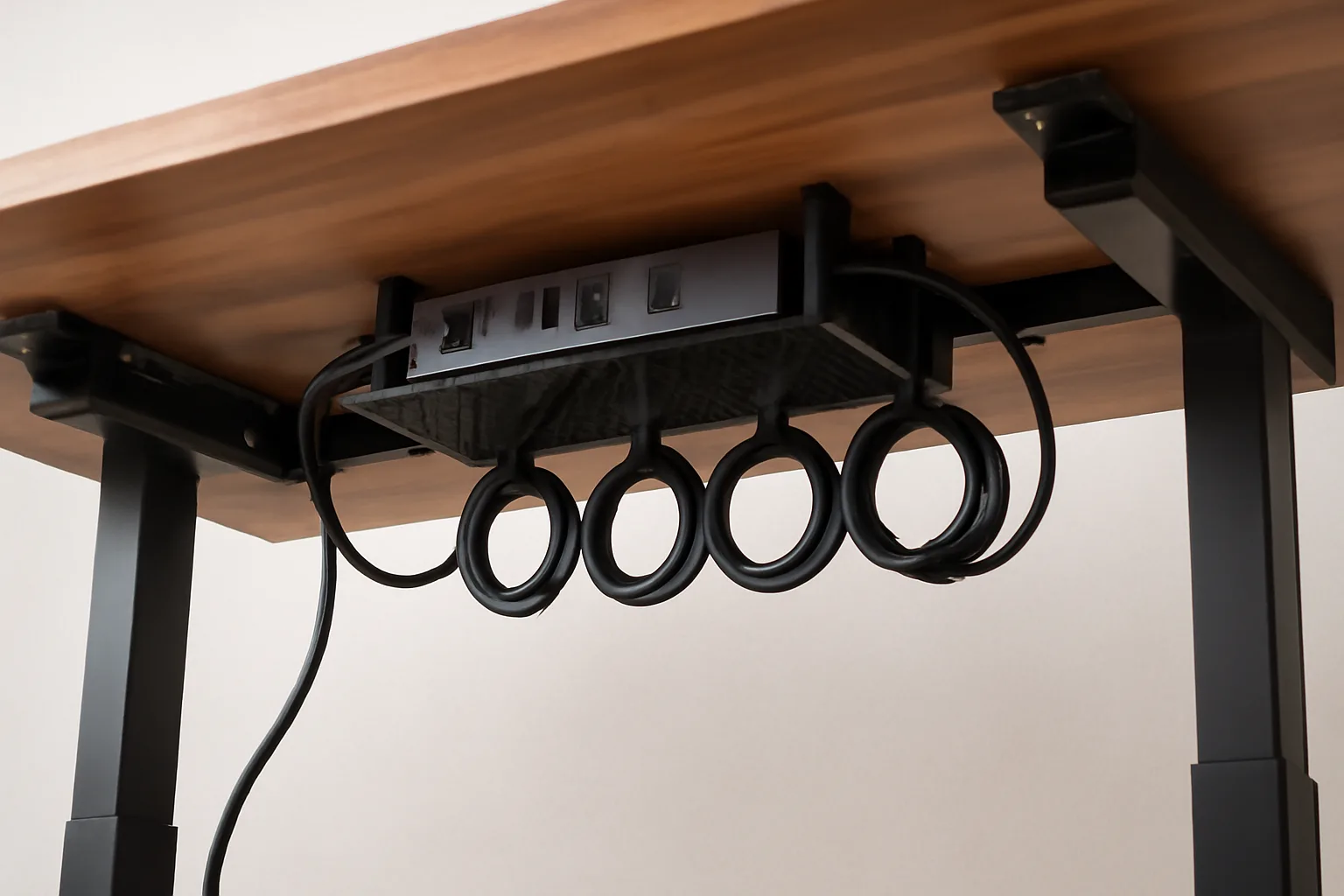
I also like a simple cable tray. It stops the power strip, charger bricks and monitor cables hanging from the desktop. A basic tray costs £15-£35 from Amazon UK or IKEA. It is not glamorous, but neither is crawling under a desk because the power cable yanked itself loose during a call.
Keep liquids and dust away from the controls
The frame can handle dust. The keypad and control box are less forgiving. Keep drinks away from the handset and avoid mounting the control box where it gets kicked. If you use the desk in a garage office, garden room or cold spare room, moisture and temperature swings are harder on electronics than a normal indoor study.
That matters for garage conversions. A desk sitting in a damp, unheated outbuilding through winter will not age like one in a dry bedroom office.
Repair Or Replace: My Rule Of Thumb
Here is the decision I would use.
Repair the desk if it is a good-quality frame, under ten years old, still stable at standing height and the fault is a replaceable part. Replace it if the frame wobbles badly, the columns grind, parts are unavailable, or the repair costs more than half the price of a better replacement.
Repair makes sense when
- The frame was good to begin with: mid-range dual-motor or better.
- The fault is isolated: keypad, power supply, desktop or loose bolts.
- The desk still lifts smoothly: no grinding, lurching or uneven columns.
- The brand can supply parts: ideally with a clear warranty or spare-parts page.
- The repair is under £100: especially on a desk that would cost £500+ to replace.
Replacement makes sense when
- The desk was cheap and already annoying: wobble, slow movement and noisy motors are not worth nursing forever.
- Both electronics and structure are failing: a new keypad will not fix worn columns.
- No parts are available: common with no-name marketplace desks.
- You have outgrown the setup: heavier monitors, larger desktop, more cable management, more stability needed.
- The desktop is damaged and the frame is weak: replacing both piecemeal rarely pays.
Second-hand can work, but be picky. I would buy a used premium frame from a known brand before buying a new no-name electric desk at the same price. Test the full height range, listen for grinding, check both legs reach the top together and inspect the desktop underside for crushed clamp marks.
If you are still deciding whether standing is worth it in the first place, read standing desk vs sitting desk before spending money. The lifespan question only matters if the desk fits how you actually work.
Frequently Asked Questions
What is the average standing desk lifespan? A decent electric standing desk should last about 7-10 years in a home office. Budget electric desks are more often 3-5 years, while premium frames with good parts support can last 10-15 years.
Do standing desk motors wear out? Yes, but motors are not always the first failure. Keypads, control boxes, cables and loose lifting columns often cause problems before the motor itself dies.
Is it worth repairing an old standing desk? It is worth repairing if the frame is stable, the brand can supply parts and the fix costs under half the price of a suitable replacement. A £70 keypad on a £600 desk makes sense; a £120 control box on a £200 desk probably does not.
How long should a FlexiSpot standing desk last? A mid-range FlexiSpot dual-motor desk should reasonably last around 7-10 years with normal home-office use. Premium models may last longer, especially where the warranty and spare-parts support are stronger.
Can a standing desk top be replaced? Usually, yes. Many frames can take a new desktop if the size and screw positions work. A basic replacement top can cost £60-£150, while a solid wood top can cost £200-£500.
Should I buy a used standing desk? A used standing desk can be a good buy if it is from a known brand, moves smoothly through its full height range and has no grinding, uneven leg movement or crushed desktop around monitor clamps.