Preventing carpal tunnel problems at a desk is mostly about keeping pressure off your wrists and reducing the amount of gripping, reaching and repeated clicking you do all day.
In This Article
- What Carpal Tunnel Prevention Really Means at a Desk
- Set Your Keyboard and Mouse So Your Wrists Stay Neutral
- Fix Your Chair, Desk and Monitor Before Buying Gadgets
- Use Breaks and Stretches Without Turning Work into Physio
- Choose Helpful Ergonomic Kit Without Wasting Money
- Watch Symptoms and Know When to Get Medical Advice
- Common Mistakes That Make Wrist Pain Worse
- Bottom Line
- Frequently Asked Questions
What Carpal Tunnel Prevention Really Means at a Desk
Carpal tunnel syndrome happens when the median nerve is squeezed as it passes through the wrist. The NHS carpal tunnel guidance lists tingling, numbness, pain and weakness in the hand or fingers as common symptoms, especially around the thumb, index and middle fingers.
That matters because a desk setup cannot promise to “cure” carpal tunnel. What it can do is reduce the repeated wrist positions and pressure that often make symptoms worse. For most desk workers, the prevention target is simple: keep the wrist close to straight, avoid resting body weight on the heel of the hand, and stop gripping a mouse like it owes you money.
The difference between prevention and treatment
If you already have regular numbness, night-time tingling or hand weakness, treat this as a health issue, not a shopping list. A better keyboard may help your working day feel easier, but it is not a substitute for medical advice. Prevention is about lowering strain before symptoms become a pattern.
The most useful desk changes tend to be boring:
- Neutral wrists: your hands line up with your forearms rather than bending upwards, downwards or sideways.
- Light touch: you type and click without hammering keys or squeezing the mouse.
- Short reaches: the keyboard and mouse sit close enough that your shoulders stay relaxed.
- Regular movement: your hands get brief rests before they start feeling tight.
Why the wrist usually gets blamed last
Wrist pain is often a downstream problem. A monitor that is too low can make you hunch, a chair that is too high can leave your forearms angled down, and a deep desk can make you reach for the keyboard. By the time your wrist complains, the cause may be the whole setup.
That is why this guide starts with the input devices but does not stop there. If you have not already done it, compare this article with the wider ergonomic desk setup checklist and the chair-specific advice in how to adjust your chair for perfect posture. Wrist comfort is easier when the rest of the desk is not fighting you.
Set Your Keyboard and Mouse So Your Wrists Stay Neutral
Your keyboard and mouse are the two items your hands touch most. Get them wrong and every other ergonomic upgrade has to work harder.
Bring the keyboard close enough
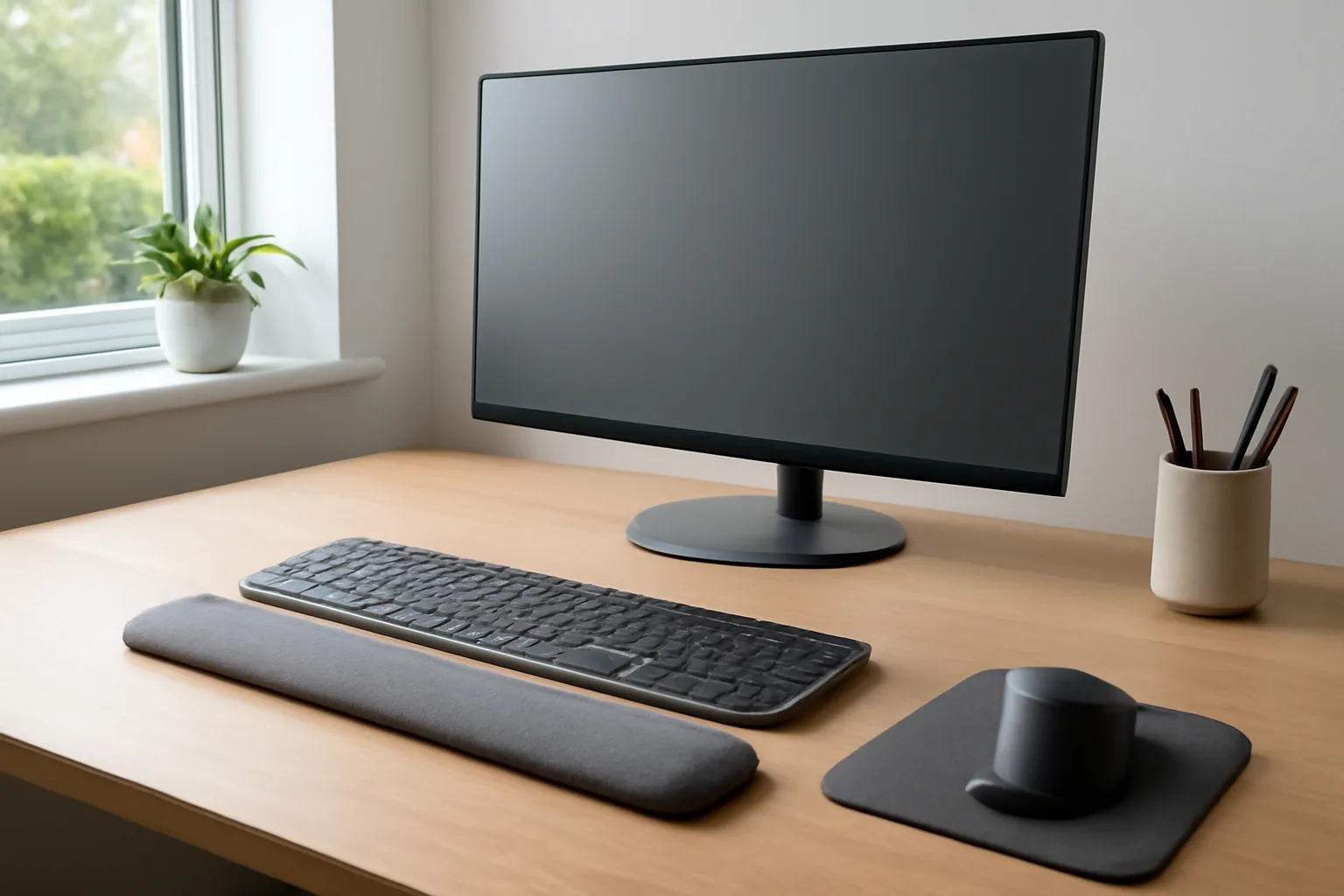
Your keyboard should sit close enough that your elbows stay near your body. A good starting point is 5-10cm from the desk edge, though the exact number depends on your forearm length and whether you use a wrist rest. If the keyboard is pushed 25cm away because notebooks, coffee mugs and cables have taken over the front of the desk, your shoulders and wrists pay for that clutter.
The keyboard should also sit flat or with only a very small incline. Many people flip out the rear feet because it feels familiar, but that often bends the wrists upwards. I prefer a flatter keyboard for long writing sessions because it lets the fingers move without forcing the wrist into extension.
Stop planting your wrists while typing
A soft wrist rest can be useful during pauses, but it should not become a landing pad while you type. Pressing the heel of the hand into a gel pad all day can add pressure in exactly the area you are trying to protect.
Use the rest between bursts, not during every keystroke. If your hands feel tired without it, that often means the keyboard is too high, too far away, or too steep.
Choose a mouse that does not make you grip
A mouse should fill your hand enough that you can move it with a relaxed grip. Tiny travel mice are fine for a train table, but they are miserable as a full-time desk mouse. Expect to pay about £20-£35 for a decent full-size wireless mouse from Logitech, Microsoft or Anker at Amazon UK, Argos or Currys.
Vertical mice can help if your forearm feels twisted on a standard mouse. Budget models start around £15-£25, while a Logitech Lift is usually around £55-£70 in the UK. I would try a cheaper vertical mouse first if you are unsure, because the shape feels odd for the first few days and not everyone sticks with it.
Use keyboard shortcuts to cut mouse mileage
The cheapest wrist upgrade is using the mouse less. Copy, paste, search, switch windows, close tabs and reopen tabs are all worth learning because they remove dozens of small reaches per hour.
Useful everyday shortcuts:
- Ctrl + C / Ctrl + V: copy and paste without right-clicking.
- Alt + Tab: switch between open windows.
- Ctrl + F: find text on a page or document.
- Ctrl + L: jump to the browser address bar.
- Ctrl + Shift + T: reopen the tab you just closed in a moment of overconfidence.
If your keyboard shape is the problem, the guide to ergonomic keyboard layouts explains when split, ortholinear and low-profile layouts make sense. For most people, though, position beats novelty.
Fix Your Chair, Desk and Monitor Before Buying Gadgets
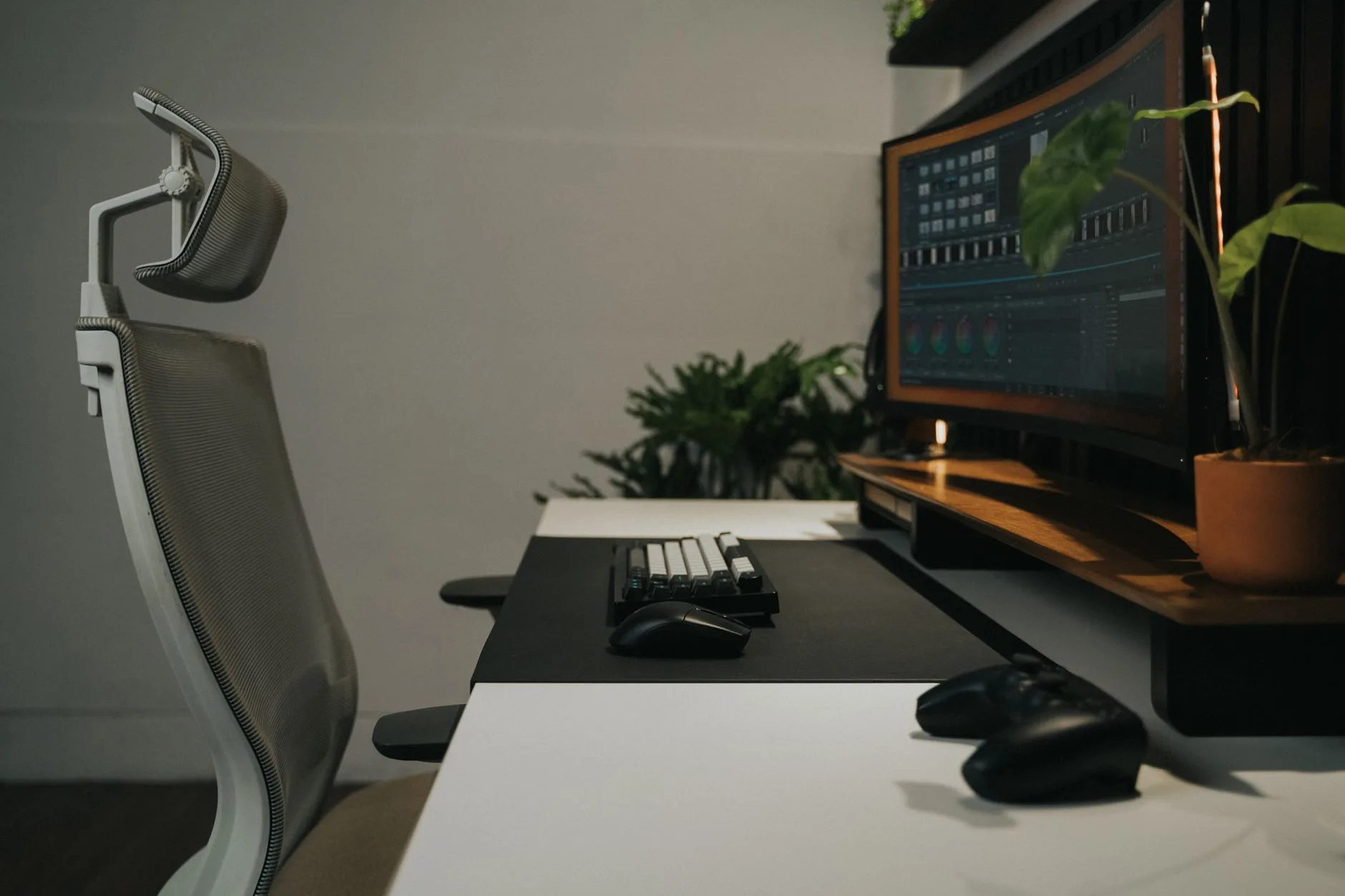
Wrist position is heavily influenced by desk height. If the desk is too high, you shrug and bend your wrists back. If the chair is too low, the same thing happens from a different direction.
Set elbow height first
Sit close to the desk with your shoulders relaxed. Your elbows should be roughly level with the keyboard, with forearms close to horizontal. You do not need a perfect 90-degree diagram pose, but you should not feel as if your hands are reaching uphill.
If your chair is too low, raise it. If raising the chair leaves your feet dangling, add a footrest. A basic adjustable footrest is about £20-£35 from Amazon UK, IKEA or Office Furniture Online. It is less exciting than a new keyboard, but it often solves more.
If your desk is too high and cannot be adjusted, a keyboard tray can help, although I would not rush into one unless the desk is fixed in place. Cheap clamp-on trays start around £35-£50; sturdier under-desk versions can be £70-£120 and need proper screw fixing.
Keep the mouse at the same level as the keyboard
The mouse should sit beside the keyboard, not higher on a shelf, lower on a pull-out tray, or far out to the side. If you use a number pad but rarely type numbers, a full-size keyboard can push the mouse too far right. That makes the shoulder reach and the wrist twist.
A compact keyboard without a number pad is usually £25-£60 for a normal office model. Mechanical low-profile versions can run from £70 to £160. I would only spend at the higher end if you type all day and know what switch feel you like.
Fix the monitor so you stop leaning on your hands
A low monitor can make you slump forward, which often leads to forearms resting heavily on the desk. That extra pressure can irritate wrists even when the keyboard itself is fine. The top of the screen should usually sit around eye level or slightly below, with the monitor roughly an arm’s length away.
If you need a deeper monitor setup, read how to position monitors to avoid neck pain and how to set up your monitor at the right height. A basic monitor riser costs about £15-£30; a gas monitor arm is usually £35-£90 depending on weight capacity.
The HSE display screen equipment guidance is worth reading if you work at a screen for long periods, especially if you manage staff or are setting up a home office that doubles as your main workplace.
Use Breaks and Stretches Without Turning Work into Physio
The best break routine is one you will do. A ten-minute mobility plan that never happens is worse than a 30-second reset you use six times a day.
Use micro-breaks, not dramatic pauses
Every 25-30 minutes, take your hands off the keyboard for half a minute. Open and close your fingers, roll your shoulders, look away from the screen, and let your wrists hang loose. That is enough to interrupt the constant typing-clicking loop.
This does not need an app, but a reminder can help. Windows Focus sessions, macOS reminders, a £20 basic smartwatch, or a free browser timer all do the job. If you already use a standing desk, alternate position changes with wrist breaks rather than treating standing as a cure-all.
Keep stretches gentle
Desk stretches should feel like easing tension, not testing pain. If a stretch causes tingling, numbness or sharp pain, stop. The aim is to move the hand, wrist, forearm and shoulder through comfortable ranges so you are not locked into one position.
A simple routine:
- Open the hands: spread your fingers wide, then relax them for five slow reps.
- Wrist circles: make small circles in each direction without forcing the range.
- Forearm reset: hold one arm out, palm down, and use the other hand to guide the fingers gently down for a few seconds.
- Shoulder drop: lift your shoulders once, then let them fall properly.
For broader desk movement, the desk stretches to prevent back pain article pairs well with this one because tight shoulders and upper back posture often show up in the wrists.
Reduce repetition where you can
Speech-to-text, text expansion and templates can cut typing volume. If you send the same email ten times a week, a saved response is an ergonomic tool. So is a decent headset if you spend all day typing notes during calls.
A basic USB or Bluetooth office headset is usually £25-£60. Premium noise-cancelling models can be £120-£250, but wrist prevention alone is not a reason to spend that unless calls are a big part of your job.
Choose Helpful Ergonomic Kit Without Wasting Money
Ergonomic products are useful when they solve a clear problem. They are less useful when they become a guilt purchase after your wrist already hurts.
What I would buy first
If your current setup is a laptop on a table, the first upgrade is not a fancy keyboard. It is a laptop stand plus external keyboard and mouse so your screen and hands can be positioned separately. A folding laptop stand is about £20-£35, a reliable keyboard is £25-£50, and a decent mouse is £20-£35. That whole setup can cost less than one premium ergonomic keyboard.
For a desktop setup, my buying order would be:
- Full-size or comfortable mouse: £20-£35 if your current mouse is tiny or awkward.
- Footrest: £20-£35 if raising your chair leaves your feet unsupported.
- Monitor riser or arm: £15-£90 if the screen makes you lean forward.
- Compact keyboard: £25-£60 if your mouse is pushed too far out by a number pad.
- Split or ergonomic keyboard: £70-£180 only if you type heavily and know the standard shape is causing trouble.
Wrist rests: useful, but easy to misuse
A keyboard wrist rest costs about £8-£20 and a mouse wrist rest about £6-£15. They are fine as rest points between typing or clicking, especially if the front edge of your desk is hard. They are not there to press into all day.
If you buy one, choose medium-firm foam or gel rather than something rock hard. It should support, not create a pressure ridge.
Vertical mouse or trackball?
A vertical mouse changes forearm rotation. A trackball reduces arm movement. They solve different problems.
I would try a vertical mouse first for wrist rotation discomfort, because the learning curve is modest and budget versions are cheap. A trackball is better if shoulder reaching is the bigger issue, but it takes more patience. Expect £25-£45 for entry-level trackballs and £70-£120 for better Logitech models.
No device should create a new pain while solving an old one. Give a new mouse a few days, but do not force yourself through weeks of discomfort because the box says ergonomic.
Watch Symptoms and Know When to Get Medical Advice
Desk changes are worth making early, but symptoms still matter. Tingling that keeps coming back, numbness at night, weakness when gripping, or dropping small objects are not just normal office aches.
Red flags to take seriously
Book medical advice if symptoms persist, worsen, wake you at night, or affect one hand more strongly than the other. Also get help if you have swelling, sudden weakness, symptoms after an injury, or pain that runs from the neck into the arm. That may not be carpal tunnel at all.
It is tempting to self-diagnose every wrist issue as carpal tunnel because the phrase is familiar. Thumb-base arthritis, tendon irritation, neck nerve issues and general overuse can all feel similar to a non-specialist. A GP, physio or occupational health assessment can help separate those.
Keep a small symptom log
You do not need a spreadsheet masterpiece. Write down what you were doing, when symptoms appeared, which fingers were affected, and what made it better or worse. After a week, patterns usually become clearer.
Useful notes:
- Time of day: morning stiffness, afternoon tingling or night waking.
- Task trigger: typing, mouse work, gaming, phone use or DIY.
- Side: left, right or both hands.
- Change tested: new mouse position, lower keyboard, break timer or chair height.
This also stops you buying random accessories without knowing what actually changed.
Common Mistakes That Make Wrist Pain Worse
Most desk-related wrist irritation comes from small habits repeated thousands of times. The good news is that small fixes often work quickly.
Using a laptop as a full-time workstation
A laptop forces the screen and keyboard to travel together. If the screen is right, the keyboard is too high. If the keyboard is right, the screen is too low. For occasional use that is fine. For daily work, it is a bad compromise.
Use a stand, separate keyboard and mouse. Even a budget setup around £65-£100 is a major improvement over hunching over a laptop for eight hours.
Buying an ergonomic keyboard before fixing reach
Split keyboards can be excellent, but they will not save a desk where the keyboard is too far away and the mouse is out by the skirting board. Fix reach, height and chair position first. Then decide whether the keyboard still needs changing.
Resting the wrist on a hard desk edge
A sharp desk edge can press into the underside of the wrist or forearm. Move the keyboard slightly forward, use a desk mat, or add a soft front-edge pad. A large desk mat is usually £15-£35 and also gives the mouse more room.
If you are choosing a new desk, the article on desk materials is useful because surface feel and edge shape matter more than product photos suggest.
Ignoring phone and tablet use
Not all wrist strain comes from the desk. Long phone sessions, gaming controllers, DIY, cycling and racket sports can all add load. If your symptoms flare after scrolling in bed, no desk accessory will fully fix that.
The practical answer is to reduce total strain across the day: use voice messages, hold the phone with both hands, prop tablets on a stand, and avoid long sessions with the wrist curled.
Bottom Line
The best way to prevent carpal tunnel problems at your desk is to fix wrist position before buying specialist kit. Bring the keyboard and mouse close, keep your wrists neutral, set the chair and screen properly, and build in short hand breaks.
If I were spending money, I would start with a comfortable mouse, a basic footrest if needed, and a monitor riser or arm before looking at premium ergonomic keyboards. The expensive stuff only makes sense once the ordinary setup is right.
If symptoms are persistent, worsening, waking you at night or causing weakness, stop treating it as a desk tweak and get proper medical advice.
Frequently Asked Questions
Can a desk setup prevent carpal tunnel syndrome? A desk setup can reduce wrist strain and pressure, but it cannot guarantee prevention. It is one part of the picture alongside breaks, total hand use, health factors and medical advice when symptoms appear.
Is a vertical mouse better for carpal tunnel prevention? A vertical mouse can help some people because it reduces forearm rotation, but it is not automatically better. Try a budget model around £20-£30 before spending £60+ on a premium one.
Should I use a wrist rest while typing? Use a wrist rest during pauses, not as a pad to press into while typing. Your hands should move lightly over the keys with wrists close to neutral.
What keyboard is best for preventing wrist pain? For many people, a flat compact keyboard positioned close to the body is enough. Split ergonomic keyboards can help heavy typists, but they are usually a second step after fixing desk height and reach.
How often should I take breaks from typing? A short hand reset every 25-30 minutes is a sensible starting point. It only needs to be 30-60 seconds if you actually do it throughout the day.
When should I see a GP about wrist or hand symptoms? Get medical advice if tingling, numbness, pain or weakness keeps coming back, wakes you at night, affects grip, or does not settle after sensible workload and setup changes.