The best student desk setup is the one that gives a laptop, notebook, lamp and drink a proper place without taking over the bedroom. For most UK homes, that means a compact 100-120cm desk, a chair that adjusts, a raised screen or laptop stand, and storage that can be reset in two minutes at the end of homework.
In This Article
- Student Desk Setup UK: The Setup That Works for Most Rooms
- Choose the Desk and Chair First
- Put the Screen, Laptop and Keyboard in the Right Place
- Build Storage That Survives Term Time
- Lighting, Power and Cable Control
- Study Zones for Bedrooms, Box Rooms and Shared Spaces
- Budget Shopping List by Spend Level
- Frequently Asked Questions
Student Desk Setup UK: The Setup That Works for Most Rooms
A student desk setup UK families can live with does not need to look like a productivity influencer’s studio. It needs to survive school bags, chargers, pens, textbooks, water bottles and the occasional last-minute geography project spread across the surface.
The core setup is simple:
- A desk around 100-120cm wide: wide enough for a laptop and A4 notebook side by side, but still realistic in a box room.
- An adjustable chair: not necessarily expensive, but it must let feet sit flat or work with a footrest.
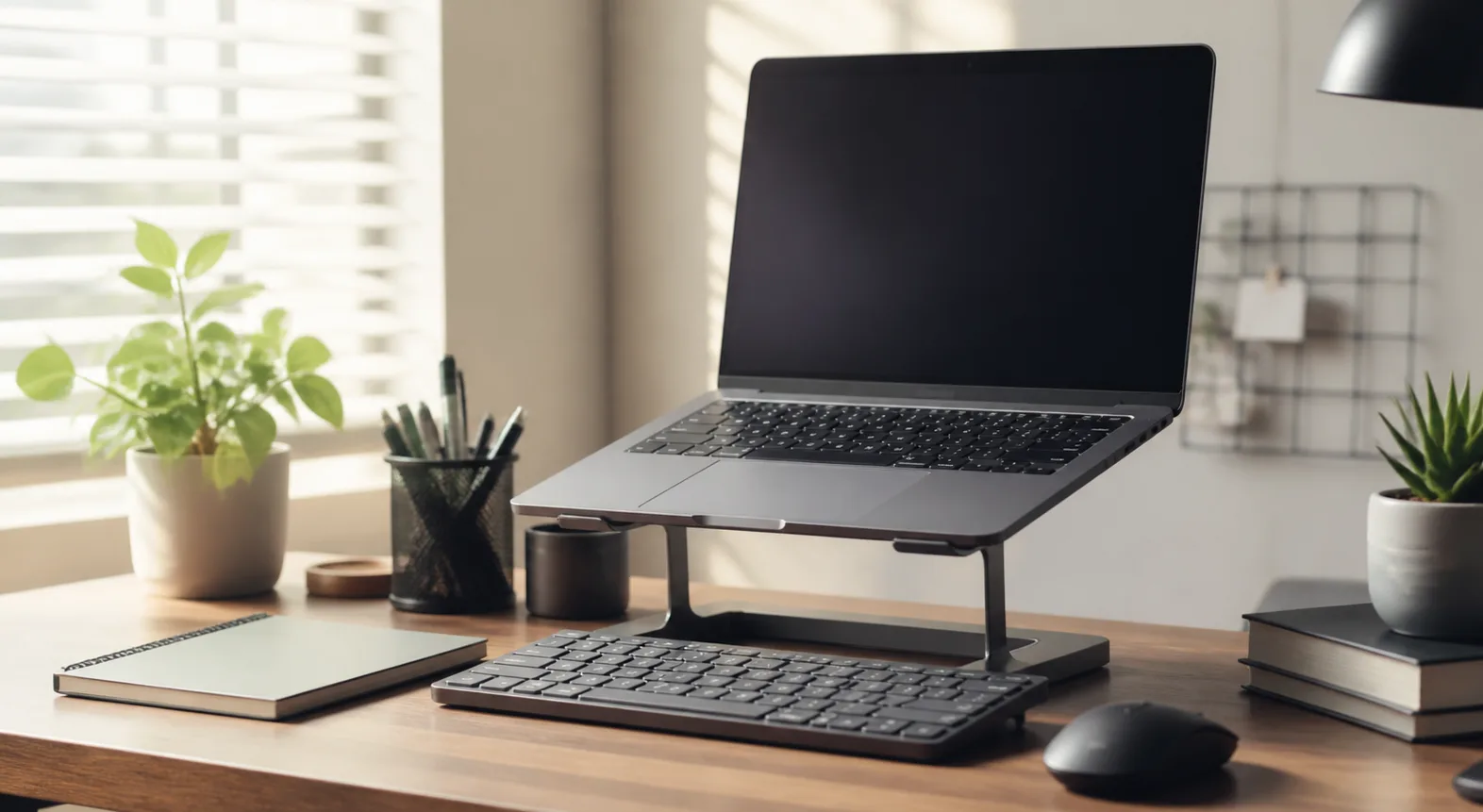
- A raised screen position: a laptop stand, monitor riser or external monitor keeps the neck from folding down for an hour.
- A task light: one lamp that lights the page, not the whole room.
- A dump zone: one tray, shelf or trolley for books and loose papers, because “I’ll put it away later” is not a system.
That setup works for GCSE homework, sixth-form coursework, university halls and adult evening study. The details change with age, but the principle does not: keep the work surface clear enough for the task in front of the student.
I would rather see a £99 IKEA MICKE desk with a decent lamp and storage tray than a £300 desk buried under cables and folders. Owners of small rooms say the same thing in reviews: depth matters as much as width. A 60cm-deep desk feels roomy, but a 50cm-deep desk is much easier to fit beside a bed, wardrobe or radiator.
What to prioritise first
Spend first on the things the student touches every day. That means the chair, desk height, screen position and light. Decorative extras can wait.
For a school pupil using a Chromebook or laptop, a good starting budget is £150-£250:
- Desk: £50-£120 from IKEA, Argos, Dunelm or Amazon UK.
- Chair: £60-£150 from IKEA, John Lewis, Argos or Staples UK.
- Lamp: £12-£35 from Argos, IKEA or John Lewis.
- Storage: £10-£35 for a drawer unit, desktop file holder or trolley.
- Laptop stand or riser: £12-£30 from Amazon UK or Currys.
The setup becomes more important when the student works for longer stretches. The HSE’s display screen equipment checklist is aimed at workplaces, but the same checks are useful at home: keyboard position, screen height, chair support, lighting and reach distance all matter when someone is at a screen for a while.
Choose the Desk and Chair First
The desk and chair decide whether the rest of the setup works. Get these wrong and every accessory is just decoration.
Desk size for UK bedrooms
For most students, the best desk width is 100-120cm. An 80cm desk can work for a laptop-only setup, but it feels tight once textbooks arrive. A 140cm desk is lovely if the room allows it, but in many UK bedrooms it blocks wardrobes, sockets or bed drawers.
Use these rough sizes:
- 80-90cm wide: laptop, notebook and small lamp only. Good for a box room or spare-room corner.
- 100-120cm wide: the sweet spot for school, college and most university study.
- 140cm plus: useful for dual screens, art, design, coding or shared parent-child use.
Depth matters too. A 50cm-deep desk is fine for a laptop and notebook. If using a separate monitor, 60cm is more comfortable because it gives a better viewing distance.
Specific UK options worth comparing:
- IKEA MICKE 105x50cm: usually about £79-£99 depending on size and colour. Good for smaller rooms, with cable space at the back.
- IKEA TROTTEN 120x70cm: about £85-£115. Plainer, deeper and better for an external monitor.
- Argos Habitat desks: often £60-£150. Check depth carefully, because some look bigger online than they feel in a bedroom.
- John Lewis compact desks: often £129-£299. Better finishes, but less essential for a teenager who may cover it in folders by October.
My pick for most homes would be a simple 100-120cm desk with a wipe-clean top, not a glass desk or a shallow console table. Students need friction-free working space. A pretty surface that scratches, wobbles or shows every fingerprint gets old fast.
If the room is tiny, read the ideas in creating a home office in a small flat and adapt the same principles: use vertical storage, protect circulation space, and keep the chair from blocking the door or wardrobe.
Chair comfort beats chair style
A chair does not need to look corporate, but it needs to adjust. Dining chairs are fine for the odd 20-minute homework task. They are poor for repeated evening study because the seat height, back angle and support rarely match the desk.
Look for:
- Height adjustment: the student’s elbows should sit roughly level with the desk when typing.
- Back support: a shaped back or separate cushion is better than a flat decorative chair.
- Seat depth: smaller students should not be forced to perch at the front edge.
- Stable base: five-star bases feel safer than narrow decorative legs for daily use.
The IKEA FLINTAN is usually around £65 and is a sensible budget office chair. The IKEA MATCHSPEL sits nearer £120-£150 and feels more like a gaming chair without the full racing-seat look. John Lewis and Argos often have study chairs between £80 and £180.
Do not ignore second-hand office chairs. A used Orangebox, Humanscale or Herman Miller chair from Facebook Marketplace or an office-clearance seller can be a better buy than a new cheap gaming chair. Expect to pay £80-£250 depending on condition. Check the gas lift, armrests, castors and seat fabric before buying.
For more detail on the basics, the ergonomic desk setup checklist is the one to use alongside this student-focused version.
Put the Screen, Laptop and Keyboard in the Right Place
This is where many student setups go wrong. The laptop is pushed flat on the desk, the student looks down for an hour, and the chair ends up too low because the screen and keyboard are trapped in one device.
Laptop-only setup
For short sessions, a laptop on the desk is fine. For longer sessions, raise it. A basic aluminium laptop stand costs about £15-£25 on Amazon UK, while foldable plastic stands are often £8-£15. Pair it with a separate keyboard and mouse if the laptop is raised.
A cheap setup that works:
- Laptop stand: £12-£25.
- Wired keyboard: £10-£20 from Logitech, Trust or Amazon Basics.
- Mouse: £8-£20, ideally full-size rather than a tiny travel mouse.
That £30-£60 upgrade can make a bigger difference than changing the whole desk. I have seen a laptop-on-books setup work fine too, but books slide, block vents and vanish when someone needs them for English homework. A stand is less faff.
External monitor setup
An external monitor is useful for sixth form, university, coding, essay writing and design work. A 24-inch 1080p monitor is enough for most students and costs about £90-£140 from Currys, Amazon UK or John Lewis. A 27-inch 1440p monitor is nicer for split-screen work and usually sits around £170-£280.
Place the screen so the top third is roughly at eye level and the student does not have to twist sideways. If the desk is shallow, a monitor arm helps reclaim surface space. Budget arms start at £25-£35; better gas-spring arms are usually £45-£90. Check the monitor has VESA mounting holes before buying.
The guide to monitor height ergonomics covers the measurements in more depth, but the quick test is simple: sit normally, look straight ahead, and the screen should meet the eyes without the chin dipping.
Keyboard and mouse position
Keep the keyboard close enough that shoulders stay relaxed. If the student has to reach forwards, the desk is too deep, the chair is too far back, or clutter is taking the front edge.
I would avoid oversized mechanical keyboards for younger students unless they are specifically into them. They are fun, but a £90 keyboard is not the first priority. A compact Logitech K380 at about £40, a basic Logitech K120 at about £12, or a Trust wired keyboard around £10-£15 will do the job.
For mouse choice, comfort beats gaming specs. A full-size Logitech M185 or M220 is usually £10-£20. If wrist discomfort appears, look at desk height and reach before buying an ergonomic mouse. The cause is often the setup, not the mouse.
For screen comfort beyond positioning, use the advice in reducing eye strain at your desk: brightness, contrast, breaks and glare control all matter.
Build Storage That Survives Term Time
Student storage fails when it asks for too much sorting. A perfect filing system with nine labelled folders looks lovely in September and collapses the first week someone comes home tired.
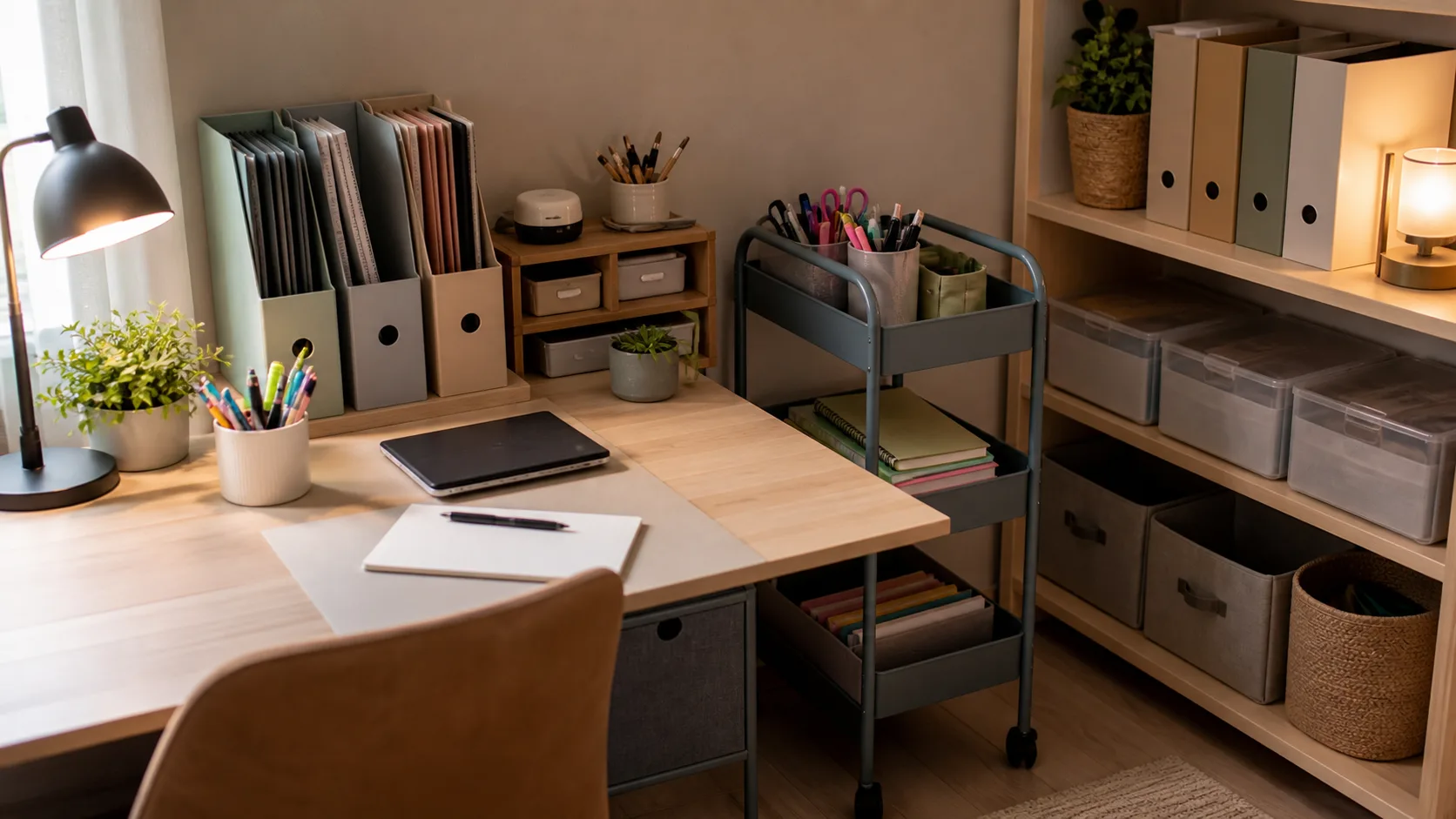
The better approach is three zones:
- Current work: a tray, magazine file or shallow drawer for the subjects being used this week.
- Supplies: pens, calculator, ruler, sticky notes, highlighters and headphones within arm’s reach.
- Archive: a box, shelf or folder for finished work that does not need to sit on the desk.
The desk surface should not be the archive. That is the whole trick.
Desktop storage that works
For most students, one magazine file and one pen pot beat a large stationery organiser. Magazine files cost about £3-£8 each from IKEA, WHSmith, Ryman or Amazon UK. A simple letter tray is about £5-£15. Clear plastic drawer units are often £10-£25.
If the student uses lots of paper, use vertical files rather than piles. You can see the labels, the footprint is smaller, and papers do not get buried under a hoodie.
Good low-cost choices:
- IKEA TJENA magazine files: usually a few pounds for a pack, good for subject folders.
- Really Useful Boxes: about £6-£20 depending on size, strong enough for older notes and revision cards.
- Ryman desk trays: often £5-£12, easy to stack for current papers.
- IKEA RASKOG trolley: the small version is about £19 and works well beside a desk in a tight room.
A trolley is particularly good for shared spaces. It can hold laptop charger, books, pencil case and headphones, then roll away when the dining table needs to become a dining table again.
What not to store on the desk
Keep sentimental objects, spare notebooks, old textbooks and art supplies off the working surface unless they are used daily. One plant is fine. Six little objects around the monitor become dust collectors and distraction bait.
This is where desk accessories you actually need is useful. The best student accessories are boring: a lamp, tray, cable clip, bottle coaster, mouse mat and maybe a desk mat if the surface scratches.
For younger pupils, keep school letters and permission slips somewhere parents can see them. A wall-mounted clip, magnetic board or shared tray outside the bedroom works better than hoping a sheet of paper survives under a laptop.
Lighting, Power and Cable Control
Lighting is not a finishing touch. A student who works under a ceiling pendant with their own head casting a shadow across the page will notice it. They might not say “task lighting problem”, but they will fidget, lean and give up sooner.
Desk lamp choices
A good student lamp should be adjustable, stable and not too bright at eye level. It needs to light paper and keyboard, not shine straight into the face.
Budget options are fine:
- Argos Home Desk Lamp: about £12, simple and good enough for homework.
- Argos Home Silby LED lamp: often around £18-£25, useful if you want touch control and a neater LED design.
- IKEA TERTIAL work lamp: about £12-£15, adjustable and easy to angle.
- John Lewis LED desk lamps: usually £35-£90, better finish, not always better light.
For most students, I would buy the adjustable IKEA or Argos option and spend the saved money on a better chair. If the student draws, paints, models or reads printed music, then a wider LED task lamp at £35-£60 makes sense.
Place the lamp on the opposite side to the writing hand. A right-handed student usually wants the lamp on the left, so their hand does not cast a shadow over the notebook.
There is more detail in desk lamps for eye comfort, especially around glare and colour temperature.
Power without cable spaghetti
Count the actual plugs before buying anything:
- Laptop charger
- Lamp
- Phone charger
- Monitor or dock
- Headphones, tablet or calculator charger
A four-way extension lead is often enough and costs about £8-£15 from Screwfix, B&Q, Argos or Amazon UK. A surge-protected version is usually £12-£25. Do not daisy-chain extension leads, and avoid running cables where chair wheels will crush them.
Cable clips are cheap and worth it. Adhesive clips cost about £5-£8 for a pack. Velcro cable ties are about £4-£7 and are better than plastic zip ties because the setup will change. If the desk has no cable tray, an under-desk basket or IKEA SIGNUM-style cable trunking costs roughly £9-£20.
If the student charges a phone at the desk, a wireless pad can reduce cable mess, but it is not essential. The guide to setting up a wireless charging pad on your desk explains when it is worth the extra £15-£40.
Study Zones for Bedrooms, Box Rooms and Shared Spaces
The right setup depends on where the work happens. A university desk in halls has different problems from a Year 8 desk squeezed between a bed and wardrobe.
Bedroom desk
In a bedroom, the desk needs a visual boundary from the bed. That can be as simple as turning the desk to face a wall, placing a shelf above it, or using a small rug under the chair. It signals “this is the work zone” without needing a separate room.
Avoid placing the desk so the student stares straight at the bed. It sounds minor, but it makes the space feel muddled. Facing a wall, window side-on or bookshelf usually works better.
If the desk sits near a radiator, leave air space. Cheap laminate desktops can dislike heat, and the student will not thank you for working next to a radiator in September.
Box-room setup
For a box room, choose height over footprint. Wall shelves, pegboards and narrow drawer units are more useful than a giant desktop.
Good box-room buys:
- Wall shelf above the desk: £10-£35 from IKEA, B&Q or Wickes, depending on brackets and finish.
- Narrow drawer unit: £25-£60, useful for stationery and tech bits.
- Clip-on lamp: £10-£25, saves desk surface.
- Folding chair only if sessions are short: £15-£40, but avoid it for daily long study.
Measure chair pull-out space before buying. A desk that technically fits is still annoying if the chair hits the bed every time someone sits down.
Shared dining-table setup
If the dining table is the study desk, make the setup portable. Use a RASKOG trolley, lidded box or handled caddy. The goal is a five-minute setup and a two-minute reset.
A good shared-space kit:
- Document wallet or magazine file for current subjects.
- Pencil case instead of loose stationery.
- Foldable laptop stand if using a laptop for long sessions.
- Clip-on rechargeable lamp at about £15-£30 if the table lighting is poor.
- Over-ear headphones at about £20-£60 for noise control, as long as they are comfortable.
The student does not need a permanent desk to have a proper student desk setup UK routine. They need a repeatable kit and a clear place to put it away.
Budget Shopping List by Spend Level
The best budget depends on what you already own. If you have a good table and chair, spend on screen height, light and storage. If the chair is awful, fix that first.
Under £100: improve the setup you already have
This is for a student who already has a desk or table.
- Laptop stand: £12-£25.
- Keyboard and mouse: £20-£40 combined.
- Desk lamp: £12-£25.
- Magazine files and tray: £8-£20.
- Cable clips and Velcro ties: £8-£15.
That is not glamorous, but it solves the biggest daily annoyances: looking down, poor light, clutter and trailing chargers.
£150-£250: build a solid student setup
This is the best value range for most families.
- Desk: £60-£120.
- Chair: £60-£120.
- Lamp: £12-£30.
- Storage trolley or drawers: £19-£50.
- Stand, keyboard and mouse: £30-£60.
My preference here would be a plain desk, adjustable chair, IKEA or Argos lamp, one rolling trolley and a raised laptop setup. It gives the student a real workspace without spending monitor money too early.
£300-£500: add a monitor and better chair
This range suits older students, university work, coding, design, essay-heavy courses or anyone spending several evenings a week at the desk.
- Desk: £100-£180.
- Chair: £120-£250, new or used office-grade.
- Monitor: £100-£220.
- Monitor arm or riser: £25-£70.
- Lamp and cable setup: £25-£60.
At this level, the chair is where I would be fussy. A better chair lasts longer than most student tech accessories. A cheap monitor is usually good enough for writing and research; a chair that does not fit is annoying every day.
What I would skip
I would skip RGB light strips, oversized gaming desks, glass tops, tiny decorative chairs, fake leather racing chairs under £100, and giant drawer units that eat the leg space. None of them help the student start work faster.
Spend the money on comfort, light, clear surface area and storage that is easy to reset. That is the setup that still works in November.
Frequently Asked Questions
What size desk is best for a student bedroom? A 100-120cm wide desk is the best fit for most UK student bedrooms. Go smaller only if space is tight, and go wider if the student uses a monitor, art materials or two notebooks at once.
How much should I spend on a student desk setup? Around £150-£250 is enough for a good desk, adjustable chair, lamp, storage and laptop stand if you shop carefully at IKEA, Argos, Dunelm or Amazon UK.
Does a student need an external monitor? Not always. A raised laptop with a separate keyboard and mouse is enough for many students. Add a 24-inch monitor, usually £90-£140, for long essays, coding, spreadsheets or split-screen research.
What is the cheapest upgrade that makes the biggest difference? A laptop stand, separate keyboard and mouse. For about £30-£60, it improves screen height and typing position without replacing the desk.
Is a gaming chair good for studying? Some are fine, but many cheap gaming chairs are bulky, sweaty and poorly adjustable. A normal office chair at £80-£150 is usually a safer student buy.
How do you keep a student desk tidy? Use one tray for current work, one vertical file for subject folders and one box or trolley for supplies. Avoid complex filing systems; they are usually abandoned first.