A good budget monitor for watching movies is not the same thing as a cheap office monitor. For films and streaming, I would rather have a 27 inch VA panel with decent contrast, HDMI and acceptable speakers than a faster gaming screen with washed-out blacks. If you searched for “a good budget monitor for watching movies?”, the sweet spot in the UK is usually about £90-£180, with the higher end covering built-in speakers or smart TV-style apps.
In This Article
- A Good Budget Monitor for Watching Movies: Quick Verdict
- What Matters for Films, Not Office Work
- Best Budget Monitor Types and UK Prices
- Size, Resolution and Viewing Distance
- Panel Type and Picture Quality
- Sound, Streaming and Connections
- Setting It Up on a Bedroom Desk
- Frequently Asked Questions
A Good Budget Monitor for Watching Movies: Quick Verdict
The best cheap movie-watching monitor for most UK homes is a 27 inch Full HD or QHD screen with HDMI, a VA or good IPS panel, and either built-in speakers or a proper audio plan. That sounds less exciting than 165Hz gaming specs, but films do not care about high refresh rates. They care about contrast, viewing angle, screen size and whether the audio is bearable.
My practical shortlist would be:
- Best cheap pick: AOC 27B3HM or similar 27 inch Full HD VA monitor, usually around £90-£120 from Amazon UK. Good contrast for films, weak stand adjustment.
- Best all-round budget pick: LG 27MS500 / 27MR400-style 27 inch IPS monitor, usually around £100-£130 from Amazon UK, Currys or Argos. Better viewing angles, less deep black.
- Best if you want apps built in: Samsung Smart Monitor M5 27 inch, often about £180-£230. More expensive, but it behaves more like a small smart TV.
- Best sharper upgrade: Dell S2725DS or similar 27 inch QHD monitor, usually around £220-£260. Better for films and work, but no longer truly cheap.
If I were buying one for a bedroom desk, I would choose the AOC-style 27 inch VA option at about £100 and spend another £25-£40 on small speakers. That combination usually beats a pricier monitor with thin built-in speakers. If the monitor also has to be your work screen, I would lean towards the LG or Dell-style IPS/QHD options instead.
This is deliberately not a gaming monitor guide. If you care about refresh rate and response time, read our Monitor Refresh Rates Explained first. For films, 60-100Hz is fine. A better black level matters more than a 180Hz sticker.
What Matters for Films, Not Office Work
Office monitors are judged on text clarity, adjustability and comfort over long sessions. Movie monitors are judged in a different way: can you sit back, dim the room and enjoy a dark scene without it looking grey and patchy?
Contrast beats headline brightness
Budget monitors love advertising brightness figures: 250 nits, 300 nits, 350 nits. Brightness matters if the screen sits beside a sunny window, but for films in a bedroom or small office, contrast matters more. A monitor that can make blacks look properly dark will feel more cinematic than a brighter panel with flat grey shadows.
That is why VA panels often make sense for budget movie watching. They usually have stronger native contrast than cheap IPS panels. The trade-off is that viewing angles and motion handling can be weaker. Sit straight in front and the picture can look good. Watch from the side of the bed and it may fade.
Colour accuracy is useful, but do not overbuy it
You do not need a creator-grade monitor for Netflix, Disney+, BBC iPlayer or Prime Video. A monitor sold for photo editing may cover more colour space and offer calibration options, but that is overkill if you mainly watch films at night.
Our Best Monitors for Video Editing on a Budget guide is a better route if you edit footage. For movie watching, the useful questions are simpler:
- Does skin tone look natural? Not too red, green or waxy.
- Are dark scenes watchable? You should still see detail in shadows.
- Can you turn the brightness down? Cheap screens can be unpleasant in a dark room if the minimum brightness is too high.
- Is there an HDMI port? Essential if you want a Fire TV Stick, Chromecast or games console.
Built-in speakers are usually the weak point
Some budget monitors include 2W speakers. They are fine for YouTube clips and system sounds. They are not satisfying for a film. Dialogue sounds thin, music lacks weight, and action scenes can be oddly harsh.
I would treat built-in speakers as a backup. A £25 pair of Creative Pebble-style USB speakers or a £35-£60 compact soundbar will do more for film night than chasing a slightly brighter monitor.
Best Budget Monitor Types and UK Prices
27 inch Full HD VA monitor: best cheap film pick, about £90-£120
This is the value sweet spot. Models such as the AOC 27B3HM, AOC 27B3HMA2 or similar 27 inch VA monitors often sit around £90-£120 on Amazon UK. The reason they work for films is contrast: VA panels usually make dark scenes look less washed out than the cheapest IPS screens.
The weakness is pixel density. At 27 inches, Full HD is not razor sharp if you sit close. For films from a metre or more away, it is fine. For spreadsheets and small text all day, you will notice the softness.
The AOC 27B3HA2 manual is a useful example of the kind of budget spec to check: HDMI, basic speakers on some variants, simple stand, and domestic rather than professional positioning.
Buy this type if:
- You watch from bed or a chair: not nose-to-screen.
- You want the most picture for under £120: a bigger screen beats a tiny premium one.
- You can add speakers: the screen is the value; the audio needs help.
27 inch Full HD IPS monitor: safer all-rounder, about £100-£130
LG, Samsung, ASUS and AOC all sell budget 27 inch IPS monitors in this bracket. They are often better if the screen doubles as a work monitor because text and viewing angles feel more forgiving. They also tend to look brighter and cleaner for general desktop use.
The downside is black level. In a dark room, cheap IPS can make night scenes look grey. If you watch thrillers, sci-fi or anything with lots of dark interiors, that can bother you. If you watch sport, comedy, YouTube and brighter TV, it matters less.
This is the sensible compromise if one screen has to do office work during the day and streaming at night. Pair it with the advice in Monitor Brightness and Contrast: What Settings to Use and it will feel better than leaving it on factory torch mode.
Samsung Smart Monitor M5-style screen: best for no laptop, about £180-£230
The Samsung Smart Monitor M5 is not the cheapest route, but it solves a real problem: you can watch streaming apps without plugging in a laptop or stick. For a bedroom, spare room or student room, that matters.
Think of it as a small TV crossed with a monitor. You pay more than a plain 27 inch monitor, but you get smart apps, remote control and a more living-room-friendly experience. The compromise is that it may not be the best work monitor for the money, and smart interfaces date faster than a normal HDMI screen.
I would buy this only if convenience is the point. If you already own a laptop, Fire TV Stick or Chromecast, a cheaper monitor plus that device usually makes better financial sense.
27 inch QHD monitor: sharper upgrade, about £180-£260
QHD, also called 1440p, is the upgrade I like if the screen will be used for both work and films. At 27 inches, it looks noticeably sharper than Full HD for text, browsing and subtitles. For films, the benefit depends on the source: Netflix and Disney+ may stream in 1080p or 4K depending on plan, app and device, so the monitor will often scale content.
Models such as Dell’s S-series QHD monitors often sit around £220-£260, while deal-heavy brands can drop lower. This is no longer the absolute budget choice, but it is the smarter long-term choice if the monitor will be used every day.
Size, Resolution and Viewing Distance
The right size depends on how far away you sit. A 32 inch monitor sounds tempting until it is 60cm from your face on a shallow desk. Then it feels like sitting in the front row of a tiny cinema.
24 inch: cheapest, but less film-like
A 24 inch Full HD monitor is fine if budget is tight. You can find decent ones around £70-£100 from Amazon UK, Argos or Currys. For desk work, 24 inch Full HD is still a clean match because text density is reasonable.
For movies, it feels small unless you sit close. It works for a student desk, box room or laptop replacement, but it does not feel much like a TV.
27 inch: the best budget size
For most people, 27 inch is the sweet spot. It is large enough for films, still manageable on a normal desk, and widely discounted. At normal desk distance, Full HD is acceptable for video. If you also work on it, QHD is nicer.
Our Monitor Size Guide goes deeper on desk distances, but the short version is this: if your desk is 60-75cm deep, 27 inch is the safe choice. If you are watching from bed across the room, you may prefer a small TV instead.
32 inch: only if you sit back
Cheap 32 inch Full HD monitors exist, but I rarely recommend them for desk use. At that size, 1080p looks coarse up close. A 32 inch QHD or 4K screen is better, but the price climbs quickly.
Buy 32 inch only if the screen sits further away, or if you are treating it as a TV substitute rather than a desk monitor. Otherwise, 27 inch gives a cleaner balance.
Panel Type and Picture Quality
Panel type is where a cheap monitor can feel either surprisingly good or instantly disappointing.
VA: best black level for the money
VA is my first choice for a cheap film monitor. Dark scenes usually look richer, and contrast is better than most budget IPS screens. The downside is that some VA panels smear dark motion. You may see trails in fast-moving scenes or games.
For slow films, drama, documentaries and streaming TV, VA is often the best value. For gaming or fast sport, be more careful.
IPS: better angles, weaker blacks
IPS is the safer everyday panel. Colours stay more consistent when viewed from the side, which helps if two people watch from a bed or sofa. It is also better for mixed work and entertainment use.
The problem is that cheap IPS panels can glow in dark scenes, especially in a dim room. If you mainly watch at night, a VA monitor may feel more satisfying.
TN: avoid for films
TN panels can be fast and cheap, but they are the wrong choice for watching movies. Viewing angles are poor, colours shift, and dark scenes rarely look good. If a bargain monitor is very cheap, check the panel type before buying.
OLED: brilliant, not budget
OLED is wonderful for films because black levels are superb. It is also expensive and carries burn-in considerations for desktop use. If your budget is under £200, OLED is not in the conversation.
Sound, Streaming and Connections
This is where a lot of budget monitor purchases go wrong. The picture is only half the setup.
HDMI is non-negotiable
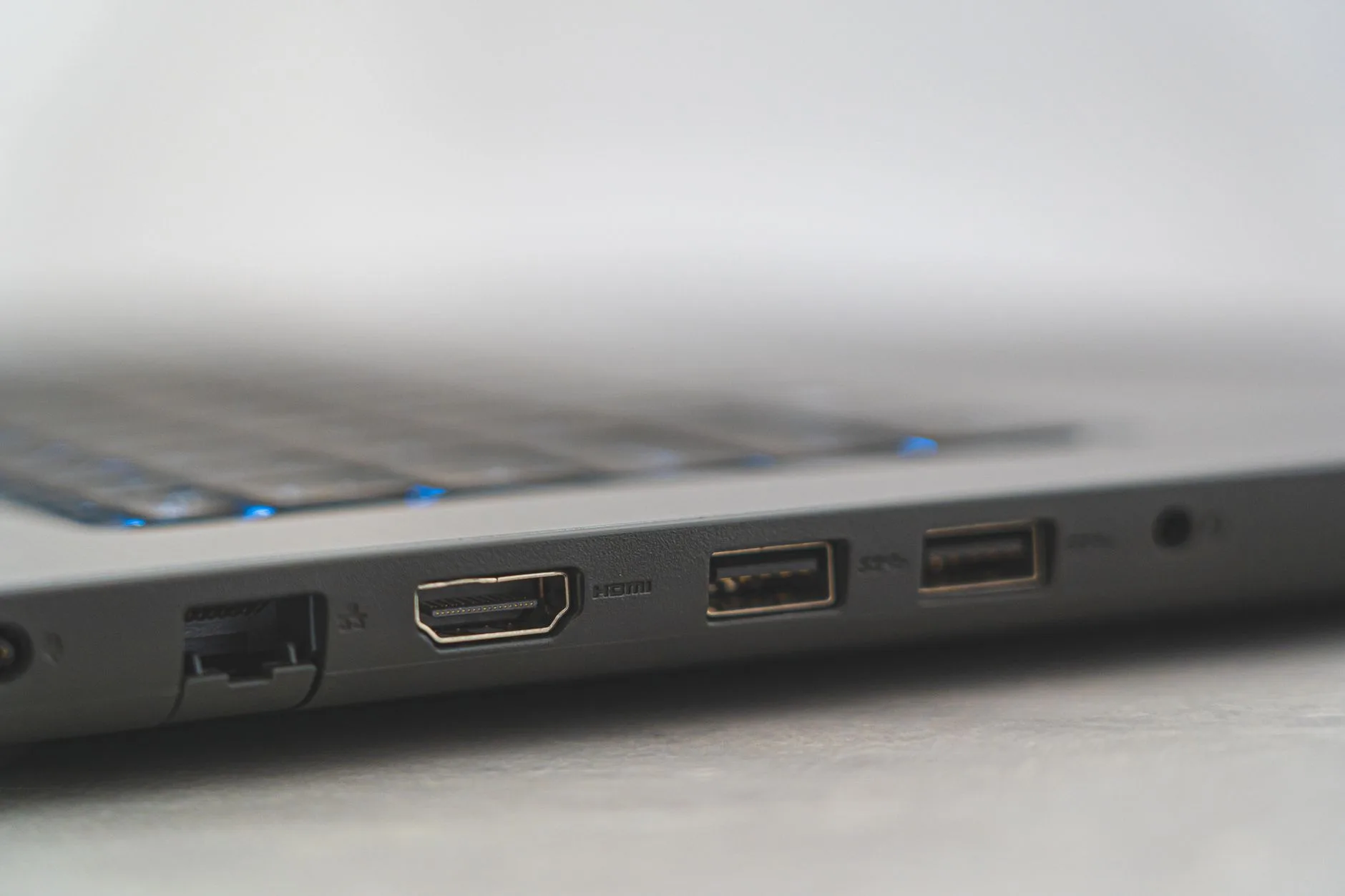
If the monitor is for films, make sure it has HDMI. DisplayPort is useful for PCs, but HDMI is what you need for streaming sticks, games consoles, set-top boxes and most laptops.
One HDMI port is enough if you only use a laptop. Two is better if you want a laptop plus a Fire TV Stick, Chromecast, Roku or console. If the monitor has no audio output and no speakers, check how your streaming device will send sound.
Speakers: plan before buying
There are three sensible audio routes:
- Monitor speakers: free and tidy, but usually thin.
- USB desktop speakers: about £20-£50, best cheap upgrade for dialogue.
- Small soundbar: about £35-£80, neater if the monitor sits on a bedroom desk.
Bluetooth speakers can work, but lip-sync delay can be annoying. Wired speakers are less glamorous and more reliable. No judgement; movie dialogue being half a second late is maddening.
Streaming sticks can be awkward on monitors
A Fire TV Stick or Chromecast costs about £30-£60 depending on model and offers. It can turn a plain monitor into a streaming screen, but there are two catches.
First, the stick needs power, usually from a USB socket or mains adapter. Second, the monitor needs a way to output audio. Some monitors pass sound through a 3.5mm headphone jack. Some rely on built-in speakers. Some make the whole thing awkward.
Before buying, check:
- HDMI input: ideally two ports.
- Audio output: 3.5mm jack or built-in speakers.
- USB power: handy but not always strong enough for streaming sticks.
- Remote control: monitors rarely include one, unless they are smart monitors.
Setting It Up on a Bedroom Desk
A monitor used for films is often placed badly: too bright, too high, too close, or with a lamp reflecting straight off the screen.
Get the height boringly right
For work, the top of the screen should usually sit around eye level. For film watching, comfort depends on your actual position: sitting at the desk, leaning back from a chair, or watching from the bed. The HSE display screen equipment guidance is written for workstations, but the same basics help here: avoid awkward neck angles, control glare and take breaks from fixed posture.
If the monitor stand is poor, budget £20-£50 for a riser or basic VESA arm. Check VESA compatibility first. Plenty of cheap monitors have no VESA mount, which limits your options.
Our How to Set Up Your Monitor at the Right Height guide covers the ergonomic version of this. For films, the common-sense version is: do not mount it so high that your neck complains after one episode.
Tame reflections
Glossy posters, windows, white walls and desk lamps can all reflect in dark scenes. A matte monitor helps, but placement matters more. Put the screen perpendicular to windows where possible, and avoid a lamp directly behind your seat.
If glare is a constant problem, read How to Reduce Glare on Your Monitor before replacing the screen. Often the cheap fix is moving a lamp, not buying a brighter monitor.
Use film-friendly settings
Factory settings are usually too bright and too blue. For evening films, start with:
- Brightness: 30-50% in a dim room, higher in daylight.
- Contrast: leave near default unless blacks crush detail.
- Colour temperature: warm or normal, not cool blue.
- Overdrive: off or low if it creates weird motion artefacts.
Do not use blue-light mode for films unless you like everything looking yellow. Use it for late-night reading, not for judging picture quality.
Mistakes that make cheap monitors feel worse
Buying a monitor with no audio plan
This is the big one. A £110 monitor with no speakers can still be a great film screen, but only if you know where the sound is coming from. Add speakers to the budget before comparing prices.
Choosing refresh rate over contrast
High refresh rate is useful for games and smooth desktop movement. Most films are 24fps, TV is often 25/30/50fps, and streaming apps are not asking for 165Hz. A cheap fast panel with poor contrast is a worse film monitor than a slower VA screen.
Going too big at 1080p
Full HD is fine at 24 or 27 inches. At 32 inches on a desk, it starts looking soft. If you want 32 inch for films, try to stretch to QHD or use it from further away.
Forgetting the desk still matters
A monitor used for films still needs a stable surface, cable space and a sensible viewing angle. If your current desk is cramped, a better screen may not solve the problem. Our Best Monitors for Home Office Work in 2026 is worth reading if the monitor will do office duty as well.
My final answer: buy a 27 inch VA monitor around £100-£120 if films are the priority, add cheap speakers, and ignore gaming specs unless you actually game. If the screen must also be your main work monitor, spend more on a 27 inch QHD IPS screen instead.
Frequently Asked Questions
What size monitor is best for watching movies on a desk? For most UK desks, 27 inch is the best balance. It feels much larger than a laptop, still fits normal desk depth, and is widely available around £90-£180.
Is Full HD enough for watching films on a monitor? Yes, Full HD is fine at 24 or 27 inches, especially if you sit a little back. If the monitor is also for work, QHD looks sharper for text and subtitles.
Is VA or IPS better for movies? VA usually gives better contrast and deeper blacks for films. IPS has better viewing angles and is safer for mixed work use. For one person sitting straight on, VA is often better value.
Do I need a 4K monitor for Netflix or Disney+? Not at budget prices. A good 1080p or QHD monitor is usually better value under £200. 4K makes more sense on larger screens or if the monitor is also for detailed work.
Can I plug a Fire TV Stick into a monitor? Yes, if the monitor has HDMI. You also need power for the stick and a sound route, either built-in speakers, a headphone output to speakers, or another audio setup.
Are built-in monitor speakers good enough for films? Usually not. They are acceptable for casual watching, but a £25-£40 pair of USB speakers will normally make dialogue and music much better.