Gaming desk vs office desk is mostly a choice between setup space and working comfort. Gaming desks usually give you deeper surfaces, cable trays, headset hooks and a more aggressive look. Office desks are normally better for posture, calm styling, height choice and long working days.
In This Article
- Gaming Desk vs Office Desk: The Short Answer
- Shape, Size and Surface Depth
- Cable Management and Power Setup
- Ergonomics: Where Office Desks Usually Win
- Style, Materials and Durability
- Price: What You Get at Budget, Mid-Range and Premium
- Which One Should You Buy?
- Frequently Asked Questions
Gaming Desk vs Office Desk: The Short Answer
If you mainly play games on a large monitor, keep a PC tower nearby and want lots of cable-routing features, a gaming desk makes sense. If you work from home for six to eight hours a day, take video calls, write, use spreadsheets or share the room with normal furniture, a good office desk is usually the better buy.
The real difference is not RGB
The marketing makes gaming desks look like a separate species. They are not. A gaming desk is still a desk, but it tends to prioritise:
- Depth: often 70-80cm so a large monitor can sit further back.
- Gear access: headphone hooks, controller shelves, cup holders and cable ports.
- Visual style: black frames, carbon-effect tops, red trim, RGB strips or angular legs.
- PC setup space: room for a tower, speakers, mouse mat, microphone arm and second screen.
An office desk tends to prioritise a cleaner working position, neutral finish, better range of widths and sometimes sit-stand adjustment. If you want the desk to disappear into the room, office wins. If you want the desk to be the setup, gaming is easier to justify.
My default recommendation
For a mixed work-and-gaming room, I would buy an office-style sit-stand desk with a deep top, then add a monitor arm, cable tray and large desk mat. That gives you the useful bits of a gaming desk without locking the whole room into gamer styling.
A FlexiSpot E7 with a 140x80cm top is often around £430-£600 in the UK depending on offers. A cheaper fixed office desk from IKEA, John Lewis or Wayfair can be £80-£250. A branded gaming desk such as the Secretlab Magnus Pro is usually closer to £729-£949 once you add accessories. Nice desk, eye-watering bill.
For more on spending levels, our budget vs premium desk comparison is a useful companion because desk price jumps are not always matched by comfort gains.
Shape, Size and Surface Depth
Surface size is where the comparison gets practical. A desk that looks huge online can feel cramped once you add a monitor stand, keyboard, mouse mat, lamp, dock, notebook and coffee mug.
Gaming desks are often deeper
Many gaming desks sit around 120-160cm wide and 60-80cm deep. The deeper options are useful if you use a 27in, 32in or ultrawide monitor because the screen can sit far enough back to stop you craning your neck. If you play shooters with a low DPI mouse setting, the extra surface also gives your forearm room to move.
Budget gaming desks from Amazon UK, Argos and Wayfair often start at about £70-£140. They usually include a cup holder, headphone hook and cable holes. The compromise is often wobble, thin tops and dramatic styling that ages badly. Arozzi, AndaSeat and Eureka Ergonomic models tend to sit more in the £180-£400 range, with bigger tops and stronger frames.
Office desks offer more subtle size choices
Office desks are easier to match to a room. You can find 100cm compact desks, 120cm laptop desks, 140cm working desks and 160cm executive-style tops without the racing-car look. John Lewis, IKEA, Dunelm and Wayfair all sell neutral office desks from roughly £90 to £450.
The useful home-working size for most people is 120-140cm wide and at least 70cm deep. If you use two monitors, 140-160cm is more comfortable. Our monitor size guide explains how screen size changes desk depth and viewing distance.
L-shaped desks are not automatically better
An L-shaped gaming desk looks tempting because it suggests command-centre energy. In a UK box room, it can be a trap. The return section often steals floor space, limits chair movement and makes cable routing harder if sockets are on the wrong wall.
Choose an L-shape only if you have a clear second job for the return: console, printer, drawing tablet, audio mixer or paperwork. If it is just somewhere for clutter to migrate, a deeper rectangular desk is cleaner.
Cable Management and Power Setup
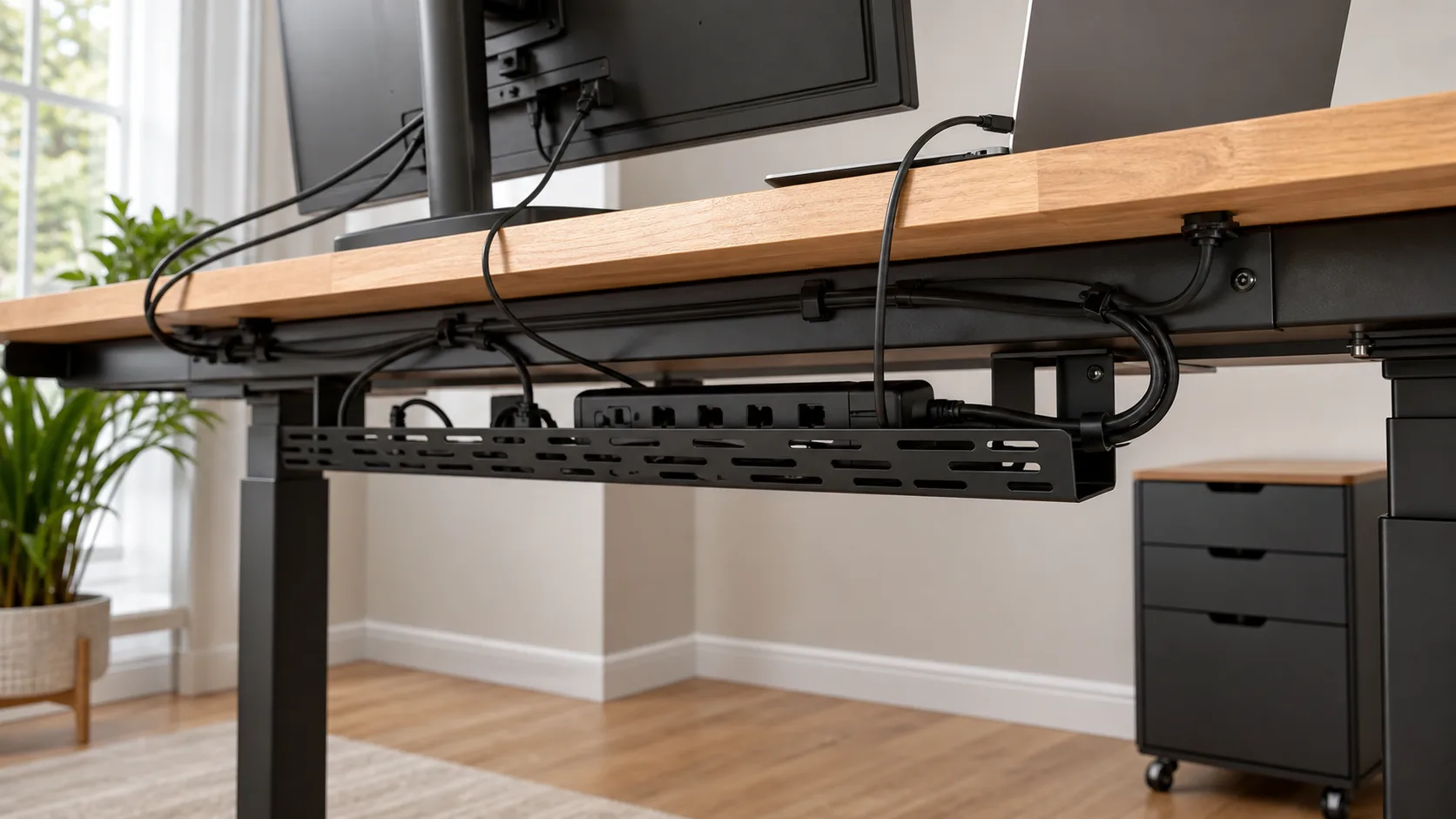
Gaming desks usually beat basic office desks for cable-management features out of the box. That does not mean they always produce the tidier setup. Built-in holes and trays help only if they are in the right place for your equipment.
What gaming desks usually include
Common gaming desk features include:
- Rear cable tray: useful for extension leads, power bricks and monitor cables.
- Grommet holes: round or rectangular cut-outs for routing cables through the top.
- Headset hook: handy if it is metal and mounted where your knee will not hit it.
- Controller or speaker shelves: sometimes useful, sometimes just marketing plastic.
- Full-surface mouse mat: comfortable for gaming but annoying if you write with pen and paper.
A full-desk mouse mat replacement can cost £25-£60. Clip-on cable trays are about £18-£45 from Amazon UK, IKEA or office suppliers. A decent monitor arm is £35-£120 depending on weight support. Once you price those extras, the gap between a basic office desk and a gaming desk narrows.
Office desks can be cleaner with the right add-ons
Many fixed office desks come with no cable features beyond a modest rear gap. That is not fatal. A screw-on tray, adhesive cable clips and a monitor arm can make a plain desk tidier than a gaming desk with badly placed holes.
For a work laptop, dock, webcam, light, speakers and charger, I prefer a rear tray under the desk and a single cable sleeve down the back leg. It is boring. It works. If you need help keeping the useful accessories separate from the plastic nonsense, see our guide to desk accessories you actually need.
Watch the PC tower problem
Gaming desk photos often put the PC tower on the desktop. It looks good for RGB, but it eats 25-35cm of width and can put fan noise closer to your ears. Under-desk tower stands cost about £20-£50 and are better for most rooms, provided airflow is not blocked.
If the tower sits on the floor, measure cable length before buying the desk. DisplayPort and HDMI cables, USB hubs and power leads all need a little slack for a sit-stand frame. A tidy setup that pulls cables tight every time you raise the desk is not tidy; it is a future failure.
Ergonomics: Where Office Desks Usually Win
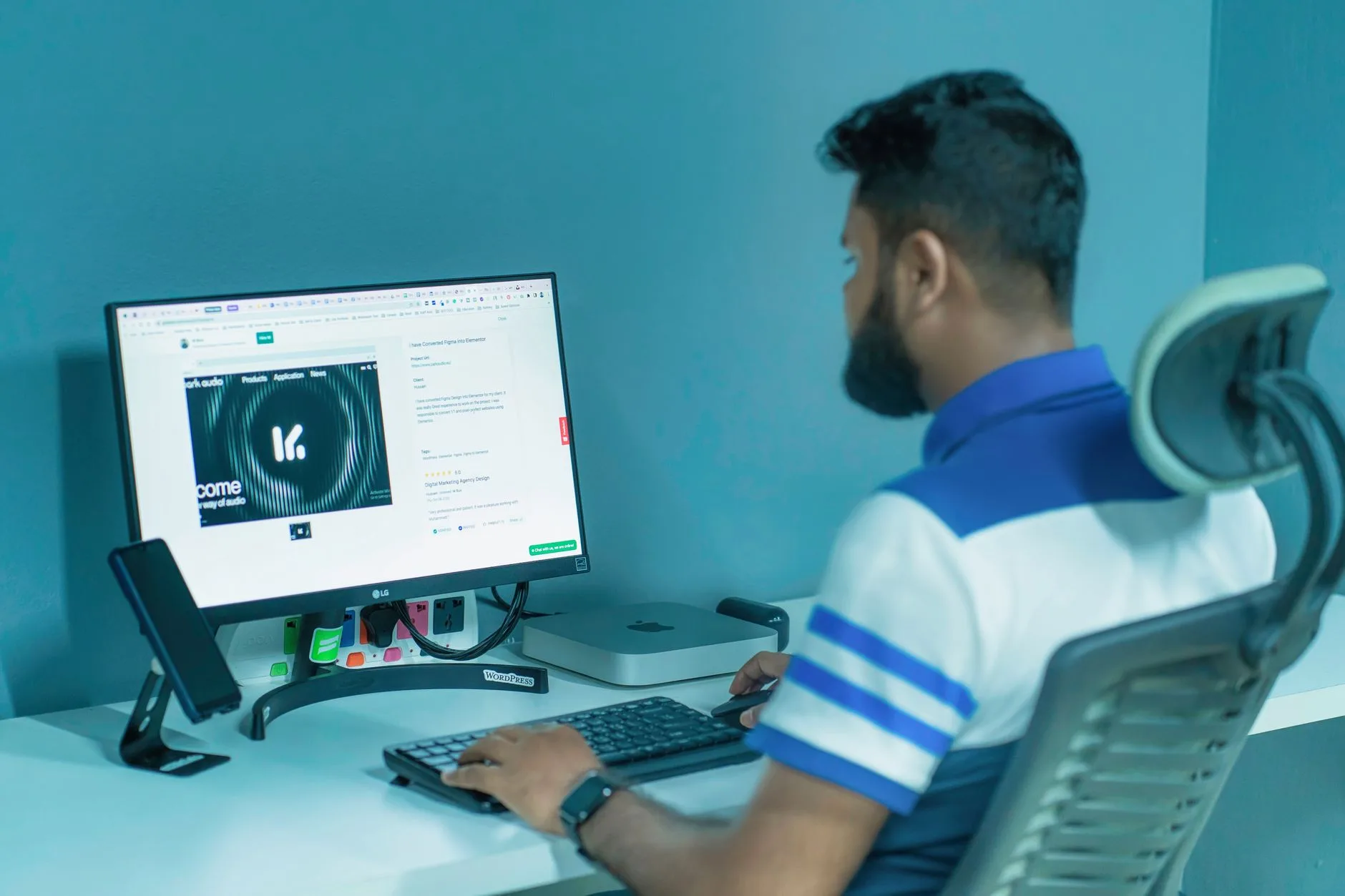
Office desks are not automatically ergonomic, but the good ones are designed around longer seated work. Gaming desks often assume a more active, forward-leaning posture. That can be fine for a two-hour session and awful for a full day of work.
Height matters more than desk branding
Most fixed desks are around 72-75cm high. That suits many adults, but not everyone. If you are shorter, your shoulders may lift while typing. If you are taller, you may round your back or raise your chair until your feet dangle. Neither is helped by a desk having “pro gamer” in the name.
The Health and Safety Executive’s display screen equipment guidance is aimed at work setups, but the basics are useful at home too: screen position, chair adjustment, keyboard reach and breaks all matter. For a deeper desk setup, our ergonomic desk setup checklist gives the practical measurements.
Sit-stand office desks are the strongest hybrid choice
A sit-stand frame is the easiest way to make one desk work for office tasks and gaming. You can lower it for keyboard-and-mouse gaming, raise it slightly for typing, and stand for calls or admin. You still need a good chair; standing all day is not a personality.
Budget electric frames start around £180-£280. Better twin-motor frames from FlexiSpot, Fully-style designs, Maidesite and similar brands are often £300-£600 with a top. Premium office options from Herman Miller or Humanscale can run from £900 to well over £1,500.
If your main concern is health rather than gaming style, read our standing desk vs sitting desk guide before buying. The desk is only one part of the setup.
Monitor arms change the desk more than people expect
A monitor arm can make a shallow office desk behave like a deeper desk because it moves the stand footprint off the surface. That gives you more keyboard, mouse and notebook space. It also makes a plain desk feel less cramped than a cheap gaming desk with a huge fixed monitor stand.
For a single 27in monitor, a decent gas-spring arm is about £45-£90. For dual monitors, budget £70-£150 and check weight limits carefully. Cheap arms can sag, and a sagging monitor arm is one of those problems that quietly ruins every day.
Style, Materials and Durability
Style sounds superficial until the desk lives in your bedroom, spare room or dining area for the next five years. A desk that looked fun at 11pm on YouTube can look ridiculous on a Monday morning Zoom call.
Gaming desk materials
Budget gaming desks often use particleboard or MDF tops with a printed carbon-effect finish. That is fine at £80-£150 if expectations are realistic. The problem is edge wear, surface peeling, and frames that wobble when you type hard or move the mouse quickly.
Better gaming desks use thicker MDF, laminated tops, steel frames and stronger crossbars. The Secretlab Magnus metal desk is sturdier and better finished than most, but it costs office-furniture money. Accessories such as magnetic cable anchors and RGB strips can add £30-£200 more.
Office desk materials
Office desks give you more finish options: white, oak-effect, walnut, bamboo, black, glass, metal and solid wood. A bamboo or rubberwood top looks calmer in a shared room than a black-and-red gaming top. Our desk materials guide goes deeper on MDF, solid wood and bamboo.
For durability, look at top thickness, frame bracing and weight capacity. A desk rated to 70-100kg is usually fine for monitors, laptop, dock, speakers and normal accessories. If you want a PC tower, ultrawide monitor and heavy microphone arm on the desk, more structure helps.
Wobble is the deal-breaker
Wobble matters more than style. It affects typing, monitor shake, microphone arms and the general feeling of quality. Cheap gaming desks with Z-shaped legs can look sturdy but still flex side to side. Cheap office desks with thin metal frames can do the same.
Reviews are useful here, but read the negative ones. Search for “wobble”, “shakes”, “thin top”, “scratches” and “missing screws”. Based on UK user reviews, the weakest desks often fail on assembly quality rather than the headline design.
Price: What You Get at Budget, Mid-Range and Premium
The sensible price range depends on the job: solving a real setup problem or simply holding equipment. Do not spend premium money for a cup holder and a logo.
Budget: about £70-£180
Budget gaming desks from Amazon UK, Argos, Wayfair and The Range usually offer a larger-looking top, a hook and cable holes. They are good for a teenager’s room, a console setup or a light PC setup. Expect compromises in top thickness, finish and wobble.
Budget office desks from IKEA, Dunelm and John Lewis Anyday tend to look cleaner. The IKEA MICKE is often around £70-£100 depending on configuration, while simple office desks at John Lewis or Dunelm commonly sit around £100-£180. They are better for paperwork and shared rooms, but not always deep enough for big monitors.
Mid-range: about £180-£600
This is the best zone for most adults. A good office-style desk or sit-stand frame with a 140x80cm top gives you a strong work-and-gaming base. FlexiSpot, Maidesite, IKEA BEKANT/IDASEN options, John Lewis office ranges and Wayfair’s better desks sit here depending on size.
Gaming desks in this band can be worthwhile if the dimensions suit your setup. Look for a deep top, sturdy frame, sensible cable tray and no weird raised monitor shelf that locks your screen at the wrong height. A raised shelf sounds useful until it fights your monitor arm.
Premium: £600+
Premium gaming desks are mostly about finish, integrated cable systems and styling. The Secretlab Magnus Pro is the obvious example, usually around £729-£949 before you get carried away with accessories. It is clever, especially the cable tray and metal ecosystem, but not the only route to a clean setup.
Premium office desks focus more on lift quality, stability, warranty, quiet motors and finish. Herman Miller, Humanscale and higher-end commercial furniture can cost £900-£1,500+. For most home users, that is hard to justify unless the desk is used every working day and the warranty/support matters.
My spending line: put money into stability, depth and height adjustment before RGB, carbon-effect tops or branded accessory rails.
Which One Should You Buy?
For most UK home setups, the best answer is not a pure gaming desk. It is a solid office desk with gaming-friendly dimensions.
Choose a gaming desk if…
Buy a gaming desk if you want a visual gaming setup, use a large mouse mat, have a tower and console gear, and do not mind the desk looking like entertainment furniture. It can also make sense for a dedicated gaming room where work calls and room styling do not matter.
The best gaming desk buyers know exactly what gear needs to fit. Measure the monitor, keyboard, mouse area, speakers, microphone arm, wheel/pedal setup if relevant, and tower position. Guessing is how people end up with a wide desk that is still too shallow.
Choose an office desk if…
Buy an office desk if you work from home, want a calmer room, need better height options, or share the space with a bedroom, living room or guest room. Add the gaming features yourself: monitor arm, cable tray, desk mat, headphone hook and under-desk PC stand.
This route is especially strong if you already care about posture. Our standing desk setup ideas article covers how to make a sit-stand desk work without turning it into another expensive habit.
The biggest mistake
The biggest mistake is buying for the photo, not the working position. A gaming desk with a shallow top and fixed monitor shelf can be worse for gaming than a plain office desk with a monitor arm. An office desk with no cable plan can become a mess once you add a PC tower and speakers.
Final answer: if the room is a dedicated gaming space, buy a sturdy gaming desk with enough depth. If the desk has to handle work, calls and gaming, buy a deep office or sit-stand desk and add the gaming features selectively. Your back, your room and your future self will all be less annoyed.
Frequently Asked Questions
Is a gaming desk better than an office desk? A gaming desk is better for a dedicated gaming setup with a large mouse mat, PC tower and cable-heavy gear. An office desk is better for long workdays, calmer styling and height-adjustable comfort.
Can I use an office desk for gaming? Yes. A deep office desk with a monitor arm, cable tray and large desk mat can work better than many gaming desks, especially for mixed work-and-gaming rooms.
What size desk is best for gaming and work? For most people, 140cm wide and 70-80cm deep is the sweet spot. Go wider if you use dual monitors, a PC tower on the desk or a large microphone arm.
Are gaming desks ergonomic? Some are, but many focus more on styling and accessories than posture. Height, monitor distance, chair position and keyboard reach matter more than the gaming label.
How much should I spend on a gaming or office desk? Budget desks start around £70-£180, good mid-range desks are usually £180-£600, and premium sit-stand or branded gaming desks can run from £600 to £1,500+.
Should I buy a sit-stand desk for gaming? A sit-stand desk is a strong hybrid choice if you work and game at the same desk. It helps you tune keyboard height and posture, but it still needs a stable frame and sensible cable management.