Getting desk measurements right is less about the desk width on the product page and more about the space you need around it once the chair, screen, cables and door swing are in play. If you are working out how to measure for desk fit in a UK spare room, alcove or bedroom corner, measure the working area first and the furniture second.
In This Article
- How To Measure For Desk Fit Without Guessing
- Start With The Desk Footprint
- Measure The Chair Zone
- Check Doors Sockets And Radiators
- Plan Monitor And Accessory Depth
- Allow For Cable And Storage Space
- Sanity-Check The Size Before You Buy
- Frequently Asked Questions
How To Measure For Desk Fit Without Guessing
The mistake is measuring only the wall and buying the biggest desk that fits across it. That gives you a desk that technically fits, then leaves you shuffling sideways into the chair or trapping the plug socket behind a steel frame. I have made that mistake with a 140cm top in a box room. It looked neat on paper and felt cramped every morning.
You need four sets of measurements:
- Room width and depth: the actual clear space where the desk will sit, not the estate-agent room size.
- Desk footprint: width, depth and leg/frame position.
- Use space: chair pull-back, walking clearance and screen distance.
- Obstacles: skirting boards, sockets, radiators, window handles, door swings and cable routes.
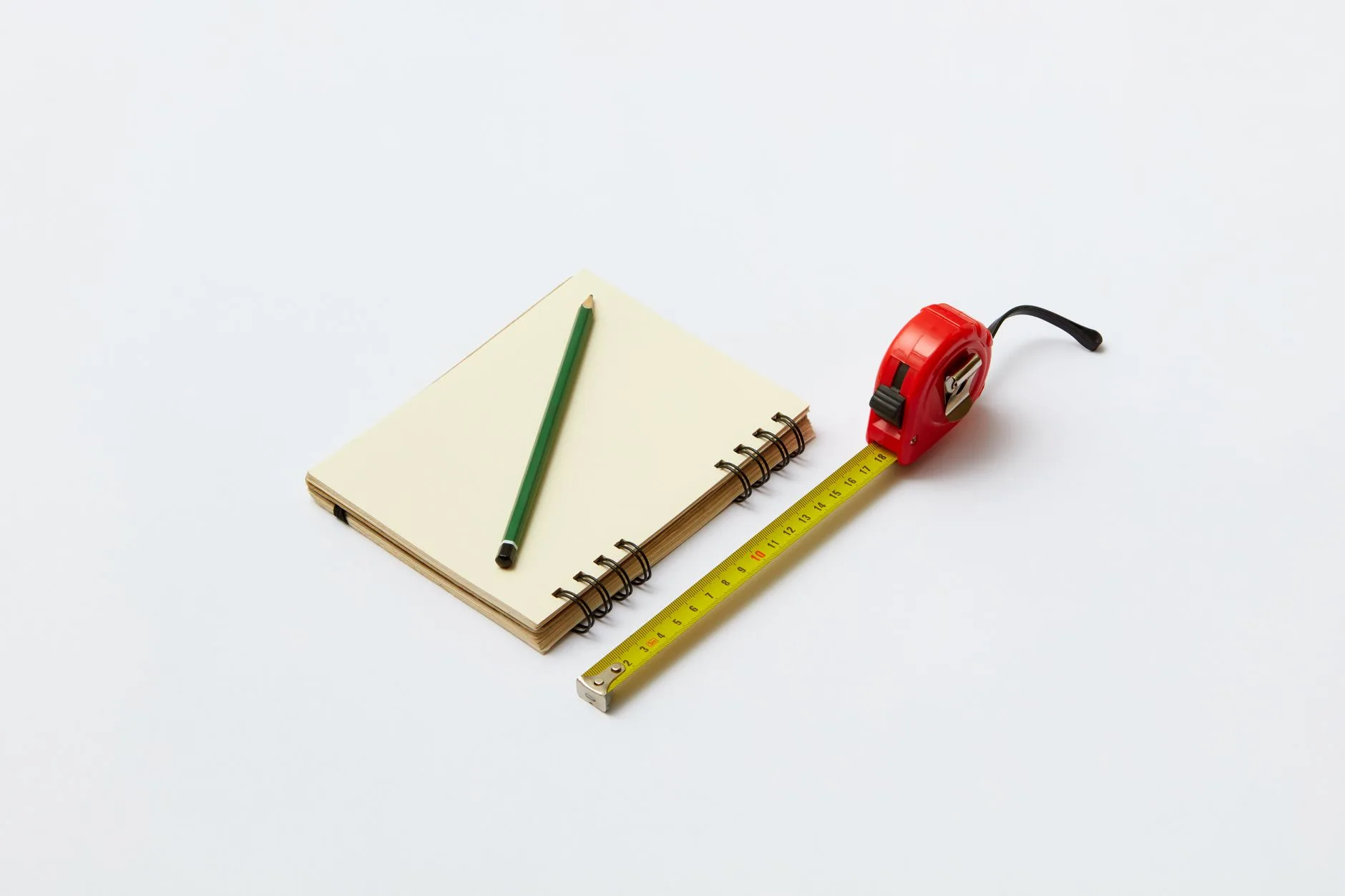
A basic 5m tape measure is enough for most rooms. The WORKPRO 5m tape at Argos is about £5, and a Stanley 5m/8m twin pack is about £19 if you want a longer tape for bigger rooms. A laser measure is nicer if you are measuring alone across a room; the Bosch Zamo is about £49.97 at Screwfix and is accurate enough for desk planning. Do not buy one just for a single desk if you already own a tape, but it is handy if you are also measuring shelves, blinds or flooring.
Use centimetres throughout. Most UK desk listings use centimetres, and mixing inches with centimetres is how a 60cm-deep desktop becomes a 60-inch fantasy purchase.
The quick rule
For a normal seated home office, treat 120cm wide by 60cm deep as the useful minimum for laptop plus monitor work. A 100cm desk can work for a laptop-only setup or a child’s homework desk. A 140cm to 160cm desk is more comfortable for dual monitors, a laptop stand or paperwork, but only if the chair space behind it still works.
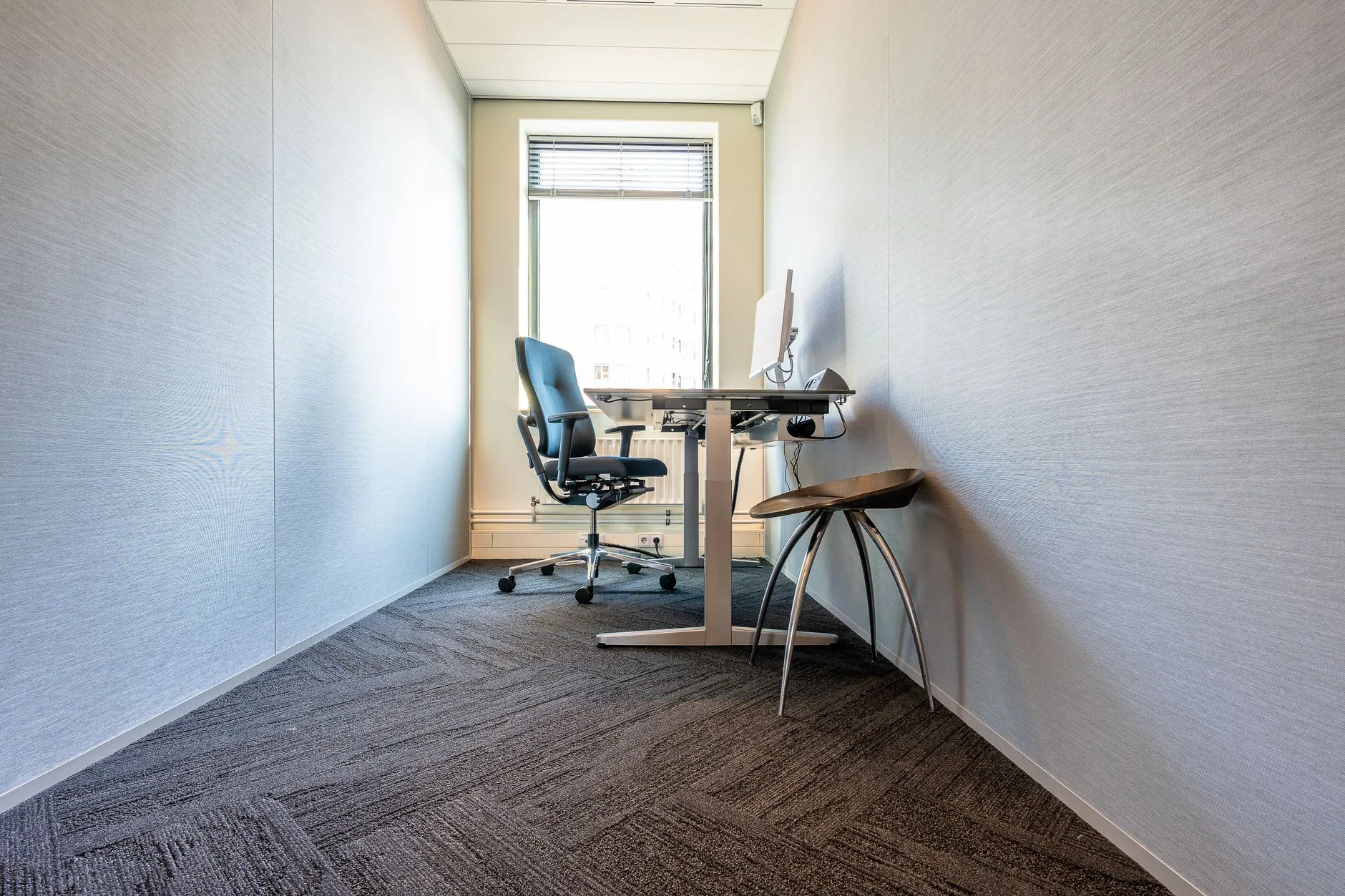
For sit-stand desks, check the frame feet as well as the desktop. Some electric frames have feet around 68-70cm deep even when the top is 60cm deep, which matters in narrow rooms.
Start With The Desk Footprint
Begin by measuring the exact patch of floor and wall the desk will occupy. Do not measure at chest height only. UK rooms often have skirting boards, uneven plaster, boxed-in pipework or radiator valves that reduce the real usable width near the floor.
Take three width readings
Measure the width of the space at:
- Floor level: where desk legs, drawers or frame feet will sit.
- Desktop height: usually around 72-75cm for fixed desks.
- Above monitor height: useful if the desk is going below shelves, a sloping ceiling or a window reveal.
Use the smallest number as your maximum, then subtract breathing room. If an alcove measures 123cm at the widest point but 119cm between skirting boards, a 120cm desk is already too tight. I would buy 110cm or 115cm, not hope the top can be persuaded in with a shove. Flat-pack edges chip. Walls also win most arguments.
Measure depth from the wall properly
Depth is where many desks fail in small UK rooms. A 60cm-deep desk sounds modest, but once you add a chair and human legs behind it, the working zone is closer to 120-140cm deep.
Use masking tape to mark the front edge of the proposed desk on the floor. A roll from Screwfix or B&Q is usually £2-£4, and it is far cheaper than returning a 35kg desk. Mark the full width and depth, then stand in the space. Pull out the chair you already own if you have one. If the chair back hits a bed, wardrobe or wall, the desk is too deep for that position.
Allow for frame and leg positions
Product listings often shout about desktop size and hide the frame detail lower down the page. Look for the distance between legs, the foot depth and any crossbar under the surface. This matters if you want drawers, a PC tower, a footrest or a chair with arms.
Budget desks around £50-£120 from IKEA, Argos or Amazon UK often use corner legs, which keep the middle clear but can wobble if the top is thin. Electric standing desks around £180-£500 from FlexiSpot, Maidesite, IKEA or Fully-style brands usually have a metal frame, central columns and wide feet. That frame can steal knee room, particularly on compact 100cm or 120cm tops.
If you are deciding between fixed and sit-stand, the related guide on standing desk vs sitting desk is worth reading before you commit to a frame depth.
Measure The Chair Zone
The chair zone is the space behind the desk, and it matters more than most product dimensions. A desk can fit beautifully against a wall and still be horrible to use if the chair cannot move.
The UK Health and Safety Executive says DSE workstation assessments should look at the whole workstation, including equipment, furniture and work conditions, not just the screen or chair in isolation. That is the right mindset for home desk measuring too: the desk is one part of a working position, not a standalone object.
Chair pull-back clearance
As a rough guide, allow:
- 60cm behind the desk: tight but usable if the chair mostly stays tucked in.
- 75-90cm behind the desk: better for daily work, especially with an office chair on castors.
- 100cm or more: comfortable if someone needs to walk behind you.
Measure from the front edge of the desk to the nearest obstacle behind the chair. That might be a bed, wall, wardrobe, sofa, filing cabinet or door. If you are in a bedroom office, also check whether bedding overhangs into the chair space. It sounds petty until a duvet catches the chair wheel twice a day.
Chair width and arms
Most office chairs are about 60-70cm wide including arms. Gaming chairs can be wider. If your chair has fixed arms, measure their outside width and compare it with the space between desk legs or drawer units. A chair that cannot tuck under the desk will make the room feel smaller even when nobody is sitting there.
If you are buying a new chair too, measure the old one before replacing it. A compact task chair around £70-£150 from Argos, IKEA or John Lewis can be better in a small room than a £250 gaming chair with wide shoulders and flared arms. Comfort matters, but bulk matters as well.
Movement during the day
Sit in the chair and go through the real movements:
- Stand up: can you rise without pushing the chair hard into a wall?
- Turn sideways: can you reach a printer, shelf or drawer without twisting awkwardly?
- Open drawers: can storage open while you are seated?
- Leave the room: can you get out without doing the office-chair shuffle?
This is where a 100cm desk in the right place beats a 140cm desk in the wrong one. Bigger is not automatically better. The best size is the one that leaves the room usable.
Check Doors Sockets And Radiators
Room obstacles are boring until they ruin the layout. Check them before you buy, because most returns become awkward once a flat-pack desk has been opened and partly assembled.
Door swing and wardrobe doors
Open every nearby door fully and mark the arc on the floor if it comes close to the desk. Bedroom offices are the main culprit: wardrobe doors, airing cupboard doors and room doors often compete with the chair zone.
Sliding wardrobe doors are easier, but check handle clearance. A desk pushed hard into a wardrobe run can block a drawer or stop a mirrored door from sliding past. If the desk sits near the room door, leave enough clearance for the door handle and your knuckles. A 5cm gap on a drawing rarely feels like 5cm when you are carrying a mug and laptop.
Sockets and plug depth
Measure where the sockets sit, not just where the wall is. A plug and cable can add 4-7cm behind the desk. Smart plugs, powerline adapters and bulky laptop chargers can need more.
If the socket will end up behind the desk, leave enough space to reach it or plan a cable route before assembly. A basic four-gang extension lead is about £8-£15 from Screwfix, B&Q or Amazon UK. A decent surge-protected tower or under-desk power strip is usually £20-£40. Do not trap either behind a desk leg where you cannot switch it off.
Radiators and heat
Avoid blocking a radiator with a solid desk or drawer unit. It reduces heat into the room and can make cables, chargers and desktop equipment warmer than they need to be. If a radiator is under the window, measure the radiator depth plus valve position and leave a gap for airflow.
This is especially relevant with electric standing desks. Some power bricks and control boxes are mounted under the top. Keep those away from direct radiator heat and give cables a relaxed route to the socket.
Windows, curtains and blinds
If the desk goes in front of a window, check handle height, blind chain position and curtain movement. A monitor arm can foul a window handle. A deep desktop can stop curtains closing. A shelf riser may block light or sit awkwardly against a windowsill.
If you already use monitor arms or plan to add them, measure from the back of the clamp to the wall. Some arms need 8-12cm of rear clearance when the screen is pulled forward. That can make a neat 60cm desk behave like a 70cm desk.
Plan Monitor And Accessory Depth
Desktop depth is not just about elbows. It controls how far your eyes sit from the screen, whether your keyboard position feels natural, and whether accessories clutter the working zone.
Laptop-only setups
For a laptop-only setup, a 50cm-deep desk can work if you keep accessories light. I would still prefer 60cm for daily work because it gives you space for a notebook, mug and separate mouse. If you use a laptop stand with a separate keyboard, treat it more like a monitor setup.
A simple aluminium laptop stand is about £20-£35 from Amazon UK or John Lewis. Add a basic keyboard and mouse, and the desk depth becomes more important than the laptop size. The stand pushes the screen back, while the keyboard needs a comfortable position near the front edge.
Single monitor setups
For one 24in or 27in monitor, 60cm depth is the normal sweet spot. The monitor size guide goes deeper on screen size, but the desk-measuring version is simple: larger screens need either more depth, a wall position that lets them sit further back, or a monitor arm.
A fixed monitor stand often wastes depth because the foot spreads across the desk. A monitor arm can free surface space, but only if the desk can take the clamp and the rear clearance works. Budget arms are about £25-£45; better gas-spring arms are around £60-£120. Check clamp thickness before buying. Some thin IKEA-style desktops need a reinforcement plate, usually £10-£20.
Dual monitors and deep accessories
Dual monitors usually need at least 140cm width if you want them side by side without feeling squeezed. A 120cm desk can work with one main monitor and one laptop screen, especially with arms, but it is not generous.
Depth can be a bigger issue than width if you use:
- A large keyboard: full-size boards with number pads push the mouse further out.
- Desk speakers: small speakers still need stable corners and cable routes.
- A desk shelf: risers add storage but raise monitors and eat depth.
- A drawing tablet: tablets need clear foreground space, not just spare width.
If you want a riser, read how to choose a desk shelf riser before buying the desk. The riser footprint should fit the desk, not force the whole working position forward.
The HSE’s DSE workstation checklist is aimed at employers, but the same checks are useful at home: screen position, keyboard space, furniture and work environment all affect whether a desk setup works.
Allow For Cable And Storage Space
Cable and storage allowances are the difference between a room that photographs well and a desk you can actually live with. Measure them early.
Rear cable gap
Leave at least 5cm behind the desk for cables if it sits against a wall. Leave 8-10cm if you have monitor arms, a chunky power brick, rear-facing ports or a clamp-on lamp.
Cable trays are cheap and useful, but they need space under the desk. A basic tray is about £15-£25 from Amazon UK or IKEA. Better metal trays from office suppliers are usually £30-£50. If you rent, check whether you are willing to screw into the desktop; adhesive clips cost £4-£10, but heavy power strips can pull them off over time.
The related desk cable tray guide is useful if you are planning an electric desk or multiple monitors. For measuring, the key thing is the tray depth and whether it clashes with knees, drawers or a modesty panel.
Drawer units and pedestals
If you want storage under the desk, measure it as part of the desk, not as an afterthought. An IKEA Alex drawer unit is roughly 36cm wide and 58cm deep, which means it can dominate the underside of a small 100cm desk. Similar mobile pedestals from John Lewis, Argos or office suppliers are often £60-£180 depending on finish and lockable drawers.
Allow knee width as well. Many people need around 60cm clear width for comfortable seated work. More is better if you use a footrest or shift position often. A footrest is usually £15-£35, and it needs clear floor space; it should not be jammed between a drawer unit and a desk leg.
PC towers, printers and side storage
Desktop PCs need airflow and cable access. Measure the tower height, width and depth, then add clearance around vents. Do not tuck a hot PC tightly beside a radiator or against the back of a drawer unit. If the tower goes on the floor, check whether the chair wheels can hit it.
Printers are worse than they look. A small inkjet might be 45cm wide and 35cm deep, but the paper tray and rear feed can need extra clearance. Unless you print daily, a side shelf often works better than sacrificing prime desktop space.
If the desk starts to need a printer, PC tower, drawers, dual monitors, speakers and a lamp, the problem may not be desk size. It may be that the room needs a different layout. The corner desk layout guide can help if a straight desk is fighting the room.
Sanity-Check The Size Before You Buy
Before ordering, do one final physical mock-up. This catches more bad buys than any spec sheet.
Tape the desk on the floor
Use masking tape or boxes to mark:
- Desktop width and depth: include the exact advertised size.
- Chair pull-back line: mark where the chair back sits when you stand up.
- Door and drawer zones: mark anything that needs to open.
- Cable route: mark where power will come from and where it will be hidden.
Live with the tape outline for a day if you can. Walk past it. Open the door. Pull out the chair. If it annoys you as tape, it will annoy you more as furniture.
Match common desk sizes to real rooms
These are practical starting points, not laws:
- 80-100cm wide: laptop-only, child’s room, hallway nook or very small bedroom office.
- 120cm wide: best all-round size for one monitor and normal home office work.
- 140cm wide: better for laptop plus monitor, paperwork or a wider chair.
- 160cm wide: comfortable for dual monitors, but only if the room has chair clearance.
- 180cm wide: useful for heavy setups, but too large for many UK spare rooms.
Depth follows the same logic. A 50cm desk is a compromise. A 60cm desk is the normal choice. A 70-80cm desk is lovely for deep monitor setups, but it needs a bigger room.
Do not ignore delivery and assembly
Measure the route into the room: stairs, turns, doorways and landing space. Flat-pack desks are easier than solid desks, but long desktops can still be awkward in Victorian terraces, loft rooms and narrow staircases.
Also check assembly space. Some electric standing desks need to be built upside down, then flipped. A 160cm top with a metal frame may need two adults to turn safely. If you are assembling alone in a box room, a smaller desktop or split-top model can be the more sensible buy.
My buying call
For most UK home offices, I would choose a 120cm x 60cm desk if space is tight, or 140cm x 70cm if the room allows it. The smaller size keeps the room usable; the larger size feels calmer for a monitor, laptop stand and notebook. I would rather buy a solid 120cm desk with good cable control than a cheap 160cm slab that wobbles and blocks the room.
If wobble is already a concern, check how to fix a wobbly desk before replacing it. Sometimes the answer is a wall bracket, better levelling feet or a tighter frame, not a new desk.
Finally, compare your marked-out layout against a basic ergonomic desk setup checklist. The desk has passed the measuring test only when the room works, the screen position works, and you can sit down without negotiating with the furniture.
Frequently Asked Questions
What is the minimum space needed for a home office desk? For a seated setup, allow at least 120cm width and 120-140cm total depth including the chair zone. A 100cm desk can work for laptop-only use, but daily monitor work is better on 120cm x 60cm or larger.
How much space should I leave behind a desk chair? Leave 75-90cm behind the desk if you use the chair daily. You can squeeze into 60cm, but it feels tight and makes standing up awkward. Add more if someone needs to walk behind you.
Is a 50cm-deep desk too shallow? It is usually fine for a laptop-only desk, but shallow for a monitor, keyboard and mouse. For one external monitor, 60cm depth is a better starting point. For large or dual screens, consider 70cm or use monitor arms.
Should I measure skirting boards when buying a desk? Yes. Skirting boards, radiator valves and pipe boxing can reduce the real floor-level width by several centimetres. Measure at floor level, desktop height and above the desk, then plan around the smallest number.
What tools do I need to measure for a desk? A 5m tape measure, pencil, paper and masking tape are enough. A laser measure such as the Bosch Zamo, about £49.97 at Screwfix, is useful if you are measuring rooms alone, but it is not required.
What desk size should I buy for dual monitors? Aim for at least 140cm wide and 60-70cm deep. A 120cm desk can work with one monitor and a laptop screen, but two full monitors feel cramped unless you use arms and keep accessories minimal.